Top 10 Photoshop Alternatives for Eastern Europe
Updated: 15.05.2026
Some of the most popular Photoshop alternatives are mentioned below.
Users that searched for Top 10 Photoshop Alternatives for Eastern Europe then also viewed the following software:
See also: Top 10: Onilne Graphic Design Software for Eastern Europe
Users that searched for Top 10 Photoshop Alternatives for Eastern Europe then also viewed the following software:
See also: Top 10: Onilne Graphic Design Software for Eastern Europe
2026. Canva acquired animation and video ad generation startups
Graphic design platform Canva has acquired 2D animation software Cavalry and advertising video generation startup Mango AI. Canva plans to fully integrate these tools into its professional Affinity suite, which already includes editors for raster, vector graphics, and layout. This will create unified "Creative OS" for designers, implementing a closed-loop content production cycle: from creating static images and vectors in Affinity to complex 2D animation and subsequent analytical optimization of advertising launches. These acquisitions come amid a significant shift in the balance of power in the graphic software market, where Canva and Figma continue to actively attract millions of users thanks to the integration of AI solutions. Morgan Stanley analysts have already noted that Adobe's professional tools are facing significant pressure from platforms that prioritize automation and accessibility.
2025. Figma added AI tools for deleting, moving and enlarging objects.
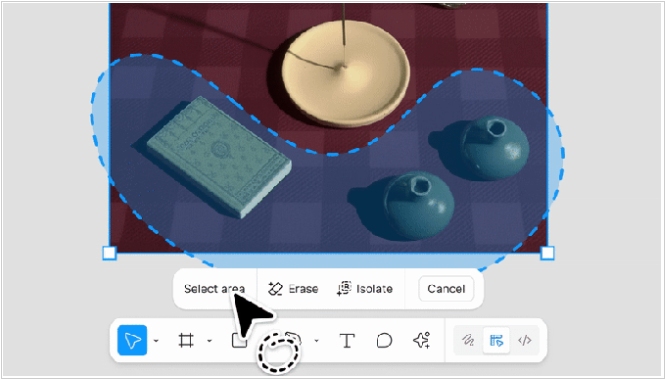
Online design service Figma has added new AI-powered image editing features, including the ability to remove, select and enlarge objects on images. This is done using the lasso tool. When moving an object, the image retains other characteristics, such as background and color. Users can also select an object to adjust parameters such as lighting, shadow, color or focus. The image enlargement feature is useful when you're adapting a creative for a specific format and need to fill in the background or other details. For example, when creating a web banner or mobile banner from a 1x1 image. Essentially, this eliminates the need to constantly crop the image and adjust elements within it.
2025. Google launched AI service for UI design
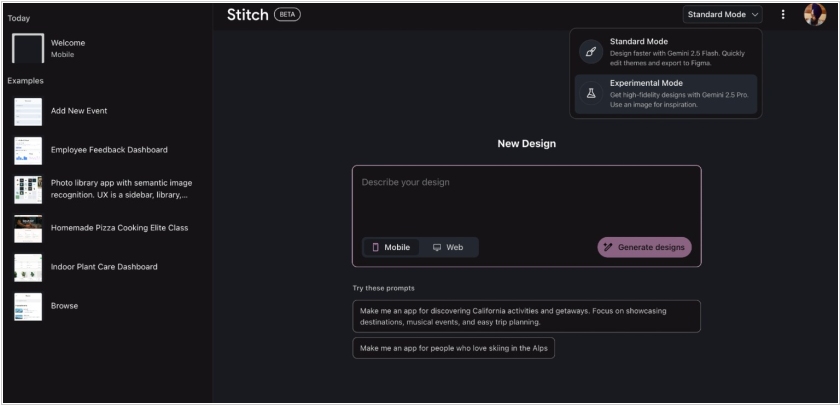
Google has launched Stitch, an AI-powered tool that helps design web and mobile app interfaces. Stitch can be asked to create an app's UI using a text prompt or even an image. The tool supports direct export to Figma and can provide code for refinement and interaction in the IDE. However, while Stitch is powerful, it is not intended to be a full-fledged design platform like Figma or Adobe XD.
2025. Canva gets AI image generation and AI-assisted coding
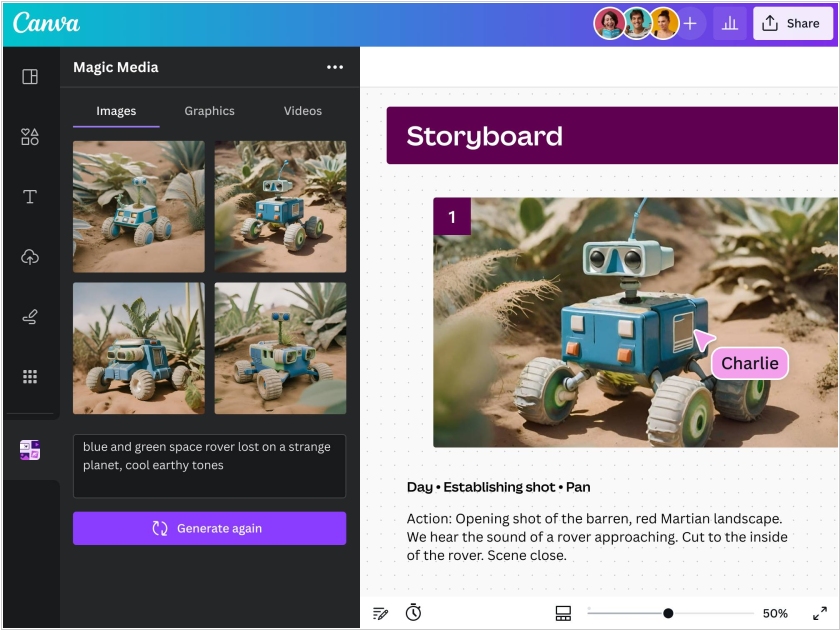
Design platform Canva is adding a suite of new AI features called Canva AI, that includes an AI assistant, the ability to create apps with prompts, support for spreadsheets and AI-powered editing tools. The AI assistant can perform a host of tasks, from creating images according to your instructions, to coming up with design ideas — say, collateral for social media or mock-ups for printing. Another tool Canva Code can be prompted to create mini-apps, like interactive maps or custom calculators, that can then be integrated in designs. One more tool allows users to point and click to modify artifacts in photos, generate background or change its lighting and layout. This feature set seems aimed at helping the company compete with Adobe Photoshop that is actively adding such AI-tools.
2023. Paint adds Photoshop-like features
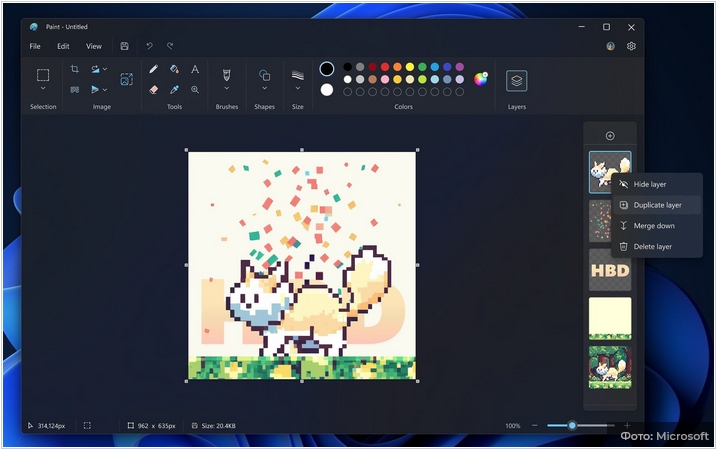
Paint, the built-in graphics editor in Windows, now supports layers and transparency. These features are typically found only in cumbersome and expensive editors like Photoshop, which, unlike the free Paint, are very expensive. Layers can be found on the toolbar, where a dedicated button for working with them has been added. Clicking it opens a panel to the side of the main editor window, similar to Photoshop, where you can rearrange existing layers, turn them on and off, add new ones, and delete old ones. There are also options for duplicating a layer with all its settings, merging two or more layers, and unmerging them. Paint previously added a feature for removing backgrounds from images. Microsoft is turning Paint into a full-fledged photo editor, but doesn't explain why it wants to do so.
2023. Microsoft launched its own AI-powered image editor
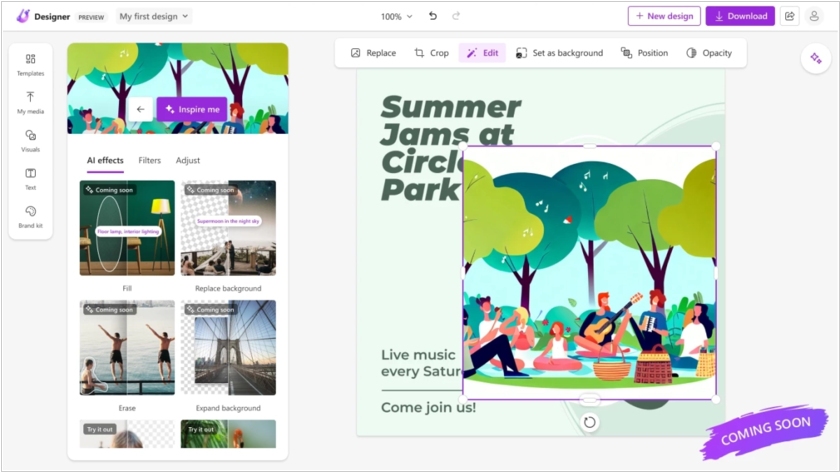
Microsoft has unveiled Designer - a service that will compete with Canva. The tool uses DALL-E 2, OpenAI's neural network, to generate images. It can also create animated visuals with backgrounds and text transitions, powered by artificial intelligence. Designer can also automatically generate text descriptions and hashtags for social media posts, offering several options for selection. During the preview period, the service is free, and the app is accessible through the Designer website or the sidebar in the Microsoft Edge browser. After the official release, Designer will be included in Microsoft 365 Personal and Family subscriptions, but some features will be available for free to non-subscribers.
2018. Autodesk unveiled free design app for iPad – SketchBook
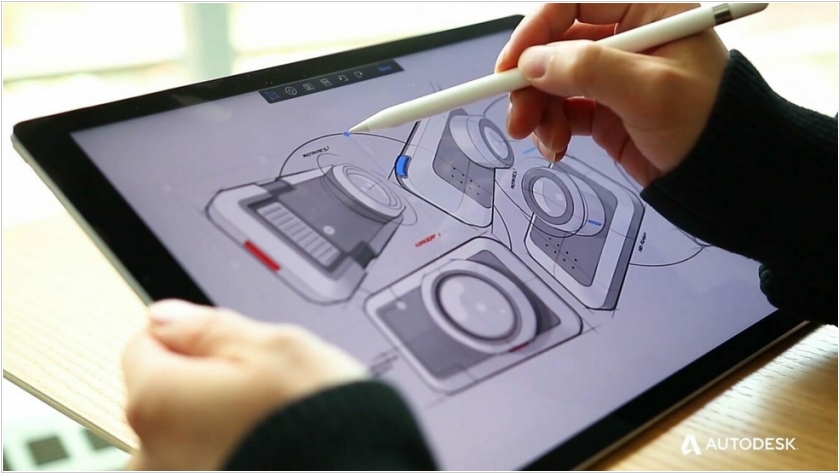
Autodesk has released a mobile version of its graphic editor SketchBook for iPad. As is typical of other editors of this type, it features a huge number of brushes, accessed through a simple interface and the ability to pin your favorite tools to a panel. With Dropbox integration and the ability to import and export Photoshop-friendly files, it's a great solution for working on the go.
2011. Autodesk acquires Pixlr, takes on Adobe Photoshop
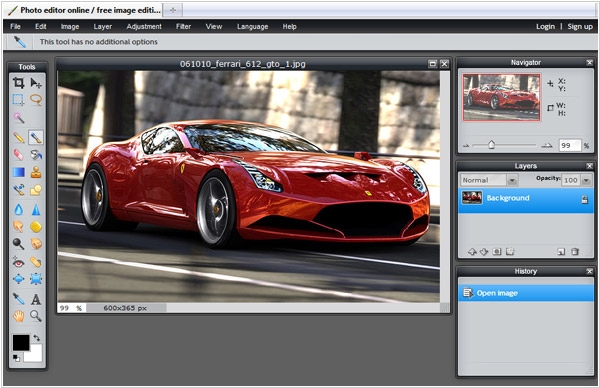
While Adobe is fighting with Apple and trying to sort out its SaaS-collaboration strategy, it can loose another niche - the online graphical design software. One of the main contenders - is Autodesk. Last week Autodesk, the maker of engineering design software acquired the best online Photoshop alternative - Pixlr. Some people might say that for the design software cloud technologies - are unnecessary, because they require first of all the speed and the rich interface of the desktop apps. But remember, the same thing people where saying about the cloud document editors. Like with the online document editors, the main advantage of online graphical editors - is collaborative features. For example, a designer needs to reconcile a template with a client, and an engineer needs to collaborate with the chief designer on a scheme. In such cases, the real-time collaborative editing is much more effective than sending file via email back-and-forth.