Canva
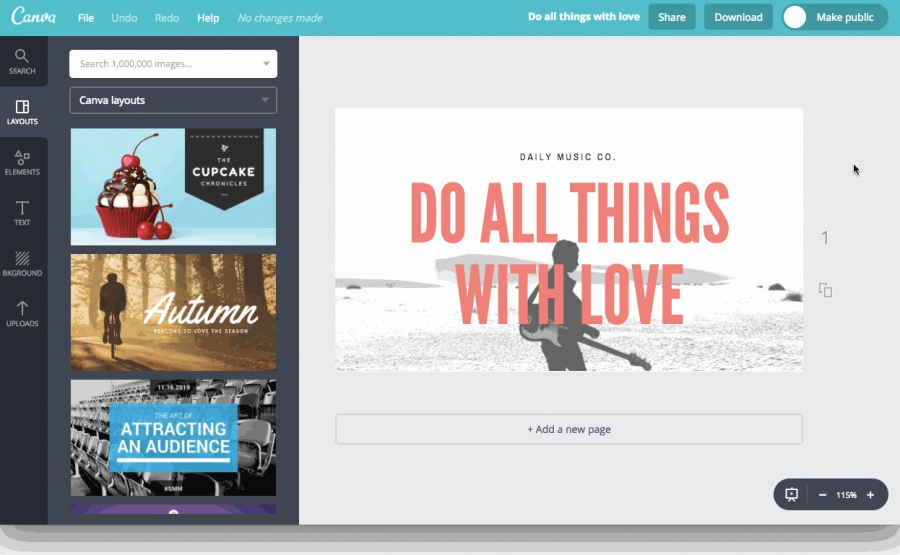
Canva gives you everything you need to easily turn ideas into stunning designs. Create designs for Web or print: blog graphics, presentations, Facebook covers, flyers, posters, invitations and so much more. Allows multiple users to edit designs in real-time. AI-chat/agent included
Add comment
Add comment
Alternatives and relevant products
Users who were interested in Canva, then also viewed:
Video about Canva
News about Canva
11.06.26. Canva allows to create designs directly from AI chats
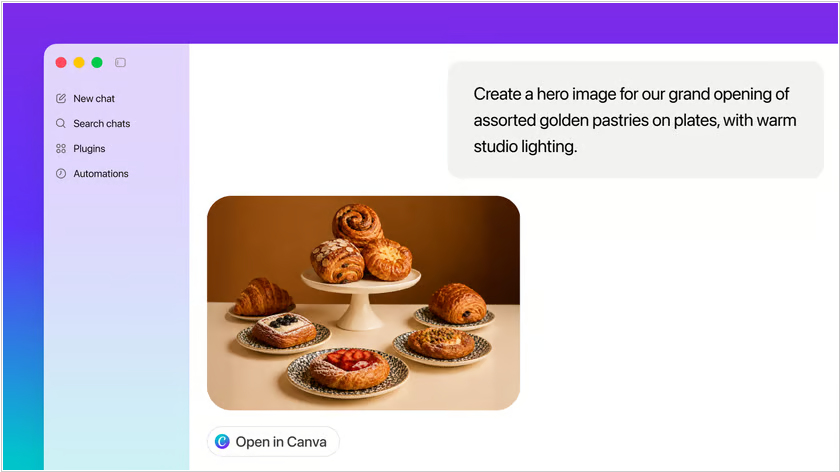
Design platform Canva has integrated with all leading AI chat services (ChatGPT, Claude, Gemini, Perplexity) - so you can ask a @Canva agent to generate an image, make a presentation, or create a website template directly in the chat, and then open it in the Canva editor for further processing. The integration is enabled by an MCP server, which allows LLM services to securely connect to your Canva account. Of course, you must first activate the connection in the web interface, mobile or desktop chat app and enter your username and password. For example, in ChatGPT, open the Apps section and search for Canva.
2026. Canva's AI assistant can now create designs in context of website and business apps
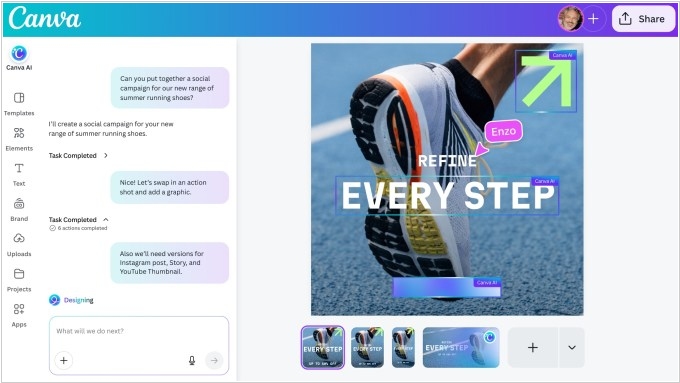
Canva has updated its AI assistant, which now uses its proprietary Lucid Origin model to create editable designs in dialog mode and with integrated tools. As part of this update, Canva has added integrations with Slack, Gmail, Google Drive, Calendar, and Zoom, allowing AI bot to gather context by reading emails, conversations, files, and meeting details. The AI assistant also gets web search capabilities, allowing it to browse websites and gather context. The assistant now uses layers to create designs, giving users the flexibility to customize various aspects of the final product. The AI code generator can now import HTML, and users can use text suggestions to describe the types of spreadsheets they want to create. The company also claims that the new Lucid Origin model is now 5 times faster and 30 times cheaper.
2026. Canva acquired animation and video ad generation startups
Graphic design platform Canva has acquired 2D animation software Cavalry and advertising video generation startup Mango AI. Canva plans to fully integrate these tools into its professional Affinity suite, which already includes editors for raster, vector graphics, and layout. This will create unified "Creative OS" for designers, implementing a closed-loop content production cycle: from creating static images and vectors in Affinity to complex 2D animation and subsequent analytical optimization of advertising launches. These acquisitions come amid a significant shift in the balance of power in the graphic software market, where Canva and Figma continue to actively attract millions of users thanks to the integration of AI solutions. Morgan Stanley analysts have already noted that Adobe's professional tools are facing significant pressure from platforms that prioritize automation and accessibility.
2025. Canva launches online Excel for AI-era designers
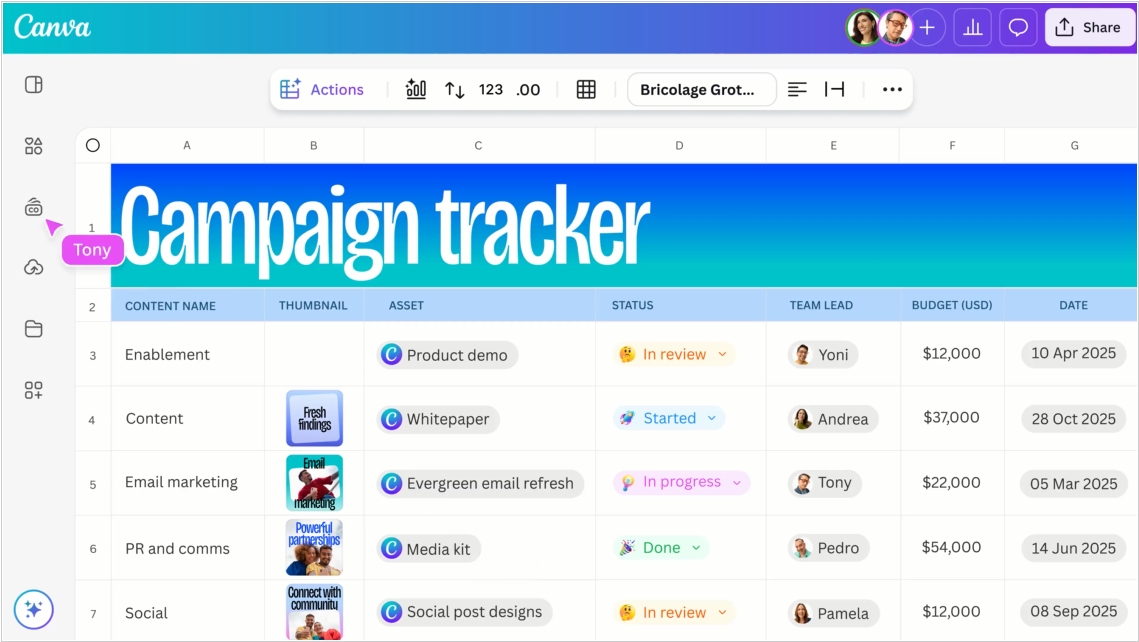
Canva has unveiled a new tool, Canva Sheets, billed as "a visually-focused reimagining of spreadsheets." It's basically Excel, only much simpler, more beautiful, and with real-time collaboration. Its goal is to allow teams to more easily explore analytical data and turn it into compelling visualizations. Besides spreadsheets, it features three features: Magic Charts, Magic Insights, and Magic Formulas (the word "Magic" hints at the fact that it's all AI-powered). Magic Formulas uses AI to find the perfect formula for a given cell. Magic Insights scans data sets, automatically identifying trends, insights, and key patterns. Magic Charts lets you turn dry sets of numbers into stories (i.e., visualizations). As for pricing, the service is free, and you pay, as always, for tokens and premium-content.
2025. Canva gets AI image generation and AI-assisted coding
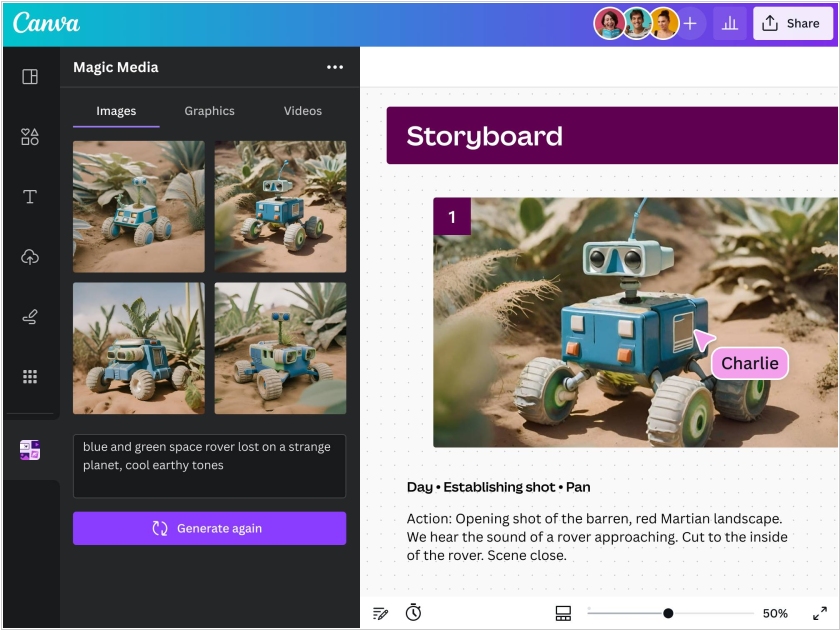
Design platform Canva is adding a suite of new AI features called Canva AI, that includes an AI assistant, the ability to create apps with prompts, support for spreadsheets and AI-powered editing tools. The AI assistant can perform a host of tasks, from creating images according to your instructions, to coming up with design ideas — say, collateral for social media or mock-ups for printing. Another tool Canva Code can be prompted to create mini-apps, like interactive maps or custom calculators, that can then be integrated in designs. One more tool allows users to point and click to modify artifacts in photos, generate background or change its lighting and layout. This feature set seems aimed at helping the company compete with Adobe Photoshop that is actively adding such AI-tools.
2025. Canva added offline mode for demonstrating presentations
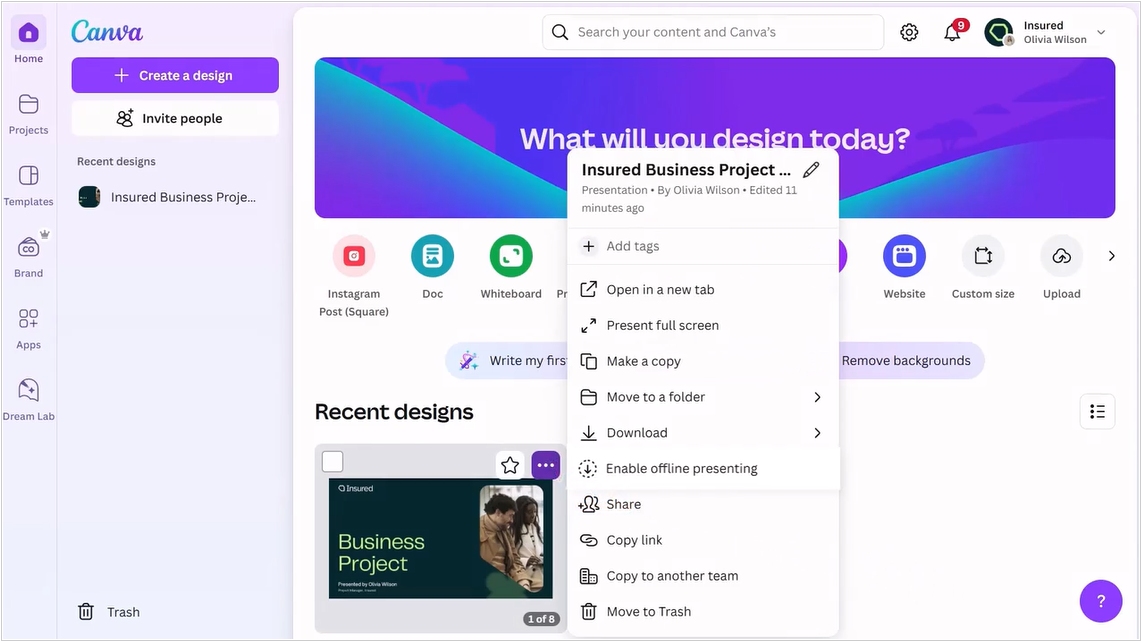
For those users who find it difficult to download a presentation as PDF or PPT to their computer, Canva has added an offline presentation mode. However, this feature isn't available by default – you still need to click "Enable offline presenting" in the presentation context menu, which will save the presentation (and will continue to save it) to your browser's local memory. Additionally, you can now create clickable animations in slides, use text as a mask, draw over slides directly in presentation mode, create beautiful page numbers using a template, add captions to diagrams, and share a link to a specific slide. You can now upload a reference image to the built-in AI slide generator, so it can create content in the same style. Canva's mobile app also now allows you to quickly record voiceover ideas and take photos and videos for presentations.
2022. Canva now allows to record presentation and share video link
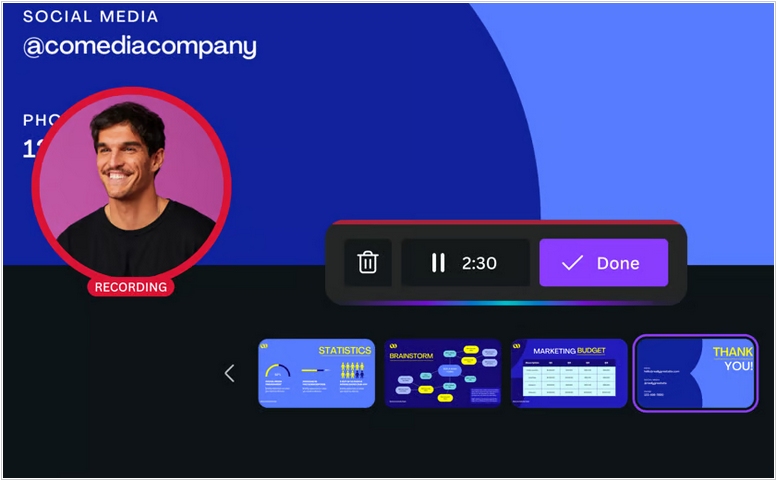
Canva has added a new feature - Talking Presentations, which allows you to record your presentation from start to finish in one take, including your voiceover and share the video link so anyone can watch it anytime, anywhere. Also the Canva mobile app now features Presenter View, which allows you to view slides, speaker notes, a timer, and remote control. Multiple presenters can virtually connect via a link from any device to navigate and control slides. You can also now make changes to slides directly during the presentation if you spot an error.
2021. Canva launches online video editor
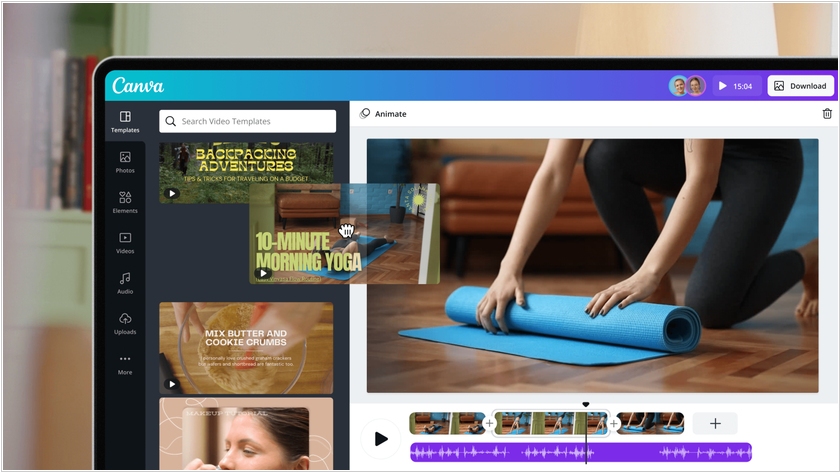
The popular online graphics editor Canva now lets you create and edit videos directly in your browser. The new service Canva Video offers fairly standard functionality. Videos can be automatically split into scenes, trimmed, and placed on the timeline along with transitions, titles, and audio tracks. The service also features a template library to simplify the process. It supports the creation of vertical videos for mobile devices and social media. A key feature of the service, compared to traditional video editors, is the ability to collaborate on a project in real time. Canva Video is available for free.