Top 10 Project Management Platforms with Gantt chart
Updated: 02.06.2026
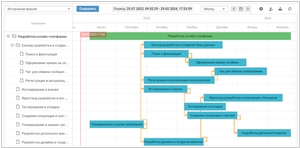
Some of the most popular Gantt chart software are mentioned below.
Users that searched for Top 10 Project Management Platforms with Gantt chart then also viewed the following software: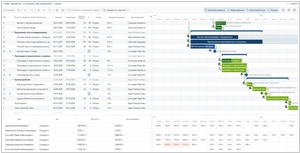
See also: Top 10: Project Management Software for Eastern Europe
Users that searched for Top 10 Project Management Platforms with Gantt chart then also viewed the following software:
See also: Top 10: Project Management Software for Eastern Europe
2017. MindManager now features Gantt chart and other project management tools
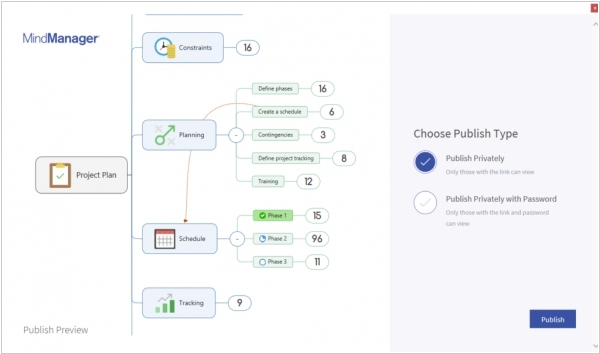
MindManager developers have released a new version MindManager 2018 for Windows. They call it the most impressive release in MindManager's history. It offers the ability to see the big picture and all the important details. It introduces powerful new features such as customizable visual structures, intelligent filtering, real-time change reporting, and a priority view. The new schedule view lets you plan your tasks using the calendar, and the network diagram (Gantt Pro) lets you edit task, resource, and dependency information directly in the Gantt chart. The Publisher tool makes it easy to embed mind maps in blogs, intranets, or websites. MindManager also expands file management capabilities, allowing you to store and access maps using Google Drive, Microsoft OneDrive, Dropbox, in addition to existing integrations with Box and SharePoint.
2016. Kanbanchi - missing project management tool for G Suite
Google's G Suite still doesn't have its own project management app. And the recent partnership with Slack means that it won't appear in the near future. But Slack doesn't fit all companies, some of them prefer kanban-style project management, for example. For these teams there is a new option - Kanbanchi. This service integrates into your G Suite dashboard, plays well with Drive and Calendar and allows to create multiple kanban-boards. Kanban-board organizes your tasks into columns according to their status, i.e. "ideas", "to-do", "in work", "done", etc. Thus the whole project is visualized on single screen and you can evaluate it at a glance. The app is free for use, but it provides also paid version ($20/month/user) with some additional features like Gantt Chart, Time tracker, your company style.
2013. Worksection has improved project tracking
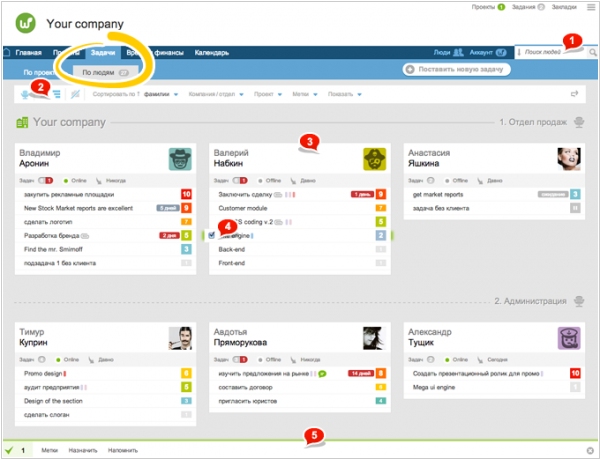
Worksection, collaboration and project management service, has rolled out a new update with ton of likes and new features, the main one being the "Tasks / by People" page. It will be useful for managers who want to monitor their team's workload, quickly identify idle workers, see their urgent tasks, and reassign them if necessary (see screenshot). Clicking on any employee on this page opens their profile, which immediately shows how many tasks they have, how many tasks are approaching due dates, and how many are overdue (for convenience, each of the three digits is highlighted in a different color). The profile also shows whether the person is currently online and the date of their last activity in the system. The task list displays their priorities, the number of days overdue (for urgent tasks), and the number of days remaining (for those with due dates). Worksection also includes updates including the ability to view MP4 and FLV video files online and the ability to save filter settings on the following pages: Projects, Tasks, Time, Calendar, Gantt Chart, Files...