Top 10 Browser-based Video Calling Platforms
Updated: 11.06.2026
Some of the most popular WebRTC / Browser-based video calling platforms are mentioned below.
Users that searched for Top 10 Browser-based Video Calling Platforms then also viewed the following software:

See also: Top 10: Video Meeting Platforms for Eastern Europe
Users that searched for Top 10 Browser-based Video Calling Platforms then also viewed the following software:
See also: Top 10: Video Meeting Platforms for Eastern Europe
2021. Brave Browser Now Features Private Video Calls
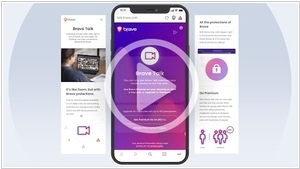
Brave is a bold little browser that's not afraid to compete with Chrome, Firefox and Edge. Its signature feature is privacy. Unlike other browsers, it doesn't track users and, what's more, protects them from intrusive advertising. Recently, Brave's developers even launched its own search engine, which can be used instead of Google and which also doesn't collect your search and browsing history. And recently, the browser added video calling (also untracked and encrypted). One-on-one calls are free, while group video calling and call recording are available for $7 per month. Video calling will be available on both the desktop and mobile versions of the browser.
2020. Skype allows you to participate in video calls without registration - via browser
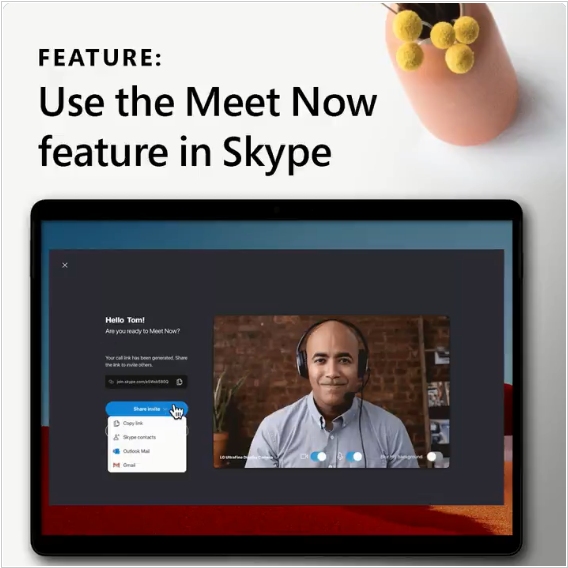
Watching Zoom's rapid rise in popularity during quarantine, Skype, somewhat offended, tweeted recall that, in fact, it (since last year) also allows video conferences with participants who don't have a Skype account (they can simply join the video conference via a link in a browser). Up to 50 people can participate in a conversation at once. Calls can also last much longer than on Zoom (4 hours versus 40 minutes). There's also a limit of 10 hours per day.
2019. Skype now lets you video chat with people without an account
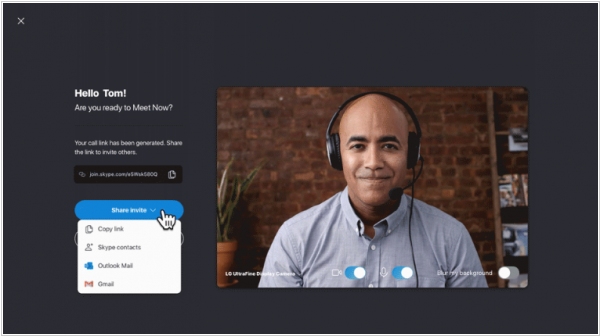
It turns out Microsoft is still developing Skype (and hasn't completely switched to Teams). Skype has a new feature called Meet Now, which lets you connect with people who don't have a Skype account. You simply send your contact a link (via email or another messenger), they click it, and open a video chat in their browser. There's no installation required. Skype also now features audio recording. And the Android version has an updated camera—it can now scan documents and whiteboards.
2016. Flashphoner WebRTC server is available on the Amazon cloud platform.

Web Call Server 5, a streaming video and web telephony server, is now available to all Amazon AWS cloud hosting users. Deploying a server in the AWS cloud takes just a few clicks and just a couple of minutes. The server serves as an intermediary for video transmission between web browsers, mobile devices, and desktop computers, allowing you to organize webinars, streaming video broadcasts, SIP calls from a browser, video chats, and much more. Web Call Server 5 handles all communication. The price of Web Call Server 5 starts at $999 for a single license.
2016. Skype now works without a plugin in Edge browser
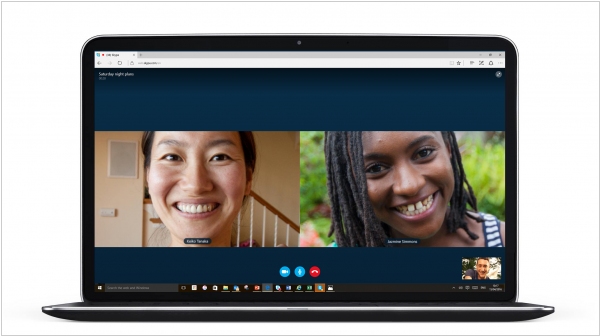
If you want to invite an external user (for example, a client, partner, or job candidate) to a Skype video call, and they don't have Skype installed, you can send them an invitation with a link to the web version of Skype for Web. They don't need to register. And if they have the Edge browser, they won't even need to install the video calling plugin. That's because Microsoft has implemented native support for Skype video and audio calling in its browser. Edge is available by default to all users of Windows 10, which is already the second most popular desktop OS in the world.

2015. Firefox gets built-in video chat

If you and your co-workers/clients/partners use Firefox, you no longer need Skype, plugins, or even an online video chat service to meet with them. The new version (35) of Firefox has its own built-in video chat Firefox Hello. To use it, go to Settings and drag the chat icon to the top toolbar. Then, to make a video call, simply click this icon and send the link to the recipient. The video chat window pops up in the lower right corner and stays on top of all bookmarks while you work in the browser. It can be expanded to fill the entire screen. Video chat is based on WebRTC technology, which has long been supported in Firefox, so no plugins are required. And Mozilla says that, unlike many web services, their video chat is secure.
2011. Web video chat: Google Hangouts vs Facebook Skype

A great battle between Google and Skype (Microsoft) for the video calling market continues on a new platform - the Social Web. Last week Google launched (in Beta) their social network Google + and one of it's features is the group video chat Hangouts. And yesterday the built-in Skype-based video chat appeared in Facebook. Both video chat apps work directly in browser, which signals about the transition of video calling applications to web-technologies (although both apps require the installation of a small browser plug-in). ***
2011. Google wants to make its WebRTC video chat standard widely accepted
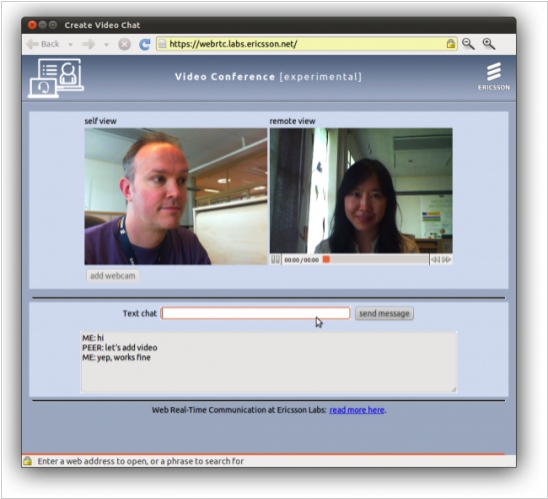
Unlike Skype, which uses closed, proprietary technologies, Google plans to open its communications technologies and make them public (i.e., make its video chat compatible with third-party applications). Yesterday, Google published the source code for WebRTC (Web Real Time Communication) technology, which the Internet giant acquired a year ago along with its developer, GIPS. WebRTC is primarily designed to implement video chat in a browser using HTML and JavaScript. Therefore, Google has already attracted companies and organizations such as Mozilla, Opera, Ericsson, the IETF, and W3C to the development of this technology. It is not hard to guess how widespread this video chat standard will be if it is supported by default by most leading browsers. Let's also remember that last year, after acquiring On2, Google opened the source code for the VP8 video codec, which became an open alternative to the widely used H.264.
2009. ooVoo uses a browser for video calls

To compete with Skype, you need to be better at at least one thing. In this regard, ooVoo has always distinguished itself with its multi-user (up to six participants) video conferencing. But it's encouraging that the Israeli company isn't stopping there. The latest version of ooVoo, 2.0, features a number of significant improvements, most notably the ability to use a browser for video calls. An ooVoo user can now send a link to anyone, who can open it and start a video chat in any browser. Furthermore, anyone with this link can initiate a video call to an ooVoo user. This new feature has opened up another interesting opportunity for ooVoo users. Now, you can add a "Click to Call" button to your website or email signature. Anyone can click it and call you via video (provided they have a webcam, of course).