Google Meet
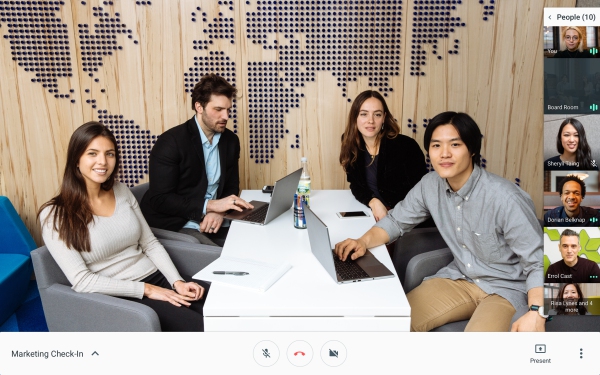
(Formerly Google Hangouts) Video meetings for your business. Connect with your team from anywhere. With easy-to-join video calls, you can meet face to face without the added cost of travel.
Comments: 1
Comments: 1
Alternatives and relevant products
Users who were interested in Google Meet, then also viewed:
Video about Google Meet
News about Google Meet
15.10.25. Google Meet added AI makeup

Video conferencing service Google Meet finally has added an AI-powered makeup filter for those days when you don't feel like applying real makeup before a meeting. The new feature will help it compete with other video conferencing platforms that already support virtual makeup, including Microsoft Teams and Zoom. Google Meet offers 12 different makeup options to choose from. Google claims the virtual makeup will stay in place regardless of the user's movements on the screen. So, if the user takes a sip of coffee, the filter will stay on their face, not move to their mug.
2025. Google Meet can now translate a foreign language in real-time
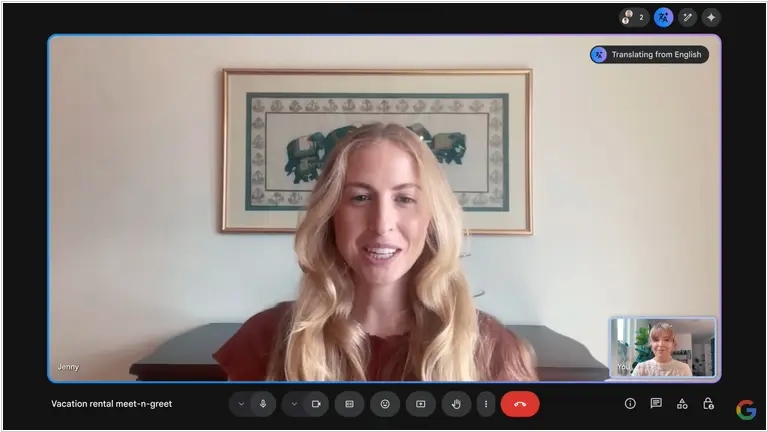
Video conferencing service Google Meet has introduced a new AI-based feature that allows you to translate the speech of your interlocutor in real time – and immediately by voice. So far, it only translates from English and Spanish, but Google promises to add more languages in the coming weeks. The feature preserves the speaker’s original voice and conveys intonation and emotions, which can facilitate international communication. The translator is already available in beta for $20 per month and will soon be introduced in Workspace business accounts.
2024. Google Meet will now take notes for you
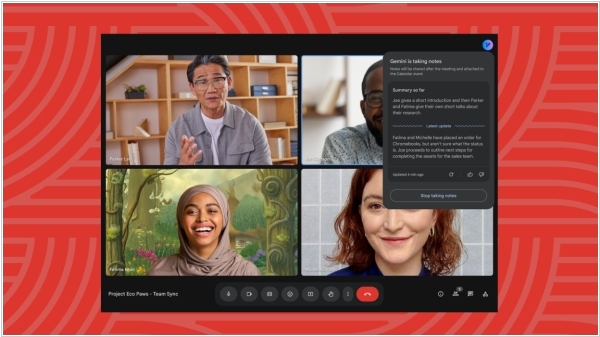
Google Meet will now take notes for you in meetings with a new Gemini AI-driven feature called "Take notes for me," which is comparable to competitor options like Zoom Notes or OtterPilot. It leverages AI to create a summary after your meeting. Once the meeting concludes, a document will be attached to the Google Calendar event and the meeting admin will receive an emailed link to it (it will also be stored in the organizer's Drive). If anyone activates meeting recording or transcription during the same meeting, a link to this will be included in the document. Meetings must be held in spoken English for the "Take notes for me" feature to function.
2024. Google Meet added ability to switch from desktop to phone during video call
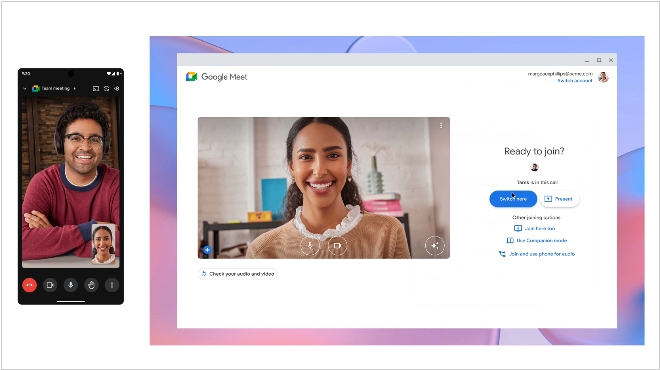
Google announced an update to its video conferencing platform Google Meet that allows users to switch devices during a call without interrupting the video call. Essentially, this allows users to seamlessly switch between desktop and mobile devices without other video conference participants being aware. Google Meet users will even be able to continue the call on both devices by going to "More Join Options" and selecting "Join Here Too." This feature works on desktop computers, as well as Android and iOS devices, such as smartphones and tablets. With this update, Google Meet adds a feature to its platform that has been available on Zoom for at least several years.
2023. Google Meet can now detect hand raising.
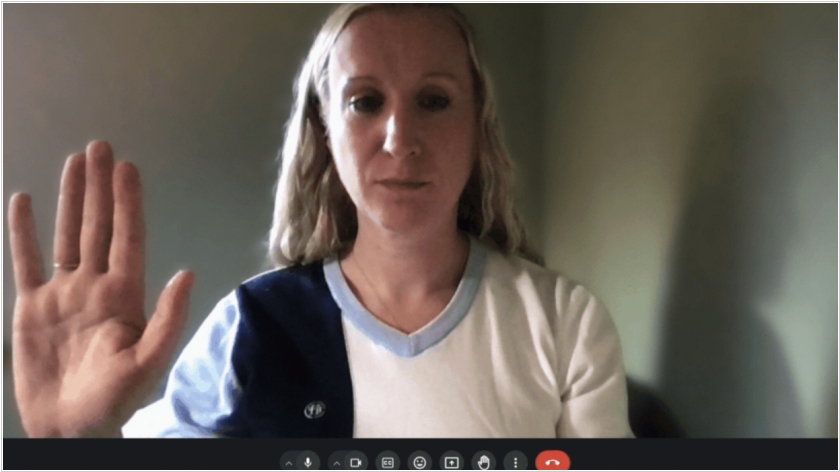
Raising your hand is a popular feature in video conferencing systems, but Google was the first to implement it not by pressing a button, but by actually raising your hand (as in a real meeting). In Google Meet, auto-detection of this gesture is not enabled by default. You must enable it by selecting "Advanced settings" > "Reactions" > "Raise hand gesture." For the feature to work reliably, your hand must be visible to the camera and held away from your face and body. Keep your hand raised until the hand-raise detection icon turns green. Administrators have no control over this feature, so they won't be able to turn it on or off.
2023. Google Meet introduces face retouching feature
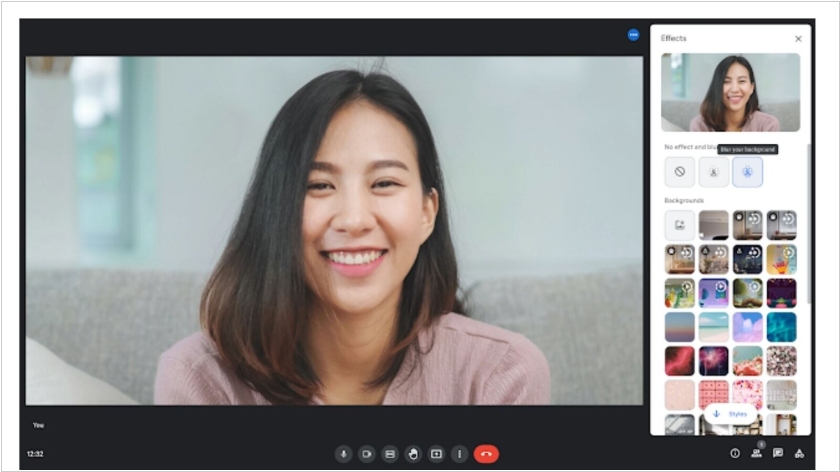
Google Meet has introduced the Portrait touch-up feature, which allows you to even out your complexion during a video call, brighten under-eye areas, and conceal redness or dark circles. The company believes this feature will be useful, for example, if a user joined a meeting straight from the gym or is recovering from a cold—the feature can help "subtly improve" their appearance. You can enable the feature and select the level of retouching in the settings. The feature will gradually roll out to some users on Google Meet mobile, including those on Business Standard, Business Plus, Enterprise Starter, Education Plus plans, Google One subscribers, and others. It is not available to users with personal accounts.
2021. Google Meet now automatically corrects darkening
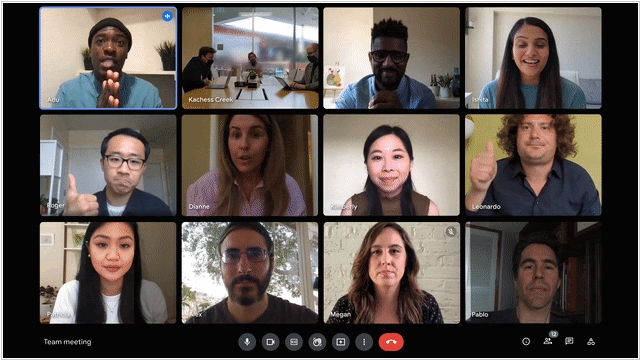
As you know, the camera in Google Pixel smartphones (specifically, its software) is considered the best on the market. And it looks like Google has begun to transfer its technology to its video conferencing service Google Meet. The service's latest update will automatically detect dark video streams and adjust their brightness. For example, video often darkens when a person is sitting behind a bright window. This feature can be disabled (if desired).
2021. Google Meet limits free group call time to 60 minutes
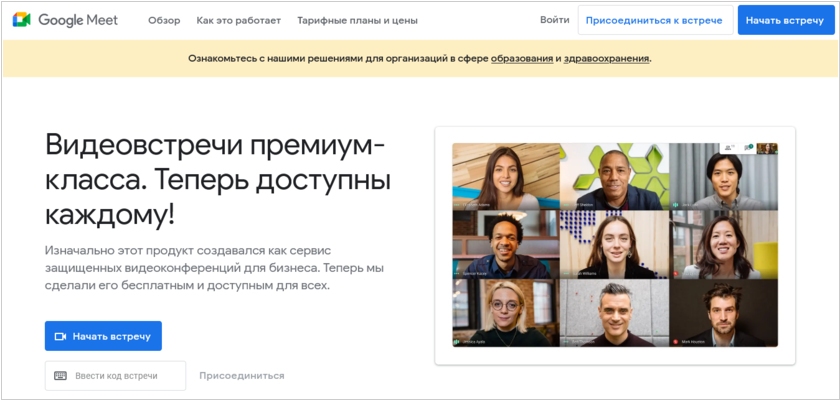
Google opened up free access to its video conferencing service Meet in April 2020 with no time limit to help people and businesses continue working during the pandemic. But apparently unaware that the pandemic is still ongoing in some places, the company decided to cut off the freebie. Now, calls with three or more participants in Google Meet are limited to 60 minutes in the free version. To remove the time limit on group calls, Google offers a subscription starting at $5.40 per user per month. The price depends on the maximum number of participants in the meeting and other additional features.
2021. Google Meet now features smart zoom and background replacement
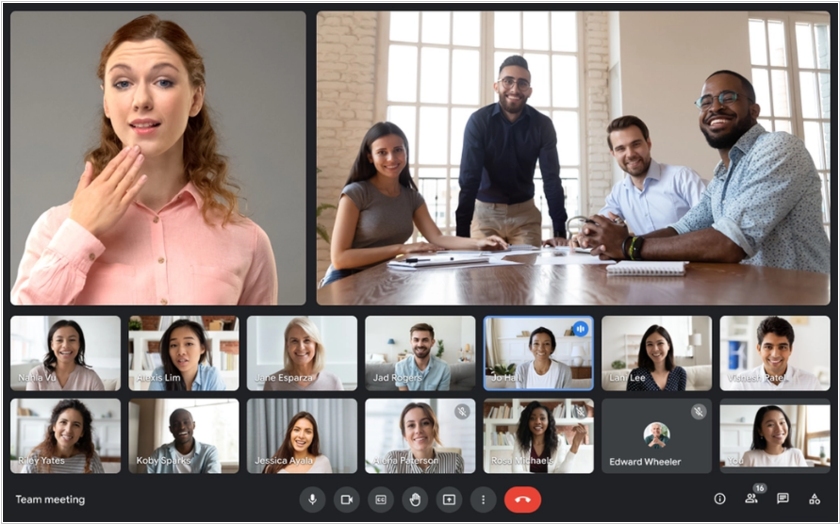
Google has released an update to its video conferencing service Google Meet, which will be released in May. It will finally feature the ability to change your background so colleagues can hide your clutter. However, for now, only three backgrounds will be available: a classroom, a forest, and a party. The new version will also automatically zoom in on the most active participants. The bottom panel of the meeting will be more convenient. Chat, attachments, and the participant list will be located at the bottom, making room for video, and the end call button will be moved further away from the camera and microphone buttons to prevent accidental clicks. Furthermore, the update will allow you to hide your video feed from the screen and unpin a presentation so it matches the video tiles of the conference participants.
2020. Google is opening free access to its video conferencing service Meet.
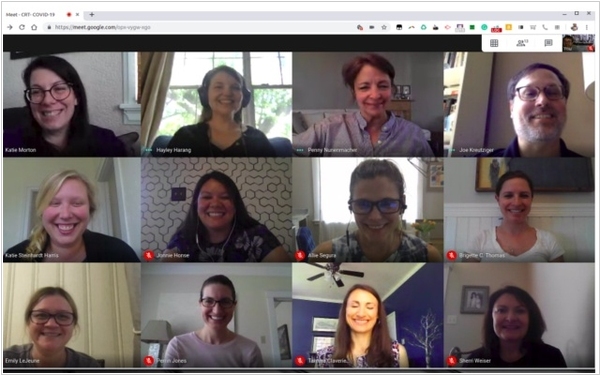
Google has finally made a bold move and will launch (starting May 1st) a free version of its video conferencing service Google Meet. Until now, it was only available to paid G Suite users. The free version allows video conferences with up to 100 participants lasting up to 60 minutes (and unlimited until September 1st). This is clearly a dig at Zoom, which has a 40-minute, 100-participant limit. Various window layouts are available, including Zoom-style layouts, screen sharing, document editing, a mobile version, and organization via Google Calendar. Google also emphasizes the security of its service, alluding to Zoom's ongoing problems with hacks. Video streams and meeting recordings on Google Drive are encrypted. To participate in a video conference, you need to log in with a Google account.
2020. Google Duo increased the limit on free video calls to 12 participants
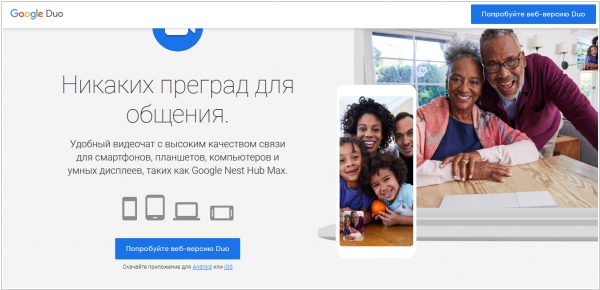
Video calls are incredibly popular during quarantine, so Skype, Zoom, and Viber are often overloaded and don't provide decent video quality. And now's the perfect time for Google to finally promote one of its many messaging apps – Google Duo. Duo was launched in 2016 and, even though it was installed by default on many Android smartphones, never received the recognition it deserved. However, it has everything you need. It's fairly simple and fast. It also has a cool feature: you can see the person calling you before you accept the call, so you can better prepare for the conversation. And now, in honor of the quarantine, Google is increasing the limit on video calls to 12 participants, so small businesses can easily use it for video meetings.
2020. Free Google Meet to help against coronavirus
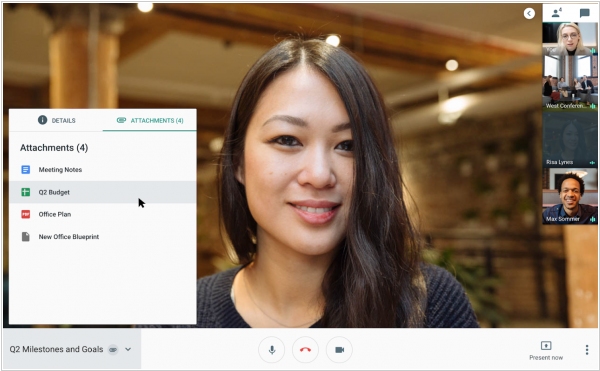
The coronavirus epidemic will end quickly if most people stop going to work and coughing on each other. And working remotely from home, via video conferencing, is possible. Google has figured out a way to effectively promote its business products using this idea. By July 1st, all G Suite online office users will be able to use the free Google Hangouts Meet video conferencing service, which supports up to 250 participants, encryption, meeting recording, and other features. However, G Suite itself no longer has a free version. Pricing starts at $6 per user per month.
2018. Google is shutting down Hangouts and Allo messaging apps
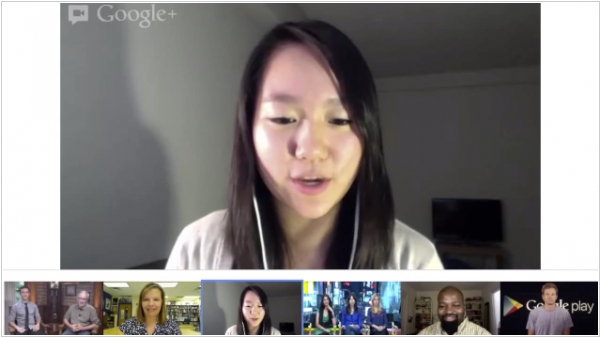
Google decided to clean up its messaging app portfolio and discovered two unnecessary ones: Hangouts and Allo. Hangouts Messenger appeared in 2011 as part of the Google+ social network and was known for its multi-user video calling. Last year, two business products were created on its basis: Hangouts Meet (a video conferencing service) and Hangouts Chat (a group chat - an alternative to Slack). However, the consumer version of Hangouts has now been shut down. As for Allo, it was positioned as a home for the Google Assistant virtual assistant (it allows communication not only with real people, but also with AI). But now Google Assistant is built into Android by default, and such a messenger is no longer necessary.
2017. Google splits Google Hangouts into analogues of Skype and Slack
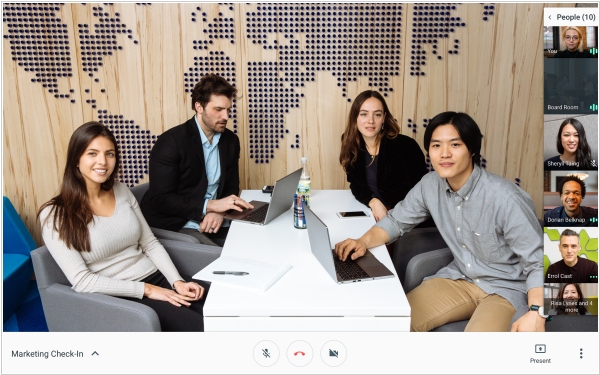
Online chat and video conferencing service Google Hangouts is remaining undervalued due to its unclear positioning. It's either a messenger, a video chat, a service for entertainment, or a business. And finally, Google has decided to clarify. Hangouts is now a service for business. Or rather, two services. The first, Hangouts Meet, is a video conferencing service (practically the same as before, but with a new design). It is available both separately and in G Suite, and allows you to create free video calls for up to 30 participants. The second, Hangouts Chat, is a group chat for business - a full-fledged alternative to Slack with rooms, bots, and integrations. It is available only to G Suite users. For the consumer segment, Google has already created messengers like Allo, Spaces, and Duo.
2016. Google launched the mobile video messenger Duo.
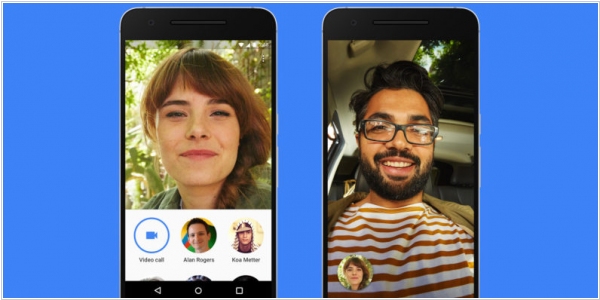
Google has decided to take the messaging market by brute force. Google Chat, Hangouts, Spaces, the announced Allo, and Google's Android SMS have now been joined by another app: Duo. It's positioned as the easiest way to have one-on-one video calls for Android and iPhone users. You don't need a Google account to register; a phone number is enough. Duo's unique feature is that you can see the caller's video before accepting the call, allowing you to mentally prepare for the conversation or decline. Duo also boasts full traffic encryption, automatic connection quality adjustment based on internet speed, and automatic switching between Wi-Fi and 3G.
2014. Google Hangouts is available as a standalone Chrome app for Windows and Chromebooks
Google Hangouts users can now chat and make calls from their desktops without opening their browser. Google Hangouts is now a Chrome app for Windows and Chrome OS computers. It can be installed on Mac OS X computers that also have Chrome but isn’t yet fully supported. The app provides all of your active chats on the desktop for easy access. More important though is the support for voice calls through the app, right on your computer. And Google Voice users will benefit from the Voice integration with Hangouts, meaning access to voicemail and the ability to send and receive SMS.
2014. Hangouts unlinked from Google+, becomes a part of Google Apps For Business

Until now, you had to have a Google+ account to use Hangouts if you were a Google Apps user. Starting today, that requirement is gone. Anybody with a Google Apps account will now be able to start or join a meeting from their desktop or their dedicated Chromebox for Meetings device. Hangouts is also now coming to Google Apps for Business. While users on Google’s paid accounts could always use Hangouts (assuming their admins allowed it), this change means that Hangouts is now covered by the same SLAs as the rest of Google’s services like Gmail and Drive. Lastly, IT administrators can better manage meetings right from the Google Apps Admin Console with options like remotely starting, muting and ending a meeting.
2014. Google wants to integrate its video communications into all business applications
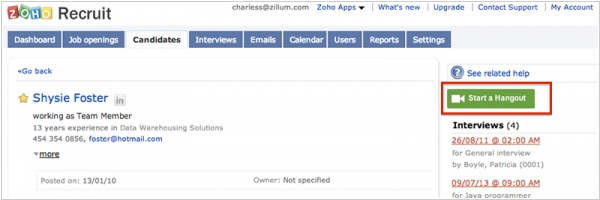
Google has taken a serious approach to promoting its Google+ Hangouts video conferencing service in the business sector. First, it released a video conferencing system for meeting rooms based on the Chromebox set-top box, then integrated Hangouts with leading video conferencing systems from Polycom and Cisco, and recently released a video conferencing plugin for Outlook. Now, Google is offering all business application developers the opportunity to embed a Hangout button into their products. And many have already taken the bait. For example, Google's video conferencing button already exists in the Salesforce CRM system, the Zendesk customer support service, the Smartsheet project management system, the Zoho Connect corporate social network, the Zoho Recruit recruiting program, and more.
2014. Google Hangouts now can connect to Polycom, Cisco and other videoconferencing systems

Recently we reported that Google unveiled video conferencing system for meeting rooms Chromebox for Meetings. But the adventures of Google in this area haven't ended with this news. It turns out that Vidyo (the maker of enterprise video communication systems) provides backend for Google Hangouts. And this company added to this backend a new service VidyoH2O, which allows Google Hangouts users to participate in videomeetings with corporate videoconferencing systems - Polycom, Cisco, Avaya, Lifesize and others (supporting H.323/SIP standards). So, there is a great potential for establishing intercompany video meetings. However, this service is not free - it costs from $99/month per concurrent user.
2014. Google released video conferencing system for meeting rooms

Google has released a professional video conferencing system based on Google Hangouts - Chromebox for Meetings. It costs only $999 + $250/year (the subscription fee is only payable starting from the second year). As the name suggests, the system is based on the Chromebox - a serial Google computer running Chrome OS. In addition, the system includes a Logitech HD camera, microphone, remote control, and any LCD TV. In addition to a video conference room equipped with these gadgets, users can participate in the video conference from their computers, tablets, and smartphones - as usual via Google Hangouts. A total of 15 video streams are supported. For example, a director, while on the beach, can gather all employees in a video conference room and communicate with them using a tablet. Thanks to integration with Google Calendar, the system makes it easy to plan video meetings and schedule video conference room use.