Top 10 Online Presentation Builders for Eastern Europe
Updated: 31.05.2026
Some of the most popular services for creating presentations for business are mentioned below.
Users that searched for Top 10 Online Presentation Builders for Eastern Europe then also viewed the following software:
See also: Top 10: Online Presentation Software for Eastern Europe
Users that searched for Top 10 Online Presentation Builders for Eastern Europe then also viewed the following software:
See also: Top 10: Online Presentation Software for Eastern Europe
2026. Copilot in PowerPoint now can generate and edit slides itself
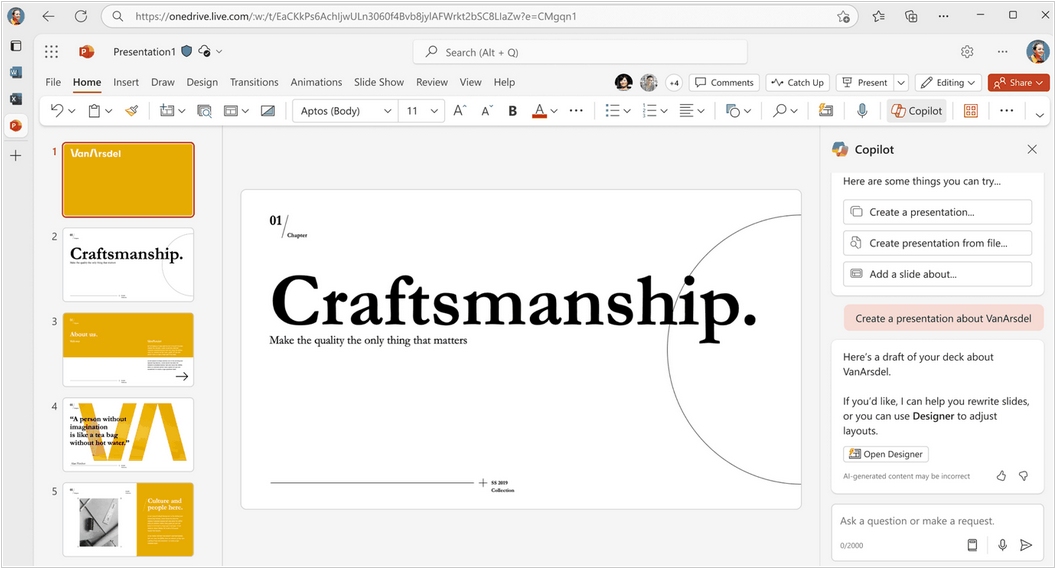
Finally, Copilot in PowerPoint has become a fully-fledged AI agent that not only suggest content but can also create and edit presentations under your guidance in conversational mode. You can start a new presentation or develop an existing one by asking Copilot to generate slides, update content, improve layouts, and polish the design while maintaining formatting, structure, and branding. You can give Copilot access to your brand kit or upload it directly to the chat, and it will always maintain brand consistency and apply management-approved templates, logos, and images. This new functionality is available to users with a Microsoft 365 Copilot license.
2026. Swoop - AI presentation generator from the creators of Prezi
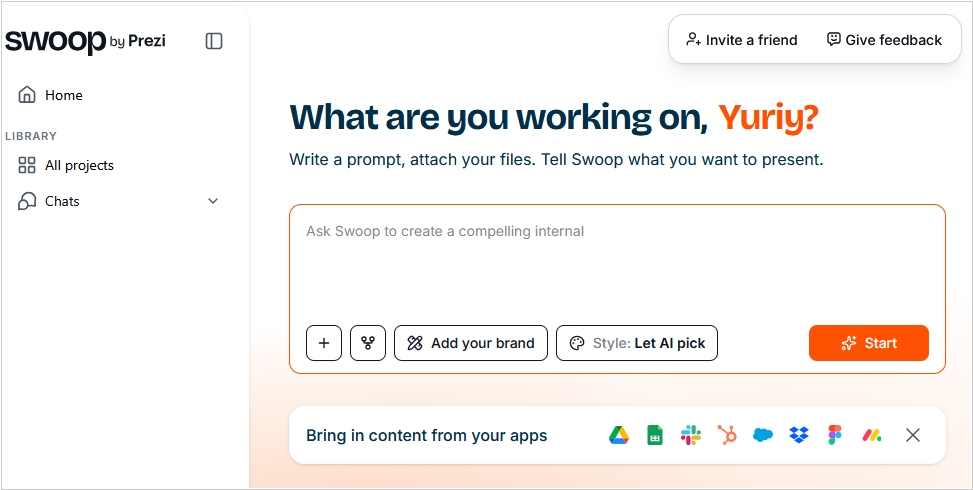
Prezi, the popular presentation builder is known for its original infinite canvas format. But now, with the advent of numerous AI presentation generators, Prezi developers thought, why not create their own one - for the standard slides format. So they created Swoop. Essentially, it's an AI chat that connects to your apps (Google Drive, Dropbox, Slack, Notion, Figma, etc.) and, in dialog mode, helps you structure your presentation, create content, and, ultimately, generate slides using your branding (taken from your website or uploaded documents). You can also upload an existing PowerPoint or Google Slides presentation, and Swoop will make it more professional. The result can be exported to PowerPoint, PDF, or as a link for online access. Swoop is free to get started (apparently, payment will be required once you exceed the token limits).
2025. Gamma - AI service for creating presentations and social media content
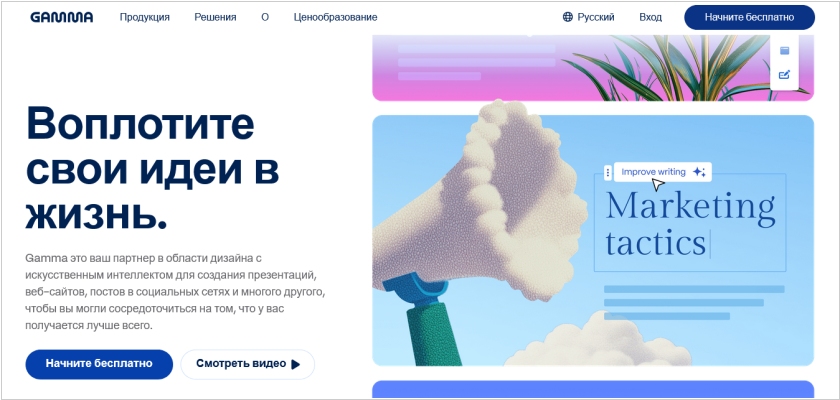
Gamma is a new service that makes it easy to create presentations, marketing materials for social media and websites, and even entire websites using AI. You simply formulate the task in natural language, import existing content or select template from the library and get a result that can be further edited using AI. The service enables real-time collaboration with your team. You can export the result in PPT, PDF, PNG, or Google Slides formats. Gamma also allows you to publish content and share a link to it, with the ability to track views and engagement metrics. A free version is available for generating simple presentations.
2025. Canva added offline mode for demonstrating presentations
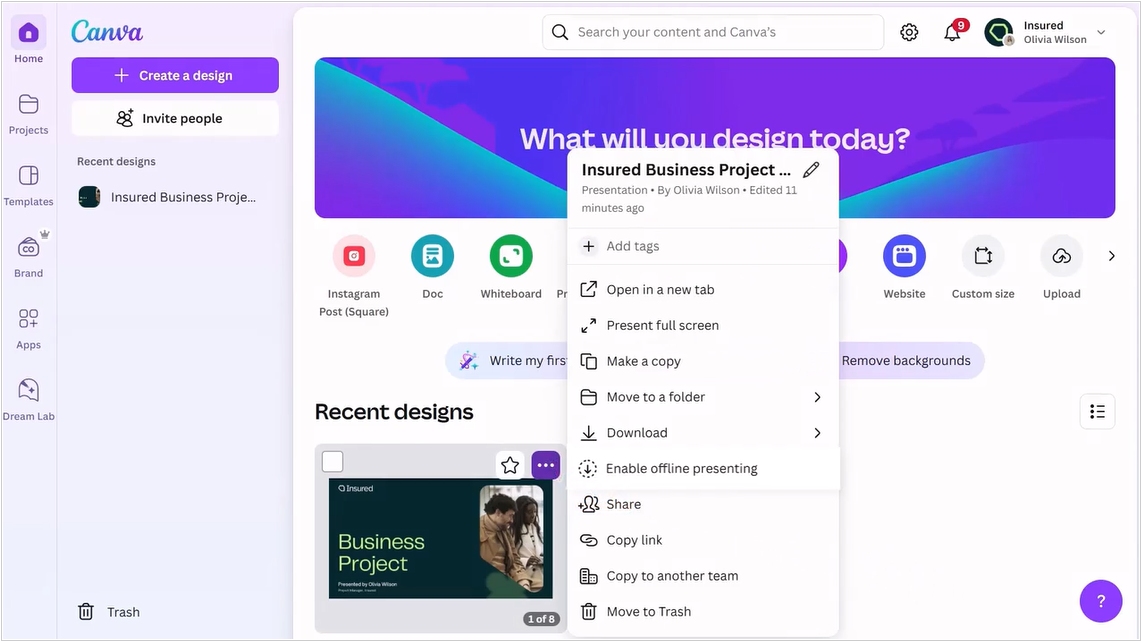
For those users who find it difficult to download a presentation as PDF or PPT to their computer, Canva has added an offline presentation mode. However, this feature isn't available by default – you still need to click "Enable offline presenting" in the presentation context menu, which will save the presentation (and will continue to save it) to your browser's local memory. Additionally, you can now create clickable animations in slides, use text as a mask, draw over slides directly in presentation mode, create beautiful page numbers using a template, add captions to diagrams, and share a link to a specific slide. You can now upload a reference image to the built-in AI slide generator, so it can create content in the same style. Canva's mobile app also now allows you to quickly record voiceover ideas and take photos and videos for presentations.
2024. Figma unveiled Slides for creating presentations
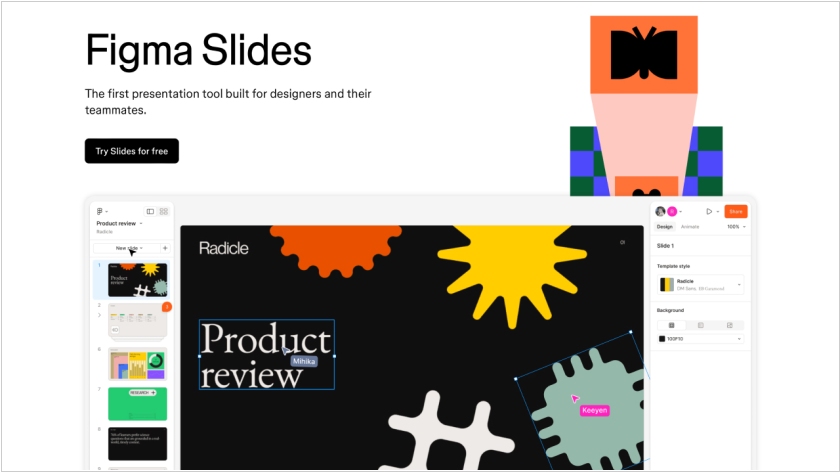
Users have long been using Figma to create presentations. So, the developers decided to simplify the process of working with slides and released a special tool, Slides. The service is similar to familiar presentation tools, such as PowerPoint. The editable slide is in the center, the left sidebar allows you to view all slides and reorder them, and the right sidebar contains editing functions. Slides doesn't support vector shapes and lacks many of the familiar Figma tools, but they can be accessed in Design Mode. All presentation slides can be viewed in a grid. Collaboration mode is also available. Using Live Objects, you can embed prototypes of apps and websites created in Figma into slides. There is also a presenter mode and AI features for content generation.
2021. PowerPoint's virtual assistant evaluates your body language
Microsoft has updated its virtual assistant PowerPoint Presenter Coach and added it to all platforms, including the desktop version of the service and the iOS and Android apps. The web version has had this feature since 2019. Presenter Coach listens to the user's speech through a microphone, analyzes vocabulary, tempo, and the presence of filler words or profanity. The assistant then displays its recommendations on the screen. It can now also connect to a video camera and evaluate body language. For example, it can suggest whether the audience can clearly see the speaker's face, whether the user is looking at the audience, and so on. Additionally, the Assistant has learned to spot repeated words and expressions that the user might not catch on their own and suggest the correct pronunciation. Currently, these features are only available for English.
2018. Salesforce unveiled Microsoft PowerPoint competitor
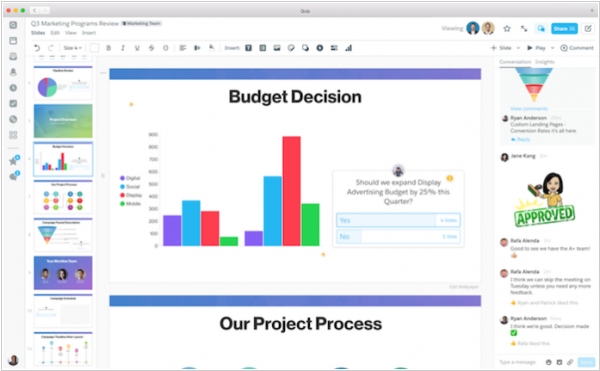
Microsoft's PowerPoint has some new competition from a familiar rival: Salesforce. Salesforce's Quip business, which already offers tools for word processing and working on spreadsheets, introduced Quip Slides. Quip was acquired by Salesforce in 2016. A lot of the features in Quip Slides will be familiar to anyone who has used Office 365 or G Suite to create presentations that can be viewed and edited by a team of colleagues, such as chat, commenting, and questions. But thanks to its corporate parent, Quip Slides can surface Salesforce data directly within a presentation that updates automatically as the underlying data changes. Besides, it allows to conduct interactive presentation when viewers can ask questions online. Slides will be available for $10 per-user per-month or $25 per-user per-month for Enterprise license.
2016. Google Slides allows you to make presentations more interactive

Google Slides is popular primarily for creating online presentations and embedding them on websites. But Google wants to challenge PowerPoint in the offline presentation segment as well. The new Slides Q&A feature is supposed to make presentations more interactive. The presenter can create a short link that, when opened on their smartphones, audience members can submit their questions or vote on questions from other audience members that they are also interested in. The presenter also receives feedback—a question rating—and can respond to them throughout the presentation or during the Q&A session. This way, the audience will be more engaged during the presentation, and the presenter will be answering questions that are of interest to the majority of viewers, not just the most daring.
2015. Google Slides allows to stream presentations directly from your phone
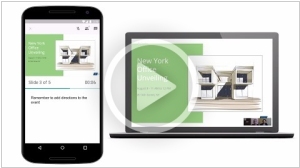
Google Slides (as Google's presentation service/editor is now called) has added the ability to broadcast presentations directly from a smartphone or tablet via its Android mobile app. This is achieved through integration with the Google Hangouts video calling service. This means you can send invitations to your employees or clients while sitting in a cafe or airport, and when they join the video call, you can show them your presentation. You can also see the attendee list, your notes, and a timer to ensure the presentation doesn't drag on too long.
2015. Zoho ShowTime app makes presentations more interactive

Of course, the interactivity and effectiveness of presentations and seminars largely depends on the presenters, but Zoho has developed technology that can help even the most boring presenter hold the audience's attention. The free mobile app Zoho ShowTime lets you use attendees' smartphones. Firstly, they can see the presentation slides on their smartphones and return to the slides that interested them. Secondly, they can like something if they liked it. Thirdly, they can ask questions (this will help get even those who are shy about asking questions out loud) to talk. A regular PowerPoint presentation can be uploaded to ShowTime. The presenter can switch slides directly from their smartphone, see questions and likes, and after the presentation, analyze which slides generated the most interest.
2011. Prezi+iPad - ideal presentations for conferences
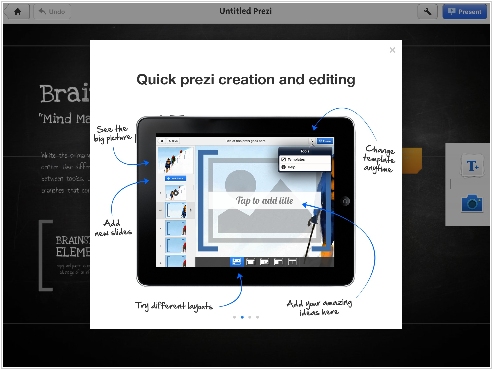
We continue to find new interesting ways of how iPad (and other tablets) can be used in the Enterprise. We have already mentioned that for executives and sales persons who often go to business meetings iPad can serve as a cool accessory to impress the client. But frankly speaking, nobody will demonstrate presentations on the iPad at these business meetings. Projector or laptop with bigger screen are much more appropriate for this case. But at different exhibitions and conferences, where you can meet many partners and customers, iPad - is an ideal solution to show presentation on the go. Besides, now the spectacular presentation tool has appeared - Prezi for iPad. Prezi - it's one of the most original and exciting services for online presentations. And on the iPad it looks impressive. It's interesting that presentations are not saved on the tablet, but broadcasted from the Internet. Besides this first version doesn't support video, animation and PDF files. It also doesn't allow to edit presentations - only to demonstrate.
2007. Google Docs gets presentation editor
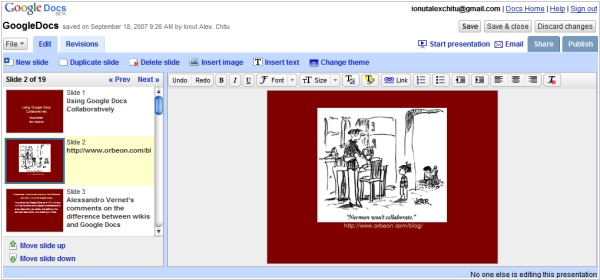
Google has renamed its online office suite from Docs & Spreadsheets to Google Docs, and added a presentation tool to it, fulfilling a promise made back in April. The presentation editor will also be available to users of the more comprehensive Google Apps suite, which includes webmail, IM, calendaring, and a web page designer. The lack of a presentation tool has so far been the only significant gap preventing Google Apps from becoming a full-fledged competitor to Microsoft Office and Outlook/Exchange. The next step is expected to be the addition of a wiki component to Google Apps, built on technology from JotSpot, which Google acquired about a year ago. The Google Docs presentation component supports importing PowerPoint presentations. Exporting to PowerPoint files is also planned for the future.
2007. Google acquired web presentation startup
Google has acquired Zenter, a company specializing in software for creating and delivering online presentations. Zenter's technology is expected to be used to expand the functionality of the online office suite Google Docs & Spreadsheets. Google Docs & Spreadsheets already includes a presentation application built on techniques acquired by the search giant from Tonic Systems. Zenter's developments will purportedly simplify the sharing of presentations online and among internet users.