Online PowerPoint. How to open a PPTX file in a browser?
Updated: 31.05.2026
Microsoft offers a free online version of PowerPoint for opening and editing .PPT and .PPTX presentations. However, there are also alternative services that allow, among other things, collaborative editing and presentation of PowerPoint online.
Users that searched for Online PowerPoint. How to open a PPTX file in a browser? then also viewed the following software:
See also: Top 10: Online Presentation Software for Eastern Europe
Users that searched for Online PowerPoint. How to open a PPTX file in a browser? then also viewed the following software:
See also: Top 10: Online Presentation Software for Eastern Europe
2024. Microsoft added new Copilot AI capabilities for Excel and PowerPoint
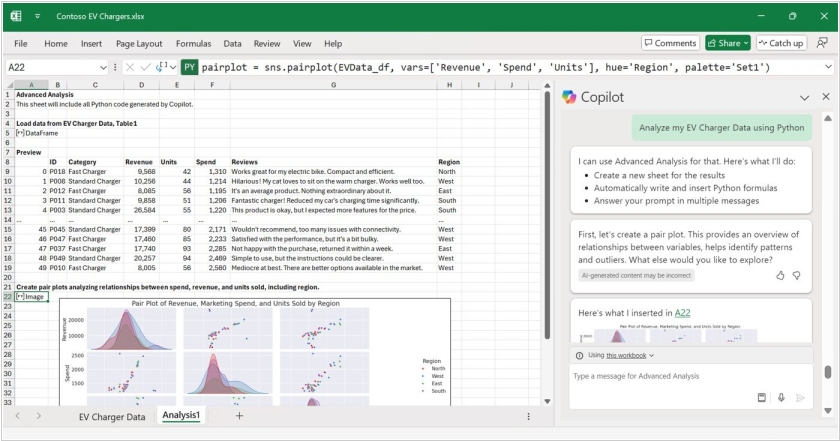
Microsoft has introduced new features of its Copilot AI assistant for Excel and PowerPoint. Copilot for Excel can now help users format data, create formulas such as XLOOKUP and SUMIF, and visualize data in charts and pivot tables. It can work with text, not just numbers, so users can search for keywords and phrases and analyze data. Additionally, Copilot in Excel now understands Python, allowing users familiar with this programming language to code spreadsheets. PowerPoint Copilot can generate a presentation outline by retrieving data from other Microsoft 365 applications. It can also embed information from the internet into slides, such as brand logos or illustrations generated by the DALL-E 3 neural network.
2021. Online Word now offers smart document-to-presentation conversion
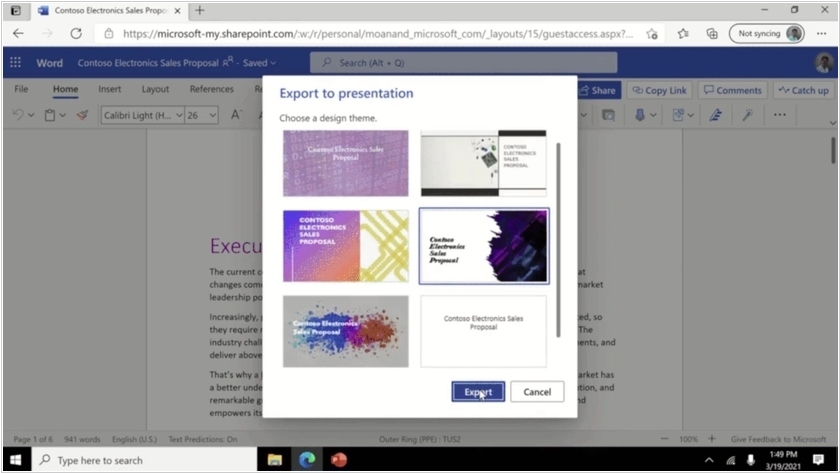
A new feature in the Microsoft 365 online office suite allows to automatically convert text documents into PowerPoint presentations. It's powered by AI—based on keywords in the document, it automatically selects images, icons, videos, and fonts and organizes the content. You only need to divide the document into sections (slides use section headings) and choose a design theme. For example, this could be useful for quickly creating a presentation for a project you're working on. However, for now, this feature only works with English-language documents.
2016. Google Slides allows you to make presentations more interactive

Google Slides is popular primarily for creating online presentations and embedding them on websites. But Google wants to challenge PowerPoint in the offline presentation segment as well. The new Slides Q&A feature is supposed to make presentations more interactive. The presenter can create a short link that, when opened on their smartphones, audience members can submit their questions or vote on questions from other audience members that they are also interested in. The presenter also receives feedback—a question rating—and can respond to them throughout the presentation or during the Q&A session. This way, the audience will be more engaged during the presentation, and the presenter will be answering questions that are of interest to the majority of viewers, not just the most daring.
2014. Google Docs allows to edit MS Office files without conversion
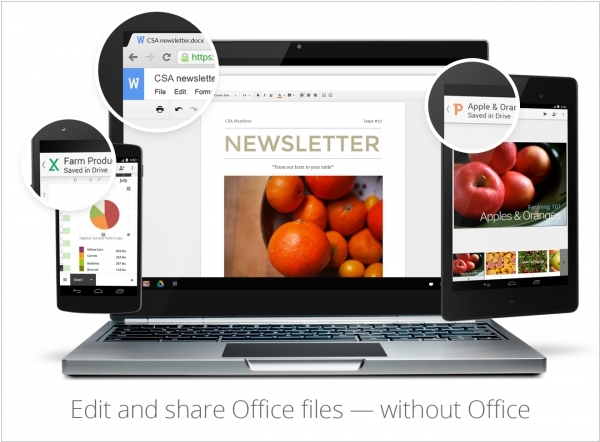
Google made it possible to edit Microsoft Office files directly in Google Docs, Sheets and Slides, so you can open and edit those documents in their native format using Office Compatibility Mode. No need to buy additional software or think about how to open your file. The Docs, Sheets and Slides mobile apps come with Office editing built right in, and with the Chrome extension, you can edit and share files directly from Google Drive or Gmail. Another new feature - Suggest Edits in Docs. It lets you do just that: your team can make suggestions that you can accept or reject with a single click.
2014. What is Office Online?
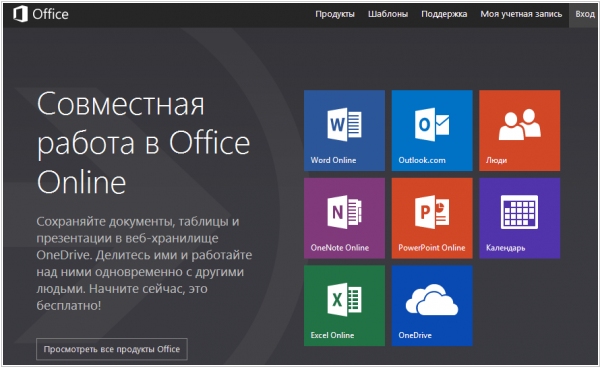
As you know, Microsoft was recently forced to rename the file storage and sync service SkyDrive to OneDrive. But Microsoft marketers didn't stop at this point and decided to rename also Office Web Apps. If you hear this title for the first time - it's not surprising. These applications (Word, Excel, PowerPoint, OneNote) work inside that SkyDrive (OneDrive) and you probably didn't care how they were called. However, now Microsoft is introducing a new label - Office Online on a separate site. Microsoft marketers say that before now when people searched for "Office Online" they didn't underestand why they need to sign up on SkyDrive. And now they will find Office Online and quickly begin working. However, eliminating one confusion - they gave birth to another: now users need to understand the difference between Office Online and Office 365.
2013. Teamlab launches free alternative to Google Docs and MS Office
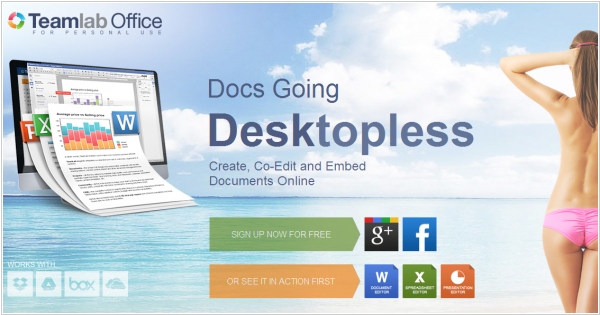
Online service Teamlab is know not only for its collaboration and business management features, but also for cool online document editors that can be well compared to Google Docs, MS Office Web Apps or Zoho Docs. But until now these editors where available only for Teamlab paid users. Today TeamLab is launching a free productivity tool Teamlab Personal - an alternative to Google Drive, Skydrive and Zoho Docs. It's a cloud file storage with office editors. Teamlab says that it combines reach formatting features from MS Office with collaboration tools from Google Docs. The service allows to upload and edit Word, Excel, PowerPoint from your computer and even pull docs from other online services: Dropbox, Google Drive, SkyDrive, Box (note that the last three services have their own document editors). You can share files with colleagues, co-edit and comment them in real time and embed documents to your web page.
2013. Zoho Docs 3.0: just to remind
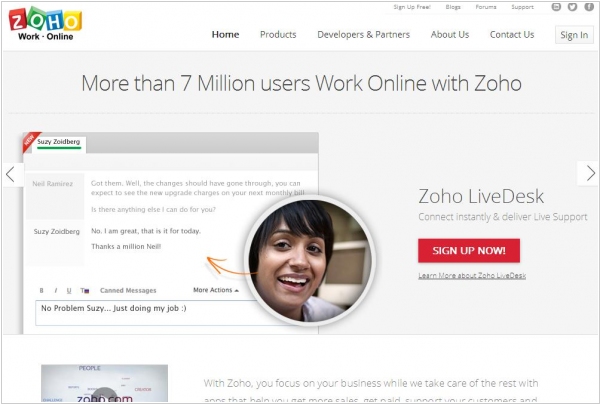
Zoho Docs - is perhaps the oldest online office suite. For many years this service was the most functional and comfortable on the market. But its early launch and very fast development don't give it any advantage any more. The online document editors - is a battle field for Microsoft and Google. And Zoho is now an odd player that doesn't sell to Salesforce or anybody else because of its corporate values. Playing catch up with each other Microsoft and Google have already caught up with Zoho apps (if compared in features) and yesterday's launch of Zoho Docs 3.0 had nothing to impress, but just reminded that Zoho Docs is still up and running. Sharing files as a link, transferring ownership of a document, multiple admins for a workspace - these are not game-changing things. Perhaps the only remaining advantage of Zoho Docs - is the ability to assign tasks and reminders to documents.
2013. Real-time co-authoring in PowerPoint Online. Office Web Apps on Android tablets
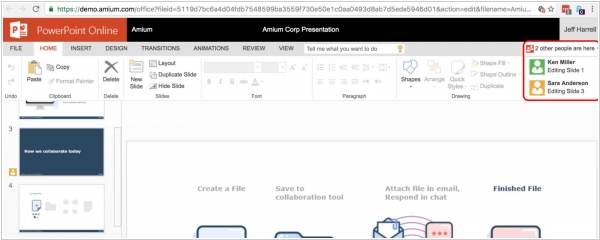
Last week Microsoft representative said this: "When we launched the Office Web Apps in 2010, they were companions to the Office desktop experience that enabled lightweight, on-the-go content creation and review. Since then, we've made a number of investments in Office Web Apps to make it easier for people to work together, author documents and access Office content from virtually any device. Our goal is to deliver Office Web Apps that people can rely on to create polished Office documents from start to finish, all from the Web. Moreover in 10 years we plan to discontinue the sales of the desktop office and move all users to the online office." This announcement was complemented by two new features: real-time collaborative editing in PowerPoint Online (watch the video above) and support for Chrome browser on Android tablets.
2013. New Office 2013: Bring Your Own Office?
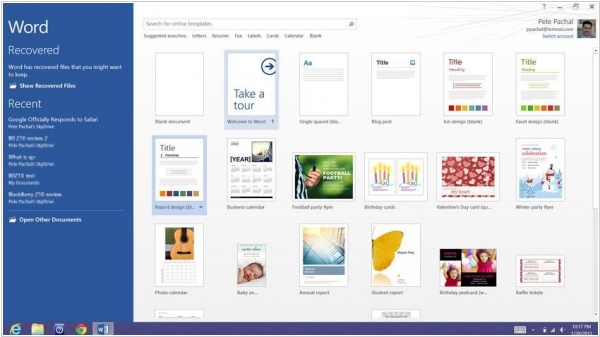
One of our Enterprise 2.0 2013 predictions was the further development of BYO (Bring Your Own) trend. We said that with the own devices, employees will bring to work their own apps. Today, after the official release of Microsoft Office 2013, it looks like our prediction is coming true. Just look at the video: some guy is showing how he works everywhere with his own office. It's definitely his OWN office (Home Premium), because the enterprise version of Office 2013 will appear only in a month. But what is the reason of this phenomenon? ***
2012. LinkedIn acquired Youtube for presentations - SlideShare
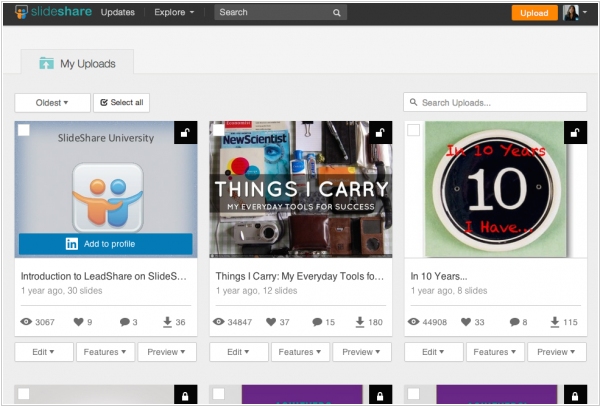
LinkedIn, the professional social network #1, is doing fine. During two last quarters LinkedIn manages to double its incomes - already up to $188 million/quarter. And the company is already valued at $10 billion. That's why LinkedIn can afford to buy the new users in bulk - for example, by purchasing online service SlideShare for $119 million. SlideShare works like Youtube - only not for video - but for presentations. And its target audience - are mostly business users (like in LinkedIn). You can upload to SlideShare your PowerPoint presentation and publish it anywhere in the embeddable web-viewer (like yuotube video). Besides SlideShare - is itself an additional marketing channel with a large audience, so by publishing a presentation on it, you can get new customers and partners. Will LinkedIn somehow integrate SlideShare into its network - is not clear yet, but at least they have already embedded LinkedIn presentation on the SlideShare homepage.
2012. IBM launches online office suite IBM Docs
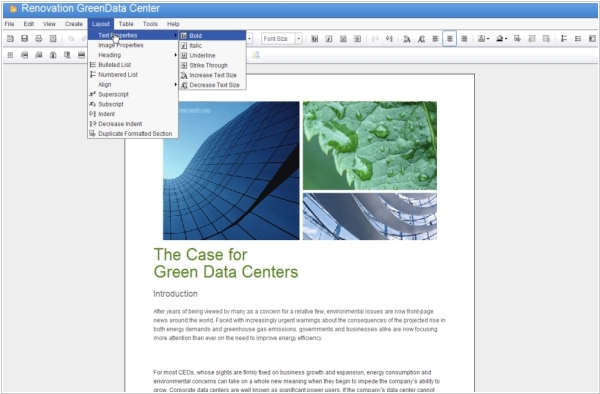
Almost a year ago, IBM promised to launch its own alternative to Google Docs and Office 365 - LotusLive Symphony. And the company has fulfilled the promise. True, the service is called differently - IBM Docs and for now it has no relation to the SaaS-platform LotusLive. IBM Docs is now in Beta the status and located on the strange portal Lotus GreenHouse. It's strange because, first, why it's Green, while the company is Blue? And second, IBM doesn't clearly explain the purpose of this portal and how long it will exist. It provides several IBM services for free, including Lotus Connections, Lotus Quickr, Lotus Sametime, Lotus iNotes. Moreover, the portal has less restrictions than bugs. But let's get back to the IBM Docs. ***
2011. Google Presentations adds real-time collaboration
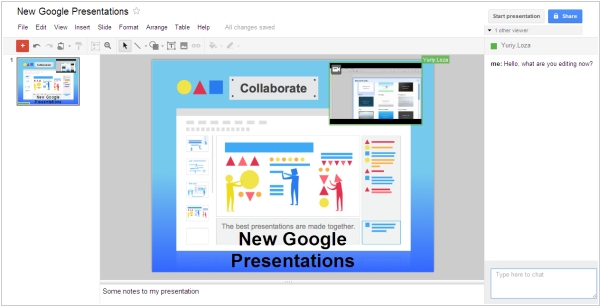
Google is trying to keep up with Zoho and SlideRocket in terms of online presentation editor capabilities. Today, Google rolled out a completely updated Google Presentations service. It now features real-time collaboration on presentations. In the right panel, you can see who is currently working on the presentation and chat with them. And in the presentation itself, you can see who is currently editing what (the object being edited is highlighted in the corresponding user's color). In addition to collaboration tools, many presentation enhancements have been added: slide transitions, animations, the ability to draw shapes and diagrams in the presentation, and links between slides. The impressive new editor is entirely implemented in HTML/Ajax, but the viewer still runs on Flash.
2011. Google and Box.net prepare to meet Office 365
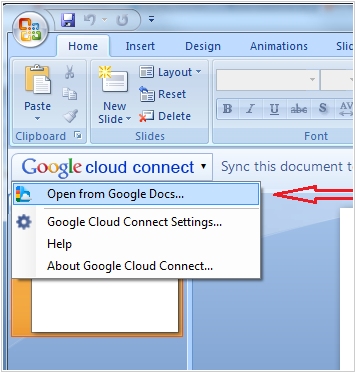
Next week Microsoft will officially launch its online office suite Office 365, and of course, the major competitors, Google and Box.net, want to spoil this party. First, they have integrated their solutions. Now Box.net users can edit any stored document in the Google Docs online editors. In addition, they can (in just one click) create new documents in Box.net folders by opening Google Docs apps. Recall that Box.net also features the similar integration with Zoho Docs, so now users will have a choice. Box.net CEO, Aaron Levy, says that he played with the beta version of Office 365 and that it’s lacking the power and functionality of the bunch Box + Google Docs. ***
2011. Google Cloud Connect is available for all
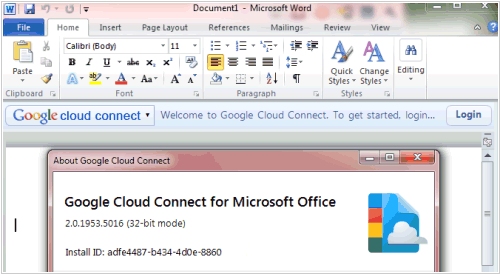
Google Cloud Connect - the plug-in that allows to collaborate on a document in Microsoft Word, Excel and PowerPoint, synchronizing changes via Google Docs, is now available to all comers. Recall, it appeared in November last year, but until now was available only in paid Google Apps accounts. Google Cloud Connect, of course, is free, because its main goal - is enticing users away from MS Office to Google Docs. But it allows to move in the opposite direction - to edit your documents stored in Google Docs using the MS Office editors. The video above shows how the plug-in works. Our review of the Google Cloud Connect - is here.
2010. Facebook + MS Office Web = Docs.com
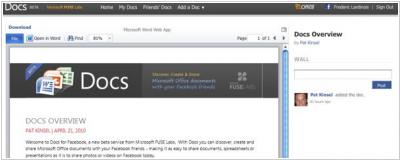
Today, Microsoft and Facebook opened the new service (+ Facebook app) Docs.com, which allows to store and display office documents on your Facebook profile and share them (for viewing and collaborative editing) with your friends, groups or all Facebook users. Documents can be viewed in the browser with the new viewer and edited with Office ***
2009. ThinkFree released online viewer - takes on Scribd and Docstoc
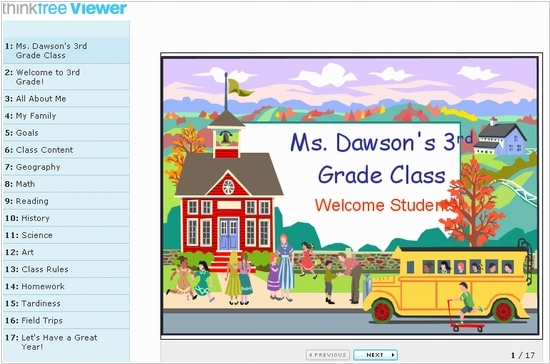
ThinkFree, an online office suite, always positioned itself as an online alternative to MS Office. But with the advent of Google Docs and Zoho Docs, this niche became crowded, and ThinkFree decided to take a different path. Specifically, through services like Scribd, Docstoc, and SlideShare. ThinkFree has developed a Flash-based online document viewer that can be embedded anywhere and render standard documents such as Word, Excel, PowerPoint, and PDF. The reader can view and search the document without having to download it to their computer. Unlike the aforementioned competitors, ThinkFree allows editing published documents in its online editors, with all changes instantly reflected in the published version. In addition to the ability to publish documents anywhere, ThinkFree offers its own public document catalog, which helps attract additional visitors. However, this catalog is still significantly smaller than its competitors, and ThinkFree's viewer isn't yet as functional.
2008. SlideShare = YouTube for presentations

What's YouTube's specialty? Lots of cool videos. But YouTube also makes it easy to upload media files online, embed them anywhere, share them with others, and have them quickly watch the video without waiting downloading. The creators of SlideShare used the same formula for presentations and have already received $3 million in funding. The result is a very popular site where people share their presentations, including for business purposes: adding a presentation to their own website, sending presentations to clients, finding templates and ideas for new presentations, publishing presentations directly for promotion among SlideShare visitors. You can create presentation with images easier than a video, but it can bring in just as many clients through viral marketing.
2008. Google improved its online presentation service
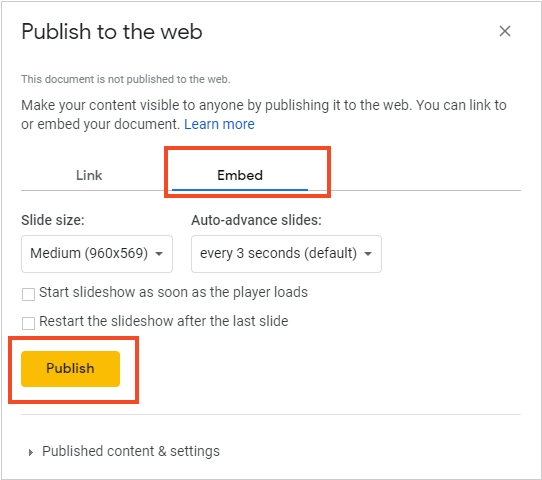
Google has added new features to its online office Google Docs. You can now create a folder tree for easier document organization, as well as rename documents and folders directly in the toolbar (previously, this could only be done from the File menu). Google has also introduced several new features for Presentations, including the ability to embed a presentation into a page on any website. New Google Presentations features include: embedding presentations on any website, importing slides from other presentations (Google or PowerPoint), dragging and pasting images from any website page into a presentation slide, easily rearranging slides, and easily changing slide backgrounds. You can now easily embed a presentation in a blog post. This feature is very convenient for showcasing presentations on a website, but it is not the best way to publish content from an SEO perspective. The text may be inaccessible to search engines, users with older browsers, slow connections, or those who have disabled Javascript. Many websites and blogs will likely find good use of these new features, but webmasters may not want to use them for publishing text content.
2007. Gmail now has an online PowerPoint viewer
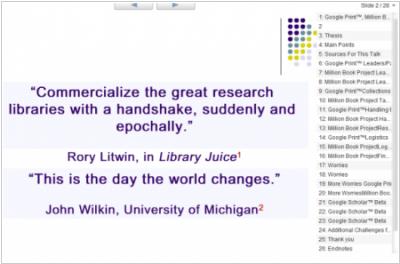
Gmail now supports online viewing embedded PowerPoint presentations and slideshows. Previously, you could either download the presentation or view it in a stripped-down HTML format. As a reminder, Google recently promised a tool for creating presentations in Google Docs. Slideshows in Gmail are displayed in Flash, although most Google services are built using AJAX. A new "embed this presentation" feature has also been added, allowing you to embed a presentation on a website.