PowerPoint on iOS. How to open a PPT presentation on iPhone and iPad?
Updated: 18.04.2026
Microsoft provides a native (free) app for opening and editing .PPT and .PPTX presentations on iPhone and iPad. However, there are also alternative apps that allow you to work with these file formats.
Users that searched for PowerPoint on iOS. How to open a PPT presentation on iPhone and iPad? then also viewed the following software:
See also: Top 10: Online Presentation Software for Eastern Europe
Users that searched for PowerPoint on iOS. How to open a PPT presentation on iPhone and iPad? then also viewed the following software:
See also: Top 10: Online Presentation Software for Eastern Europe
2024. Office for iOS now has a Recent Files widget
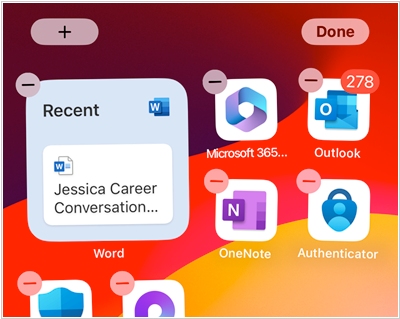
Microsoft has added a new home screen widget to the Microsoft 365 app for iPhone and iPad called "Recent Files." As the name suggests, this widget displays your recent files and Word, Excel, and PowerPoint documents from OneDrive and Microsoft Office cloud storage, allowing you to quickly access the file you need with a single tap. You can also tap outside the file list to open the Microsoft 365 app. The widget is available in three sizes, showing one, two, or four files. The Microsoft 365 app home page already displays recent documents, so this widget simply saves one tap. An additional, larger widget is also available on iPad.
2015. Google Slides allows to stream presentations directly from your phone
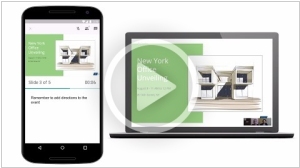
Google Slides (as Google's presentation service/editor is now called) has added the ability to broadcast presentations directly from a smartphone or tablet via its Android mobile app. This is achieved through integration with the Google Hangouts video calling service. This means you can send invitations to your employees or clients while sitting in a cafe or airport, and when they join the video call, you can show them your presentation. You can also see the attendee list, your notes, and a timer to ensure the presentation doesn't drag on too long.
2015. Microsoft Office can now open files from iCloud and Box
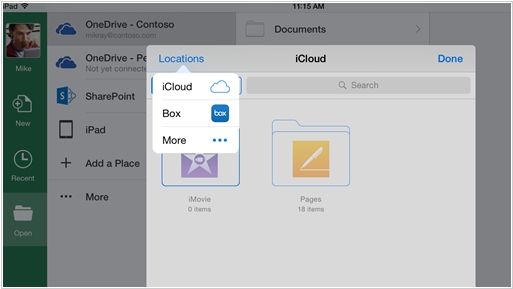
Microsoft has decided to go beyond Dropbox integration and open its document editors to Apple's iCloud and Box cloud storage services. Word, Excel, and PowerPoint apps for iPhone and iPad now allow you to open files from these sources and save them back after editing. Salesforce and Citrix ShareFile will soon be added to the list of file sources for MS Office. Incidentally, last week Apple also took a friendly step toward competing platforms by making its online office suite iWork for iCloud freely available to everyone (not just iPhone and iPad owners). Meanwhile, Google, a champion of open standards, currently only allows its Office users to work with files from Google Drive.
2014. Dropbox integrates with Microsoft Office
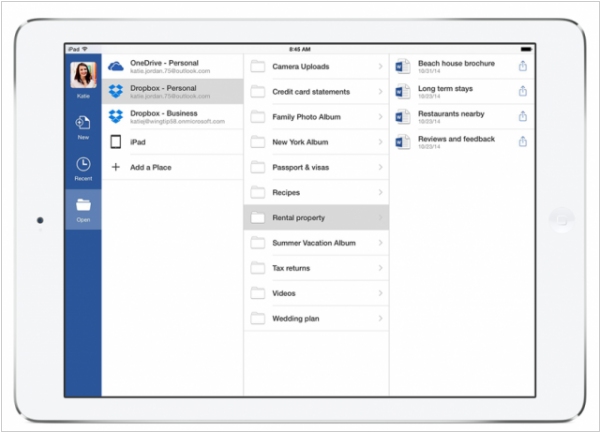
Microsoft and Dropbox announced a partnership that will see Dropbox better support Microsoft’s Office suite. The deal has four main parts: Quickly editing Office docs from the Dropbox mobile app; accessing Dropbox docs from Office apps; sharing Dropbox links of Office apps; and the creation of first-party Dropbox apps for Microsoft’s mobile offerings. No you can add your Dropbox account to Microsoft Word, Excel or PowerPoint mobile apps, navigate folders and files on Dropbox to view and edit in the native Office apps. In return, Dropbox will encourage its users to turn to Microsoft Office applications to edit and create their documents in the first place. Microsoft has another alliance with Box to ease co-existence of Office 365 and Box cloud storage and file sync software.
2014. Sway - new presentation app in Microsoft Office.

For many years, Microsoft Office suite of applications remained virtually unchanged. Only related products like SharePoint and Project were incorporated and then phased out during rebranding. Now, Microsoft has introduced a completely new service that will soon become a full-fledged component of MS Office. This is Sway - a service for creating "stories." Upon closer inspection, it may turn out that Sway will eventually replace the outdated PowerPoint. Sway allows you to quickly create multimedia stories (or presentations) that can be shown not only on a laptop or projector, but also online on a website, and on any smartphone (after all, many visitors to your site come from smartphones). When you add content (headings, text, images, videos, etc.), Sway creates a first draft of the presentation automatically, and then you only correct any changes you don't like.
2014. Google Docs for iOS can edit MS Office files
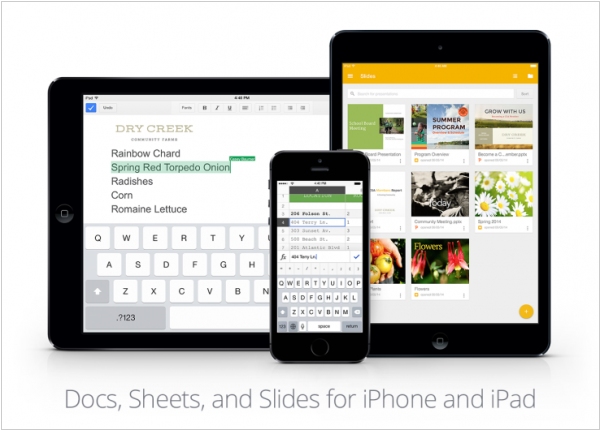
The Google Docs, Sheets, and Slides apps for iPhone/iPad can now edit documents in MS Office formats (docx, xlsx, pptx) without having to convert them (as was previously the case). Thus, the Google Docs office suite can now be considered a full-fledged alternative to MS Office. It allows you to freely work with office documents on Android, iOS, and in any browser. Moreover, unlike Microsoft's suite, which requires a subscription, Google's is completely free. While you might not be able to edit a highly formatted document created in MS Office, it will handle your tasks 90% of the time.
2014. Microsoft launches Office for iPad. Makes Office for iPhone and Android free
Looks like thing are changing in Microsoft after the coming of Satya Nadella. Before him Microsoft management believed that people using Android and iOS - is a temporary misunderstanding. They hoped that in the future all people will return to Windows and will be happy. But the new boss said today that "our customers are already using a number of compute platforms, giving Microsoft zero option". After that he presented the long-awaited Office для iPad. The bad news is that if you want to use Word, Excel, PowerPoint on iPad - you need to subscribe to Office 365 (which costs from $6.99/month). The same thing was with iPhone/Android before. But today, another miracle happened and Office for iPhone/Android has became free. I.e. now you can for free edit documents from cloud storage OneDrive on your smartphone. So maybe the iPad version also will become free soon. By the way, it already provides a free option to view documents and show PowerPoint presentations.
2013. Microsoft released free Office for iPhone
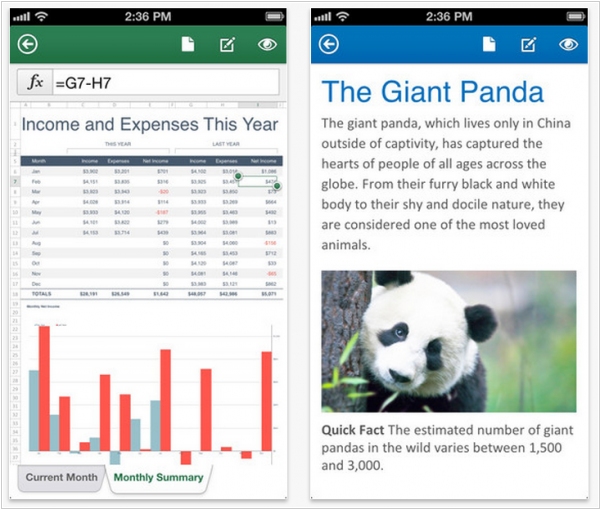
Think Microsoft has finally stopped playing political games and released Office for the competing platform? Of course not. Political games go on. Just Microsoft has invented the better idea. Yes, they are really launching full-featured Word, Excel and PowerPoint for iPhone. And these apps - are really free. But they can be used only by Office 365 subscribers (who pay from $99.99 a year). And, of course, these apps can open and edit only those documents that are stored in SkyDrive cloud or on enterprise SharePoint server. But even with these limitations, Microsoft hasn't yet dared to release Office for iPad, otherwise its latest ads iPad vs Surface wouldn't be so funny any more. ***
2010. QuickOffice and Documents To Go allow to edit Word, Excel and PowerPoint on the iPad
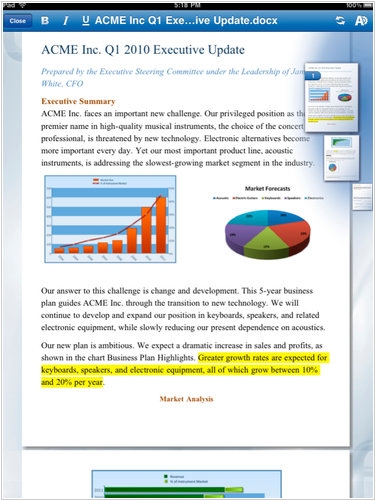
When the iPad appeared earlier this early, one of the major problems the business users faced was that the tablet didn't allowed to work normally with office documents - Word, Excel and PowerPoint. The Apple's own mobile office suite iWork only allows to view MS Office documents on the iPad and doesn't allow to edit them. But now this drawback is fixed. The most popular mobile office suites QuickOffice and Documents To Go almost simultaneously launched the versions for the iPad. Both solutions are paid: Documents To Go costs $10 for the standard version and $15 - for the premium (it includes additional cloud file storage) and Quickoffice - $10. Both packages allow basic editing of Word, Excel and PowerPoint documents on the tablet. QuickOffice doesn't provide the cloud-sync option, but it works more stable.