Google Slides
Ceate a new presentation and edit with others at the same time. Get stuff done with or without an internet connection. Use Slides to edit PowerPoint files.
Add comment
Add comment
Alternatives and relevant products
Users who were interested in Google Slides, then also viewed:
News about Google Slides
2016. Google Slides allows you to make presentations more interactive
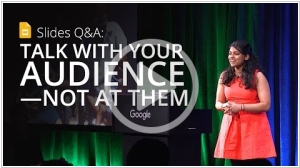
Google Slides is popular primarily for creating online presentations and embedding them on websites. But Google wants to challenge PowerPoint in the offline presentation segment as well. The new Slides Q&A feature is supposed to make presentations more interactive. The presenter can create a short link that, when opened on their smartphones, audience members can submit their questions or vote on questions from other audience members that they are also interested in. The presenter also receives feedback—a question rating—and can respond to them throughout the presentation or during the Q&A session. This way, the audience will be more engaged during the presentation, and the presenter will be answering questions that are of interest to the majority of viewers, not just the most daring.
2015. Google Slides allows to stream presentations directly from your phone
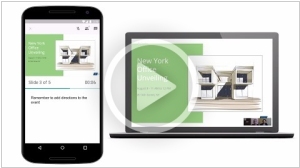
Google Slides (as Google's presentation service/editor is now called) has added the ability to broadcast presentations directly from a smartphone or tablet via its Android mobile app. This is achieved through integration with the Google Hangouts video calling service. This means you can send invitations to your employees or clients while sitting in a cafe or airport, and when they join the video call, you can show them your presentation. You can also see the attendee list, your notes, and a timer to ensure the presentation doesn't drag on too long.
2011. Google Presentations adds real-time collaboration
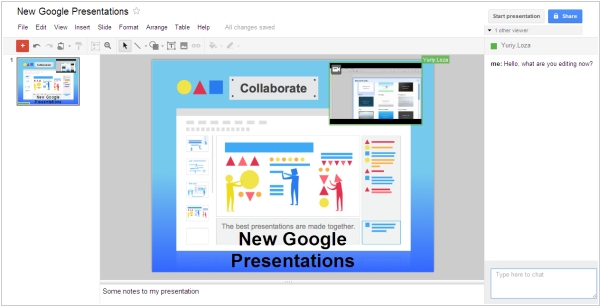
Google is trying to keep up with Zoho and SlideRocket in terms of online presentation editor capabilities. Today, Google rolled out a completely updated Google Presentations service. It now features real-time collaboration on presentations. In the right panel, you can see who is currently working on the presentation and chat with them. And in the presentation itself, you can see who is currently editing what (the object being edited is highlighted in the corresponding user's color). In addition to collaboration tools, many presentation enhancements have been added: slide transitions, animations, the ability to draw shapes and diagrams in the presentation, and links between slides. The impressive new editor is entirely implemented in HTML/Ajax, but the viewer still runs on Flash.
2008. Google improved its online presentation service
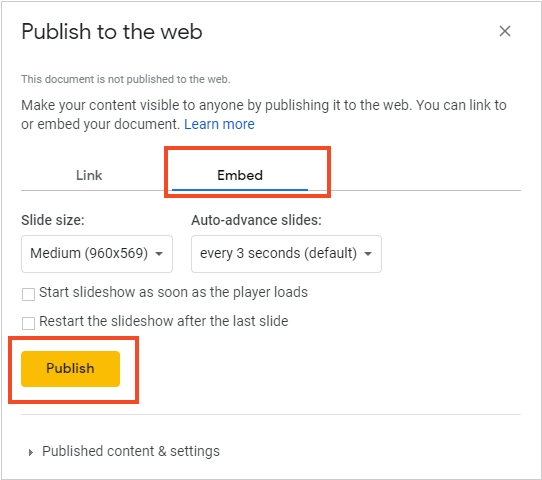
Google has added new features to its online office Google Docs. You can now create a folder tree for easier document organization, as well as rename documents and folders directly in the toolbar (previously, this could only be done from the File menu). Google has also introduced several new features for Presentations, including the ability to embed a presentation into a page on any website. New Google Presentations features include: embedding presentations on any website, importing slides from other presentations (Google or PowerPoint), dragging and pasting images from any website page into a presentation slide, easily rearranging slides, and easily changing slide backgrounds. You can now easily embed a presentation in a blog post. This feature is very convenient for showcasing presentations on a website, but it is not the best way to publish content from an SEO perspective. The text may be inaccessible to search engines, users with older browsers, slow connections, or those who have disabled Javascript. Many websites and blogs will likely find good use of these new features, but webmasters may not want to use them for publishing text content.
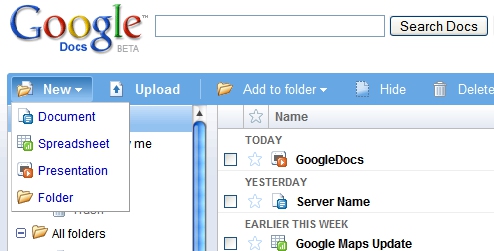
2007. Google Docs gets presentation editor
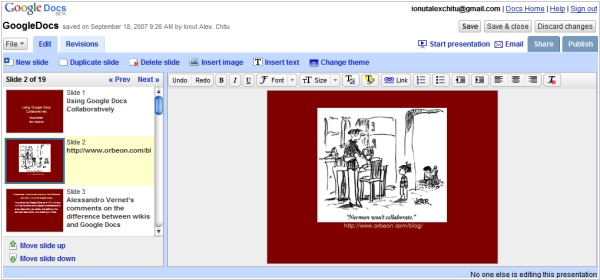
Google has renamed its online office suite from Docs & Spreadsheets to Google Docs, and added a presentation tool to it, fulfilling a promise made back in April. The presentation editor will also be available to users of the more comprehensive Google Apps suite, which includes webmail, IM, calendaring, and a web page designer. The lack of a presentation tool has so far been the only significant gap preventing Google Apps from becoming a full-fledged competitor to Microsoft Office and Outlook/Exchange. The next step is expected to be the addition of a wiki component to Google Apps, built on technology from JotSpot, which Google acquired about a year ago. The Google Docs presentation component supports importing PowerPoint presentations. Exporting to PowerPoint files is also planned for the future.