Microsoft PowerPoint
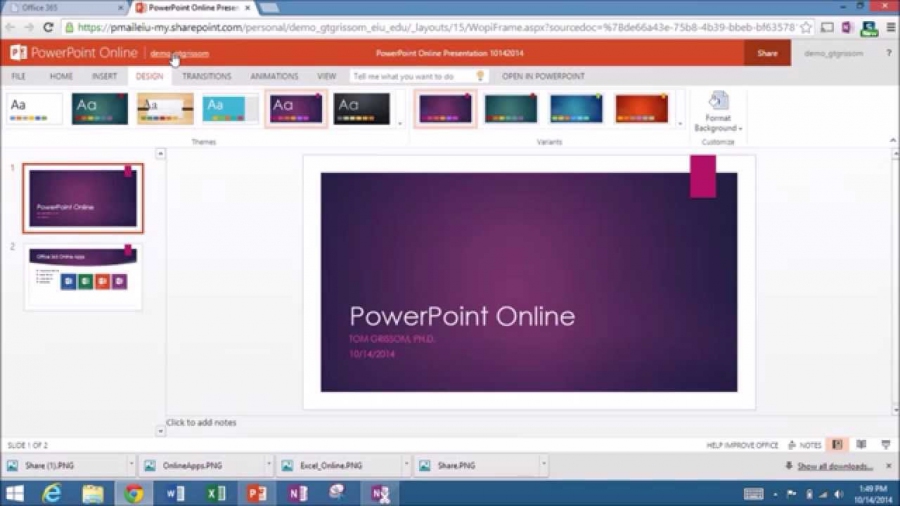
Microsoft's industry-standard setting presentation editor. Integrated AI Copilot. It includes a free online version that lets you collaborate and publish presentations to websites.
Add comment
Add comment
Alternatives and relevant products
Users who were interested in Microsoft PowerPoint, then also viewed:
News about Microsoft PowerPoint
17.04.26. Copilot in PowerPoint now can generate and edit slides itself
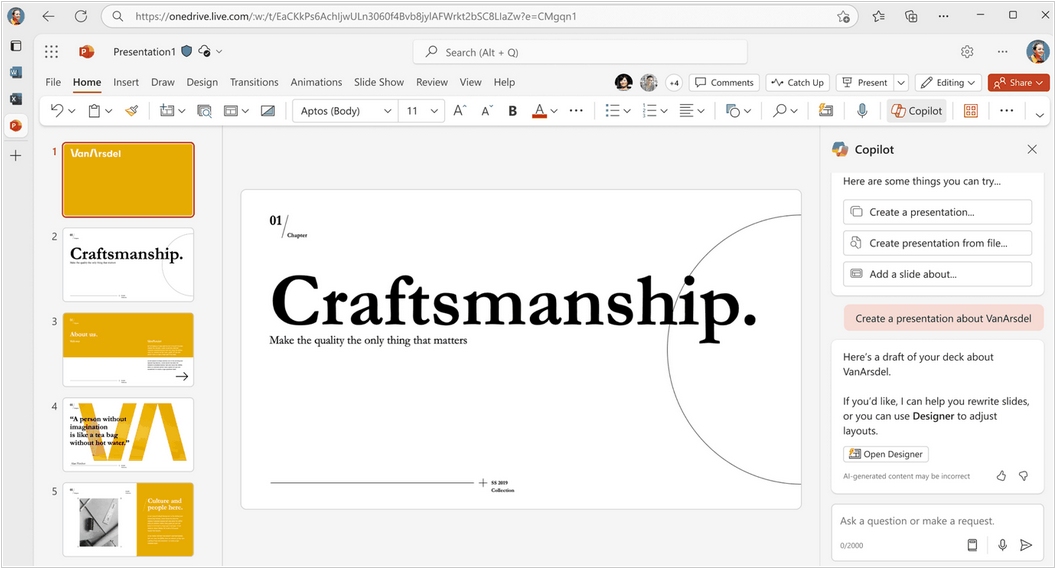
Finally, Copilot in PowerPoint has become a fully-fledged AI agent that not only suggest content but can also create and edit presentations under your guidance in conversational mode. You can start a new presentation or develop an existing one by asking Copilot to generate slides, update content, improve layouts, and polish the design while maintaining formatting, structure, and branding. You can give Copilot access to your brand kit or upload it directly to the chat, and it will always maintain brand consistency and apply management-approved templates, logos, and images. This new functionality is available to users with a Microsoft 365 Copilot license.
2021. PowerPoint's virtual assistant evaluates your body language
Microsoft has updated its virtual assistant PowerPoint Presenter Coach and added it to all platforms, including the desktop version of the service and the iOS and Android apps. The web version has had this feature since 2019. Presenter Coach listens to the user's speech through a microphone, analyzes vocabulary, tempo, and the presence of filler words or profanity. The assistant then displays its recommendations on the screen. It can now also connect to a video camera and evaluate body language. For example, it can suggest whether the audience can clearly see the speaker's face, whether the user is looking at the audience, and so on. Additionally, the Assistant has learned to spot repeated words and expressions that the user might not catch on their own and suggest the correct pronunciation. Currently, these features are only available for English.
2019. Microsoft created coaching assistant in PowerPoint
Microsoft has introduced Presenter Coach, an AI coach for public speaking. This service is integrated into the rehearsal mode of the online version of PowerPoint. He (or she, depending on your preference) will listen attentively to you and then make comments. If you use foul language, the assistant will notice; if you speak quietly, it will notice; if you speak loudly and hyperactively, it will also notice and comment. When working on a presentation, the most important things are calmness and confidence in yourself, and, of course, in the material. The assistant will advise you on how to best present the material to achieve the desired effect. After the rehearsal, you will receive a report clearly highlighting all the successful points and mistakes.
2013. Real-time co-authoring in PowerPoint Online. Office Web Apps on Android tablets
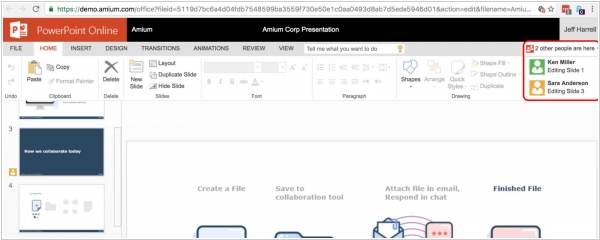
Last week Microsoft representative said this: "When we launched the Office Web Apps in 2010, they were companions to the Office desktop experience that enabled lightweight, on-the-go content creation and review. Since then, we've made a number of investments in Office Web Apps to make it easier for people to work together, author documents and access Office content from virtually any device. Our goal is to deliver Office Web Apps that people can rely on to create polished Office documents from start to finish, all from the Web. Moreover in 10 years we plan to discontinue the sales of the desktop office and move all users to the online office." This announcement was complemented by two new features: real-time collaborative editing in PowerPoint Online (watch the video above) and support for Chrome browser on Android tablets.