Top 10 Free Presentation Software for Eastern Europe
Updated: 31.05.2026
Some of the most popular business presentation software are mentioned below.
Users that searched for Top 10 Free Presentation Software for Eastern Europe then also viewed the following software:
See also: Top 10: Online Presentation Software for Eastern Europe
Users that searched for Top 10 Free Presentation Software for Eastern Europe then also viewed the following software:
See also: Top 10: Online Presentation Software for Eastern Europe
2026. Swoop - AI presentation generator from the creators of Prezi
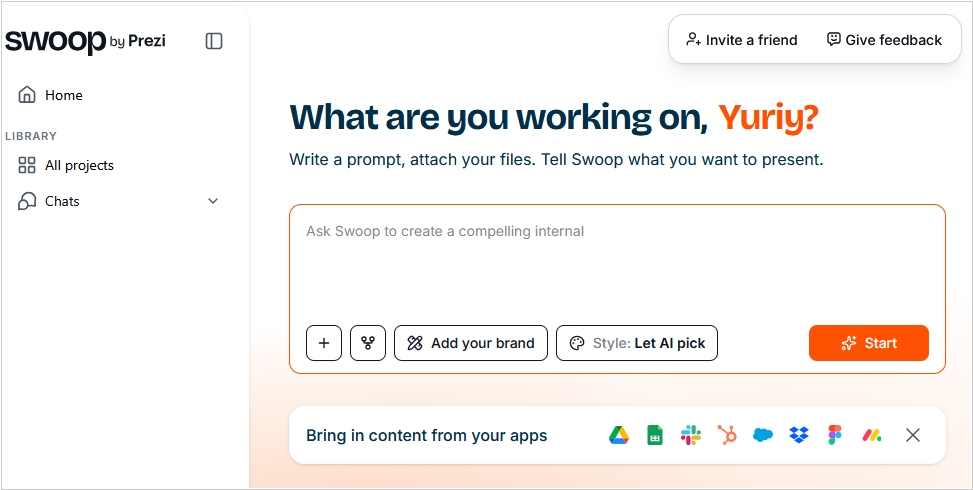
Prezi, the popular presentation builder is known for its original infinite canvas format. But now, with the advent of numerous AI presentation generators, Prezi developers thought, why not create their own one - for the standard slides format. So they created Swoop. Essentially, it's an AI chat that connects to your apps (Google Drive, Dropbox, Slack, Notion, Figma, etc.) and, in dialog mode, helps you structure your presentation, create content, and, ultimately, generate slides using your branding (taken from your website or uploaded documents). You can also upload an existing PowerPoint or Google Slides presentation, and Swoop will make it more professional. The result can be exported to PowerPoint, PDF, or as a link for online access. Swoop is free to get started (apparently, payment will be required once you exceed the token limits).
2025. Gamma - AI service for creating presentations and social media content
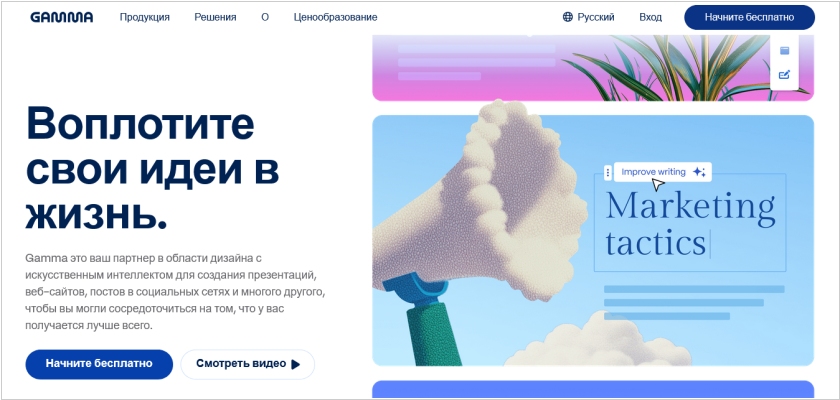
Gamma is a new service that makes it easy to create presentations, marketing materials for social media and websites, and even entire websites using AI. You simply formulate the task in natural language, import existing content or select template from the library and get a result that can be further edited using AI. The service enables real-time collaboration with your team. You can export the result in PPT, PDF, PNG, or Google Slides formats. Gamma also allows you to publish content and share a link to it, with the ability to track views and engagement metrics. A free version is available for generating simple presentations.
2025. Canva added offline mode for demonstrating presentations
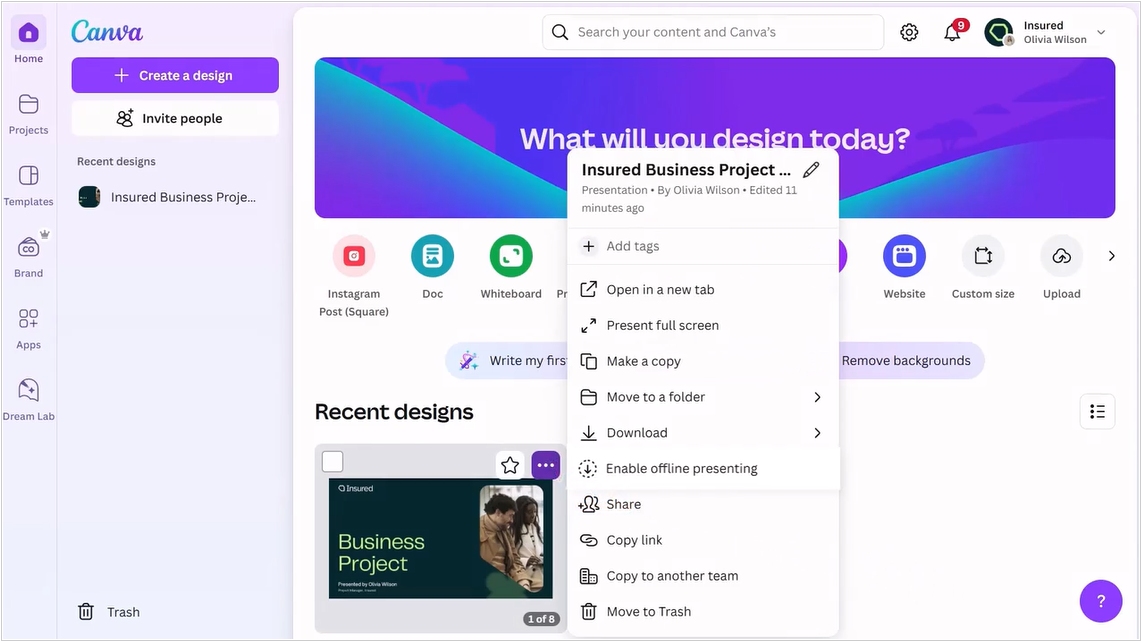
For those users who find it difficult to download a presentation as PDF or PPT to their computer, Canva has added an offline presentation mode. However, this feature isn't available by default – you still need to click "Enable offline presenting" in the presentation context menu, which will save the presentation (and will continue to save it) to your browser's local memory. Additionally, you can now create clickable animations in slides, use text as a mask, draw over slides directly in presentation mode, create beautiful page numbers using a template, add captions to diagrams, and share a link to a specific slide. You can now upload a reference image to the built-in AI slide generator, so it can create content in the same style. Canva's mobile app also now allows you to quickly record voiceover ideas and take photos and videos for presentations.
2024. Figma unveiled Slides for creating presentations
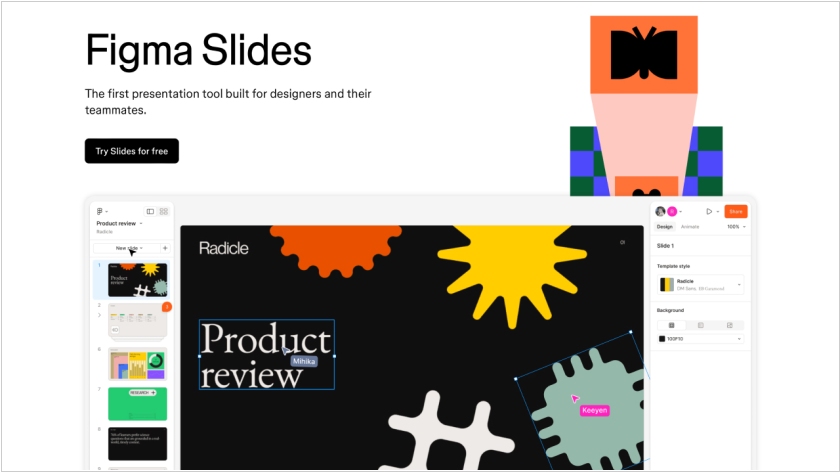
Users have long been using Figma to create presentations. So, the developers decided to simplify the process of working with slides and released a special tool, Slides. The service is similar to familiar presentation tools, such as PowerPoint. The editable slide is in the center, the left sidebar allows you to view all slides and reorder them, and the right sidebar contains editing functions. Slides doesn't support vector shapes and lacks many of the familiar Figma tools, but they can be accessed in Design Mode. All presentation slides can be viewed in a grid. Collaboration mode is also available. Using Live Objects, you can embed prototypes of apps and websites created in Figma into slides. There is also a presenter mode and AI features for content generation.
2015. Zoho ShowTime app makes presentations more interactive
Of course, the interactivity and effectiveness of presentations and seminars largely depends on the presenters, but Zoho has developed technology that can help even the most boring presenter hold the audience's attention. The free mobile app Zoho ShowTime lets you use attendees' smartphones. Firstly, they can see the presentation slides on their smartphones and return to the slides that interested them. Secondly, they can like something if they liked it. Thirdly, they can ask questions (this will help get even those who are shy about asking questions out loud) to talk. A regular PowerPoint presentation can be uploaded to ShowTime. The presenter can switch slides directly from their smartphone, see questions and likes, and after the presentation, analyze which slides generated the most interest.
2014. Microsoft makes Office free for iPhone, iPad and Android
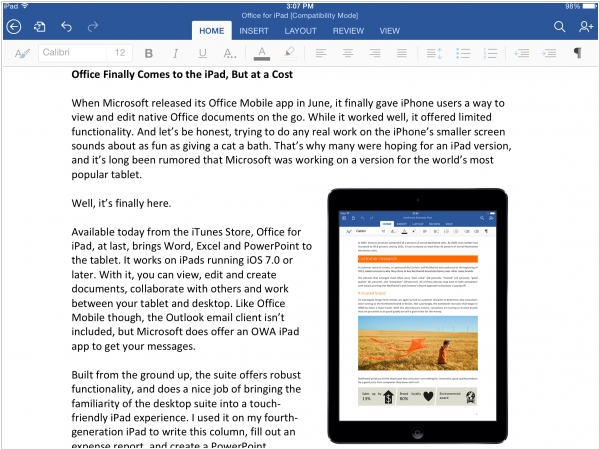
Microsoft made its full-fledged Office apps free on iOS and Android. The update adds standalone Word, Excel, and Powerpoint apps for iPhone. Previously, there was a single Microsoft Office app that allowed users to view Word, Excel and Powerpoint files and make basic edits, but the individual apps didn't have their own offerings for iPhone. The new iPhone apps have the same advanced editing capabilities as their iPad counterparts, though they've been optimized for the smaller-screened iPhones. Microsoft is also finally launching Office apps for Android tablet, which are still in the works and expected to become available in 2015. The update greatly expands the apps' capabilities for free users, who can now create and edit documents in Word, Excel and Powerpoint without an Office 365 subscription. Previously, users couldn't create or edit files without forking over $99 per year.
2014. "YouTube for presentations" - SlideShare is going completely free
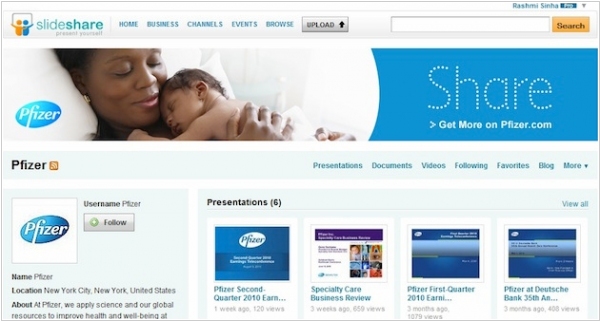
SlideShare, the service that allows you to publish presentations online similar to YouTube for video, was acquired by LinkedIn two years ago. Now that LinkedIn is thriving, its executives decided to ditch paid SlideShare accounts to attract more business users. Paid accounts started at $19/month and offered additional features: analytics (presentation views by time, city, site, and LinkedIn user—down to specific names and job titles), the ability to customize your profile in a corporate style, and the ability to post private presentations and restrict access to them to specific people. All these features will gradually roll out to free SlideShare accounts throughout the fall.
2011. Google Presentations adds real-time collaboration
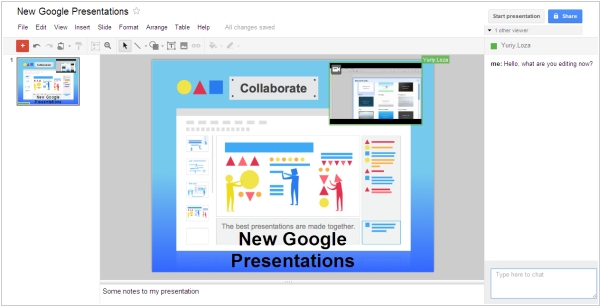
Google is trying to keep up with Zoho and SlideRocket in terms of online presentation editor capabilities. Today, Google rolled out a completely updated Google Presentations service. It now features real-time collaboration on presentations. In the right panel, you can see who is currently working on the presentation and chat with them. And in the presentation itself, you can see who is currently editing what (the object being edited is highlighted in the corresponding user's color). In addition to collaboration tools, many presentation enhancements have been added: slide transitions, animations, the ability to draw shapes and diagrams in the presentation, and links between slides. The impressive new editor is entirely implemented in HTML/Ajax, but the viewer still runs on Flash.
2008. SlideShare = YouTube for presentations

What's YouTube's specialty? Lots of cool videos. But YouTube also makes it easy to upload media files online, embed them anywhere, share them with others, and have them quickly watch the video without waiting downloading. The creators of SlideShare used the same formula for presentations and have already received $3 million in funding. The result is a very popular site where people share their presentations, including for business purposes: adding a presentation to their own website, sending presentations to clients, finding templates and ideas for new presentations, publishing presentations directly for promotion among SlideShare visitors. You can create presentation with images easier than a video, but it can bring in just as many clients through viral marketing.
2008. Google improved its online presentation service
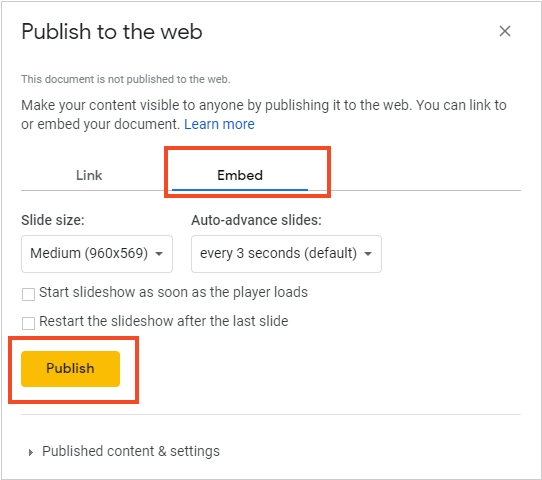
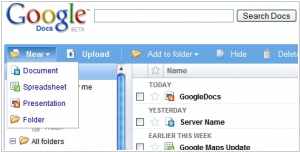
Google has added new features to its online office Google Docs. You can now create a folder tree for easier document organization, as well as rename documents and folders directly in the toolbar (previously, this could only be done from the File menu). Google has also introduced several new features for Presentations, including the ability to embed a presentation into a page on any website. New Google Presentations features include: embedding presentations on any website, importing slides from other presentations (Google or PowerPoint), dragging and pasting images from any website page into a presentation slide, easily rearranging slides, and easily changing slide backgrounds. You can now easily embed a presentation in a blog post. This feature is very convenient for showcasing presentations on a website, but it is not the best way to publish content from an SEO perspective. The text may be inaccessible to search engines, users with older browsers, slow connections, or those who have disabled Javascript. Many websites and blogs will likely find good use of these new features, but webmasters may not want to use them for publishing text content.