Top 10 Linux Messaging apps for Business
Updated: 31.05.2026
Some of the most popular Linux messaging apps are mentioned below.
Users that searched for Top 10 Linux Messaging apps for Business then also viewed the following software:
See also: Top 10: Enterprise Messaging Platforms for Eastern Europe
Users that searched for Top 10 Linux Messaging apps for Business then also viewed the following software:
See also: Top 10: Enterprise Messaging Platforms for Eastern Europe
2024. Slack for Linux Fixes Screen Sharing
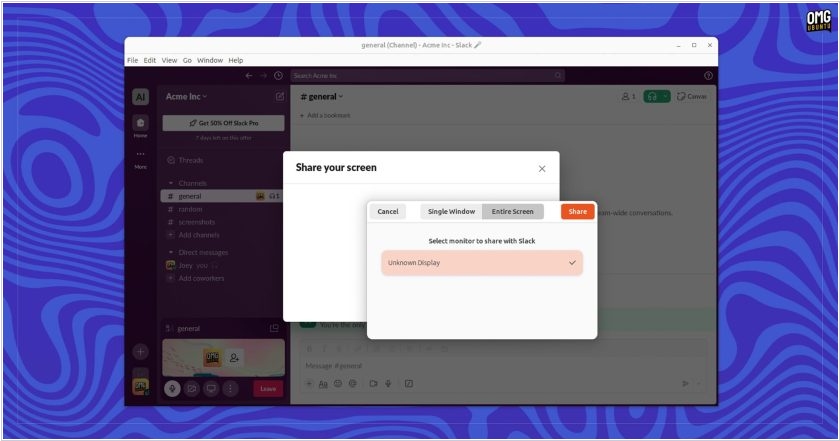
If you're using Slack on Ubuntu and were frustrated by screen sharing only showing a black screen (or even crashing the app), there's good news: these issues are now resolved. The new Slack version 4.38.115 patches WebRTC PipeWire functionality to support screen sharing on Wayland. The update also fixes two bugs that caused the app to crash in previous versions when this feature was enabled. While Slack engineers work with Chromium developers to fix the remaining minor bugs, screen sharing is now available to all users. If you've been waiting for this feature and need it, upgrade to the latest version and give it a try. The Slack for Linux release notes are so general that they don't include detailed information about fixes, known issues, or platform-specific additions, just nice, general statements like "we tweaked something, and the app is now a little better."
2022. Microsoft is ending support for Teams desktop client for Linux
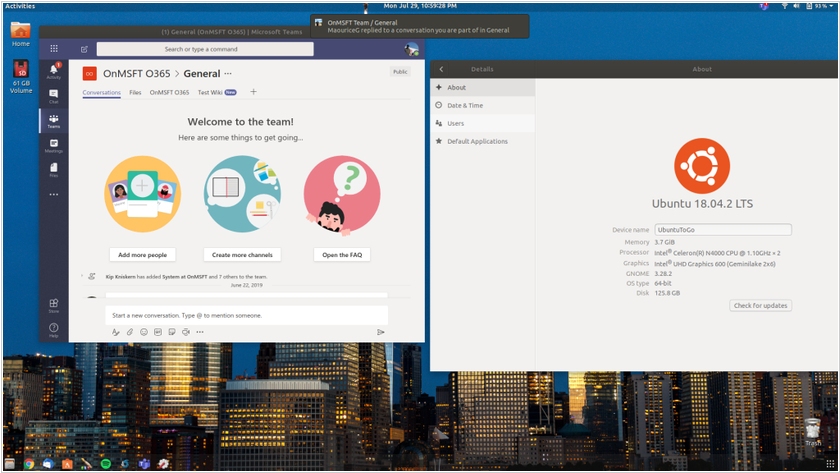
In August, Microsoft announced that it's ending support for the Teams desktop client for Linux. It will remain in use until early December, after which it is recommended to use the Teams PWA (Progressive Web App). The Linux client is buggy and lacks some features found in the Windows and macOS desktop clients. Experts believe few people use it fully, so no one will be significantly impacted. The Teams PWA runs in Chrome or Edge. Firefox users can continue to use the existing browser version of Teams, as Firefox does not support progressive web apps.
2011. Cisco launches pumped-up Jabber
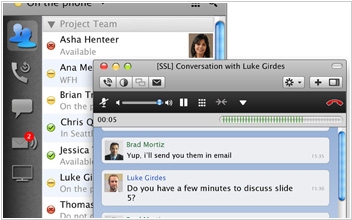
Cisco is finally launching the product Cisco Jabber based on the acquired in 2008 platform Jabber XCP. Cisco Jabber is an enterprise multimedia messenger, that besides online status control and text messaging also provides voice and video calls, conferencing, video-mail and screen-sharing. And it works on PC, Mac and mobile platforms - iPhone, iPad, Nokia, Android and BlackBerry. And the server-side can work in the cloud or on a local server. Of course the app is based upon the XMPP messaging protocol, which means that it’s compatible with many other XMPP-compatible IM services, including GTalk, AIM and Sametime. Cisco Jabber can also "talk" to other Cisco communicative solutions: WebEx, Cisco Telepresence, Cisco UC, Cisco IP-phones. In addition, it integrates with MS Office and users can initiate chat or video-chat directly from office applications such as MS Outlook.