Top 10 Collaborative Notebooks for Eastern Europe
Updated: 02.06.2026
Some of the most popular collaborative note-taking apps are mentioned below.
Users that searched for Top 10 Collaborative Notebooks for Eastern Europe then also viewed the following software:


See also: Top 10:
Users that searched for Top 10 Collaborative Notebooks for Eastern Europe then also viewed the following software:
See also: Top 10:
2025. ChatGPT gets group chats

ChatGPT now lets you create group chats, which (as supposed) can be used for collaborative planning, brainstorming, and decision-making. In these conversations, the neural network doesn't respond to every message, but rather monitors the conversation to assist only when needed. Chats include search, file upload, and dictation features. The chatbot's response to a specific user depends on their plan and available data limit. Special instructions for the chatbot can be specified through the group settings. How this will work is still unclear, as sometimes ChatGPT itself can become overwhelming. Most likely, it will simply be asked to shut up and stay out of the way.
2025. ClickUp Launches Updated Calendar and Notepad with AI
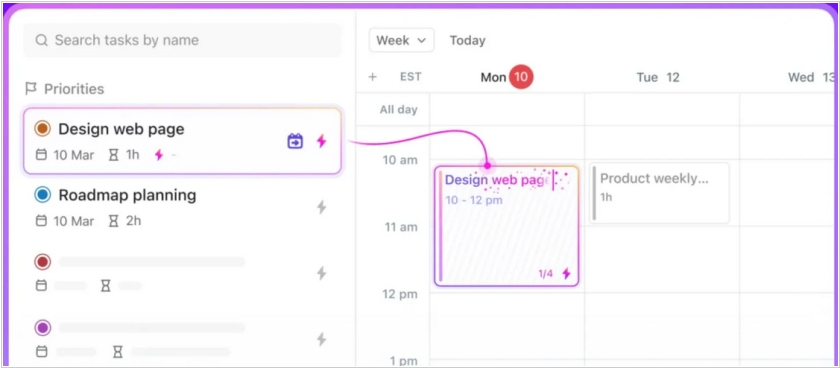
ClickUp has launched an updated calendar. It brings tasks, documents, chats and meetings together in one place. It also features a built-in AI assistant for creating meeting summary notes and intelligently scheduling time for tasks. Previously, the ClickUp calendar focused on team management and planning. Now, it focuses on personal productivity and prioritizes tasks. Users can create a task queue, and the calendar will automatically book time for them according to their schedule. The calendar can also dynamically adjust task due dates based on schedules and priority changes. ClickUp also introduced an updated notepad, which connects to online meetings and creates structured meeting notes and transcripts. It can also automatically assign actions and tasks to teammates.
2024. Google NotebookLM adds AI audio summaries
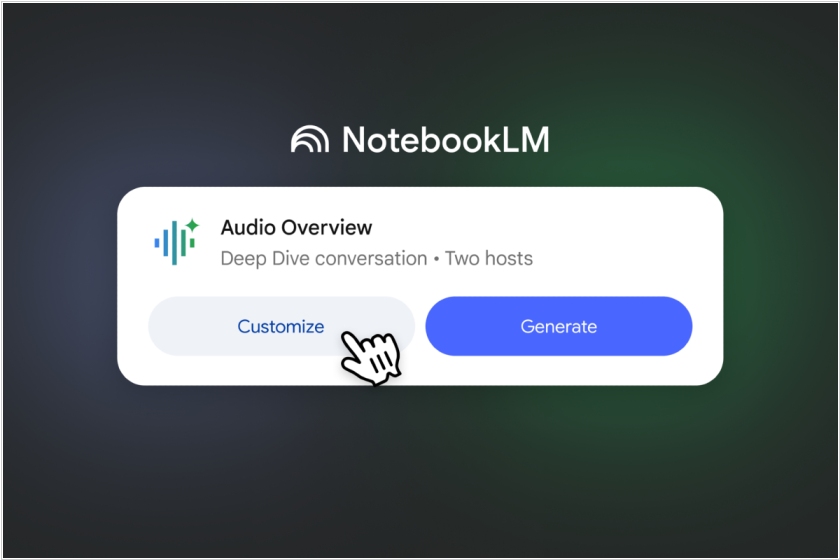
Google has added an audio summary feature to its AI notebook, NotebookLM. This feature generates a podcast-like experience based on content shared by users. This helps users more easily absorb and digest information from long documents or videos. Since conversations can touch on unimportant topics, the feature allows for tailoring summaries to the user's needs, making the audio more focused on specific topics within the content.
2019. Notion - Evernote's new competitor
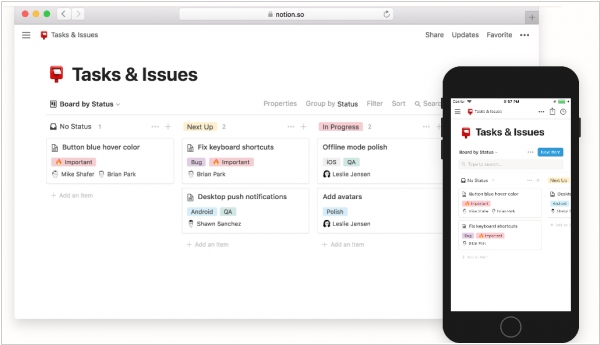
The Verge recently named the online note-taking service Notion Evernote's main competitor. What's so interesting about it? Notion's philosophy is that a notebook should have more than just pages for sequential text and images. It should also have tables (mini-Excel), since some information is truly conveniently stored in tabular form. It should also have mosaics (pages with blocks of information that can be dragged and rearranged). And it should also have a calendar. You can create pages in any of these formats and arrange them in a tree structure. There is a web interface, apps for Windows, Mac, Android, and iPhone. The free version is quite limited and inferior to Evernote's. However, the paid version (with all the above-mentioned features) costs half as much: $4 versus $8. There is also a team version for collaborative work with the notebook.
2016. Microsoft makes it easy to switch from Evernote to OneNote
Microsoft released a new tool that makes it easier for Evernote users to make the transition to rival application OneNote, a part of the Microsoft Office suite. The “OneNote Importer tool,” as the software is called, aims to address the switching costs that can hold back users from making a move to a competing platform. Microsoft even goes for the hard sell here, reminding OneNote potential customers that the app is free on all devices, while Evernote Premium is a $50 per year product. For now the tool is running only on Windows, the version for Mac users is already in the works and will be released in the “coming months.”
2015. Dropbox launches online note-taking and collaboration tool
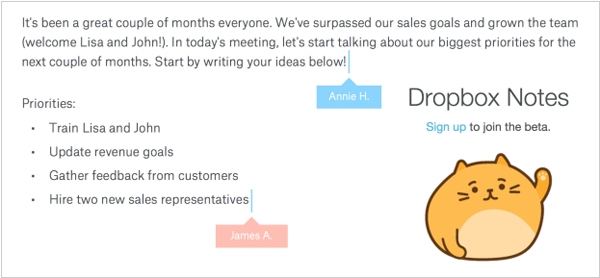
Dropbox has quietly launched a new service, Dropbox Notes. It's a simple text editor that lets you create notes (or simple documents) and save them to your online storage. You can format the text slightly, and add images and tables. Files and to-do lists can be attached to notes. You can also share pages with colleagues and collaborate on them in real time. You can see who else is editing the page and where their cursor is. Of course, this editor isn't intended to compete with Word; it's designed for simple collaboration. Especially since Dropbox recently gained full integration with Microsoft Office.
2013. Evernote Business 2.0: intranet social network + Salesforce integration
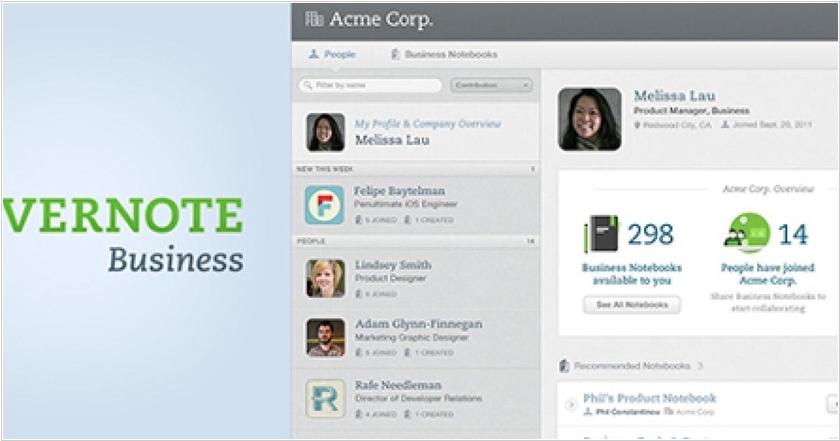
Evernote has launched the new version of its business edition - Evernote Business 2.0. As usual the business version (unlike the personal) allows to create shared (corporate) notebooks and pages that are suitable for collaboration (for example, creating plans, projects , ...) or storing knowledge (instructions , documents ... ), useful for business. In the new version on top of this content layer Evernote started to build a social network. It added user profiles with pictures. When you open your collegue's profile, you can see the notes she works with. Also, when you are looking for something in the corporate notebooks, Evernote provides not only found pages, but also people who may be experts in this question (that frequently use this word in their notebooks). Shared notebooks are now like communities. You can join them or invite your colleagues to notebook. ***
2012. Evernote to launch Business version
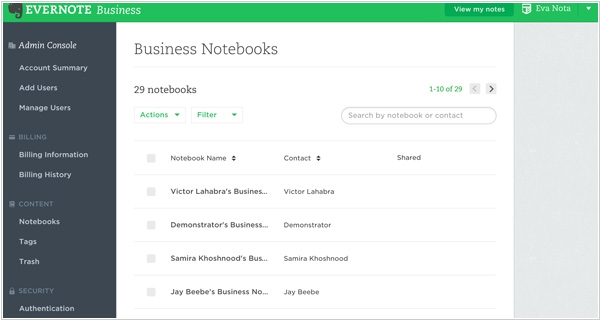
Сервис Evernote Business will be a useful tool for small companies enabling super-simple information sharing: notes, plans, drafts, pictures, files, etc. Moreover, employees who already have a personal Evernote account will be able to use it for business-purposes also. All personal records will remain personal and noone can access them. While the records saved into business notebooks will be available for co-workers and can be collaboratively edited (business account administrator will configure access rights to business notebooks). In addition, all employees that are added to business account will get all benefits of the Evernote's premium plan (versions history, offline access, 1 GB of data upload pet month). Administrator will pay for all users. Recall the price of the premium plan is $5/month (but maybe they'll give discounts for the business version). The service will be available in December.