Microsoft 365
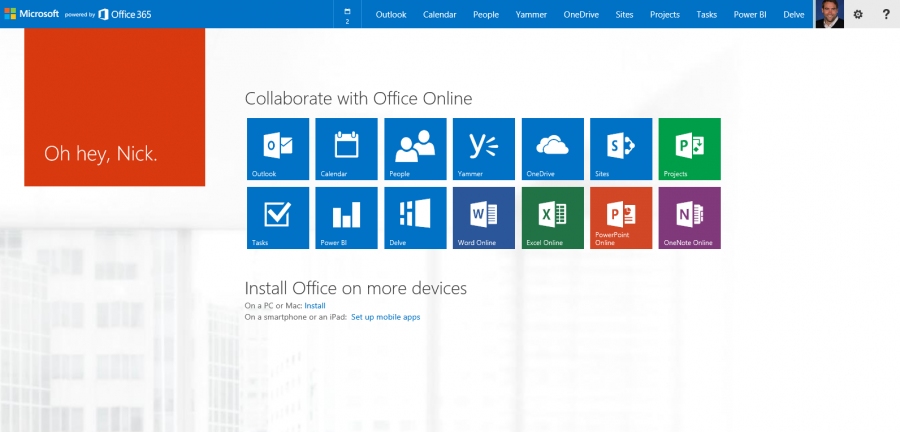
Microsoft 365 (formerly Microsoft Office 365) is commercial software plus services offering a set of products from Microsoft. Designed to help you achieve more with innovative Office apps, intelligent cloud services, and world-class security. The free online MS Office document editors (Word, Excel, PowerPoint) are available in OneDrive.
Comments: 1
Comments: 1
Alternatives and relevant products
Users who were interested in Microsoft 365, then also viewed:
Video about Microsoft 365
News about Microsoft 365
2024. Microsoft renamed its Office suite again - added Copilot label
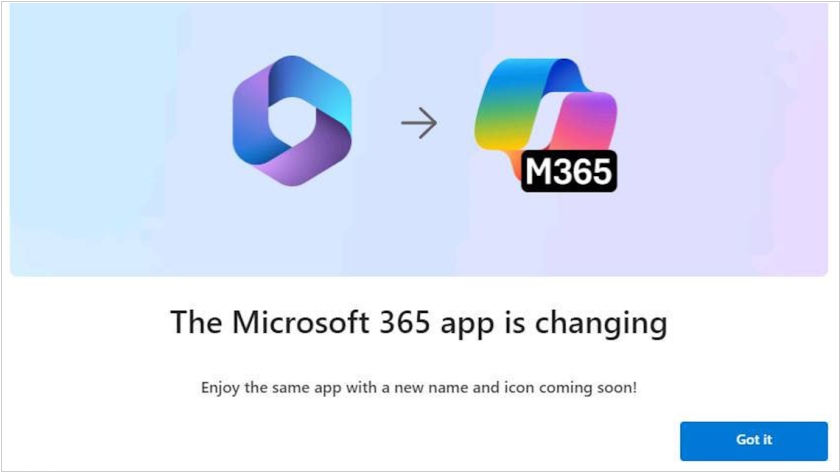
Microsoft Office, which has been called Microsoft 365 for several years, will now be called Microsoft 365 Copilot (at least on the Windows 11 operating system). By using the word "Copilot," Microsoft likely wants to emphasize the availability of the AI-powered assistant of the same name. The app icon will also change; it is now virtually identical to the Copilot logo, but with the word "M365" added. This likely means Microsoft wants to ensure that users are aware of the Office suite's AI capabilities.
2024. Microsoft added watermarks to mobile Word, Excel and PowerPoint

Microsoft 365 office suite has got a new feature designed to improve content security in the Word, Excel and PowerPoint mobile apps for Android and iOS. This feature allows companies to automatically add a dynamic watermark to protected documents when they are viewed on a smartphone. Companies can also add the date and time to this watermark. This will help administrators pinpoint when a data breach occurred if a screenshot of the app is discovered.
2024. Microsoft released Office 2024
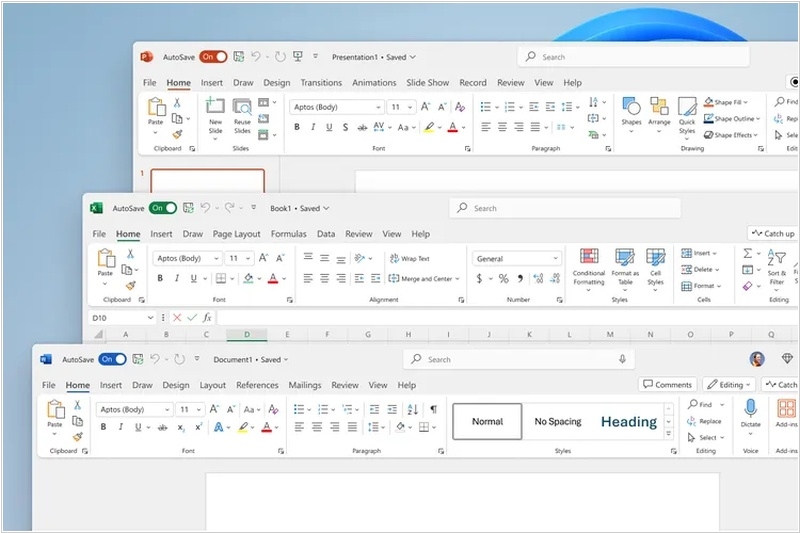
Microsoft has released a new version of the Office suite for customers who do not want to subscribe to the Microsoft 365 cloud service. The on-premises version Microsoft Office 2024 is available for both individual consumers and small businesses and includes Word, Excel, PowerPoint, OneNote, and Outlook for both Mac and PC. Office 2024 includes many of the updates that Microsoft has been providing to Microsoft 365 subscribers over the past few years. Office 2024 has a new design theme, new features in Excel for using text and arrays in sheets, the ability to embed a video stream from a camera into PowerPoint slides, and full support for version 1.4 of the OpenDocument Format (ODF). You can now easily insert images from your Android mobile device into Word, Excel, and PowerPoint. Office starts at $149.99.
2024. Microsoft added new Copilot AI capabilities for Excel and PowerPoint
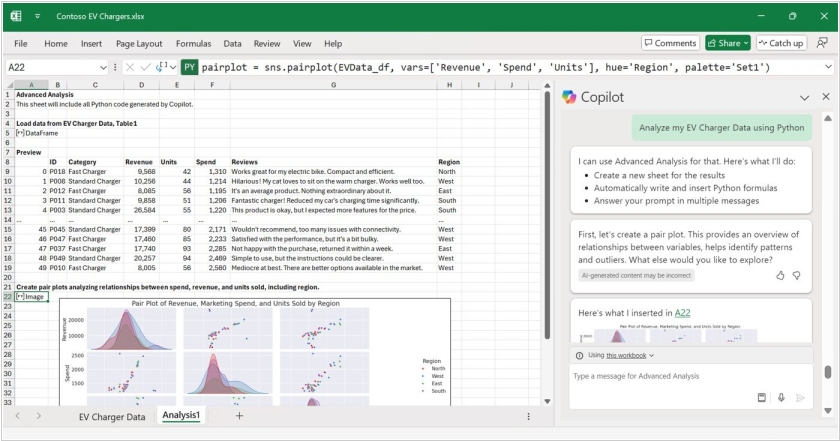
Microsoft has introduced new features of its Copilot AI assistant for Excel and PowerPoint. Copilot for Excel can now help users format data, create formulas such as XLOOKUP and SUMIF, and visualize data in charts and pivot tables. It can work with text, not just numbers, so users can search for keywords and phrases and analyze data. Additionally, Copilot in Excel now understands Python, allowing users familiar with this programming language to code spreadsheets. PowerPoint Copilot can generate a presentation outline by retrieving data from other Microsoft 365 applications. It can also embed information from the internet into slides, such as brand logos or illustrations generated by the DALL-E 3 neural network.
2024. Office for iOS now has a Recent Files widget
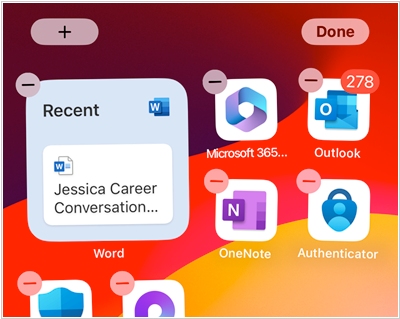
Microsoft has added a new home screen widget to the Microsoft 365 app for iPhone and iPad called "Recent Files." As the name suggests, this widget displays your recent files and Word, Excel, and PowerPoint documents from OneDrive and Microsoft Office cloud storage, allowing you to quickly access the file you need with a single tap. You can also tap outside the file list to open the Microsoft 365 app. The widget is available in three sizes, showing one, two, or four files. The Microsoft 365 app home page already displays recent documents, so this widget simply saves one tap. An additional, larger widget is also available on iPad.
2021. Online Word now offers smart document-to-presentation conversion
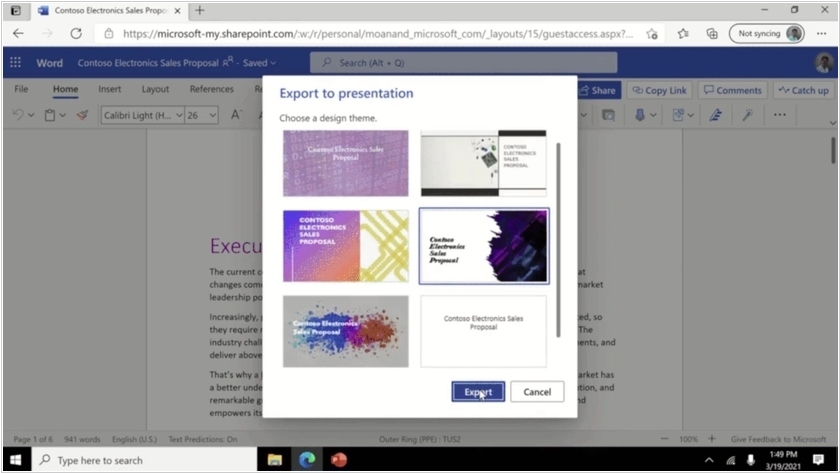
A new feature in the Microsoft 365 online office suite allows to automatically convert text documents into PowerPoint presentations. It's powered by AI—based on keywords in the document, it automatically selects images, icons, videos, and fonts and organizes the content. You only need to divide the document into sections (slides use section headings) and choose a design theme. For example, this could be useful for quickly creating a presentation for a project you're working on. However, for now, this feature only works with English-language documents.
2020. Microsoft rebrands Office 365 to Microsoft 365

Microsoft marketers apparently had nothing to do on quarantine and they decided to rename Office 365 to Microsoft 365. Starting April 21, all Office subscriptions will turn to Microsoft 365 subscriptions. But the pricing and functionality will remain the same. Changes the functionality will affect only personal plans - the personal version of Microsoft Teams will appear in them. This is a good opportunity for private entrepreneurs that use the personal version to collaborate with employees or other entrepreneurs. In future, Microsoft plans to justify the rebranding by adding non-office services, such as security systems, and, possibly, Windows operating system.
2018. Microsoft launches Office 2019 for Windows, macOS
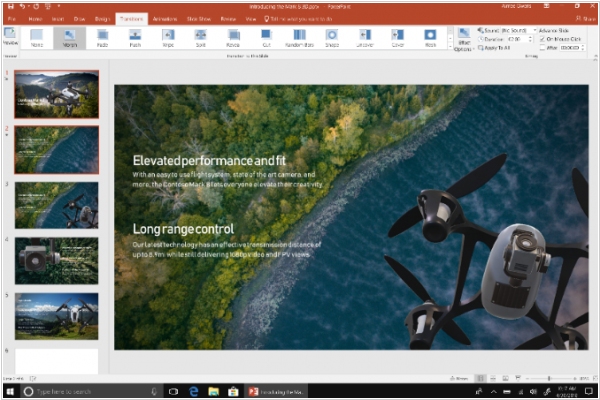
Office 2019 is the next on-premises version of Word, Excel, PowerPoint, Outlook, Project, Visio, Access, and Publisher. In PowerPoint 2019, you can create cinematic presentations with new features like Morph and Zoom. And improved inking features across the apps in Windows—like the roaming pencil case, pressure sensitivity, and tilt effects—allow you to naturally create documents. Excel 2019 adds powerful new data analysis features, including new formulas and charts and enhancements to PowerPivot. Word 2019 and Outlook 2019 help you focus on what matters most. Learning Tools, like Read Aloud and Text Spacing, make it easier to engage with your content. Focus Mode blocks out distractions and puts your content front and center. And Focused Inbox moves less important emails out of the way.
2017. Microsoft Office arrived on Chromebooks
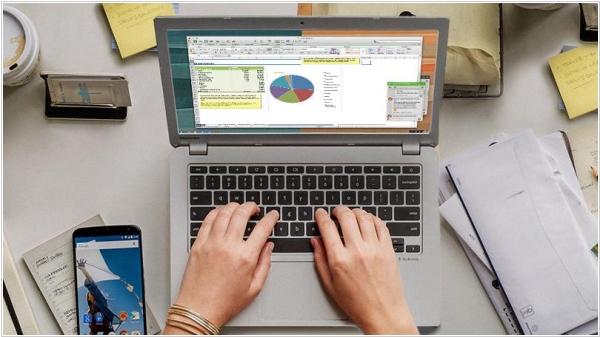
Full-featured versions of Microsoft Office apps are now available in the Google Play Store for Chromebooks. But to use Office apps on devices with screen bigger than 10.1 inches (for anything other than viewing documents) you'll need a Microsoft Office 365 subscription, which starts at $6.99 a month. You also need one of the latest Chromebooks, as Google made Chrome OS capable of supporting Android applications only last year. Of course, Google’s G Suite is still the more likely choice for a number of Chromebook users, but the ability to use Microsoft Office on a Chromebook makes them a potentially more viable option for businesses using Microsoft’s software. The other option is Windows 10 S – the streamlined version of Windows 10 the company is positioning as its Chrome OS competitor.
2015. Microsoft released Office 2016

Microsoft is releasing Office 2016, offering refreshed versions of Word, Excel, PowerPoint and other applications. The look and feel of the programs will be familiar to anyone who has used the 2013 edition of Microsoft’s productivity software. Much of what’s new with the 2016 edition is better integrated collaboration tools. A new co-authoring feature allows multiple users to edit the same document in real time, long a feature of Office’s Web-based cousins and apps built by Google and other Microsoft competitors. Also arriving is chat service Skype, which will be embedded within Office apps to let users send instant messages, share images of their work, or video chat from within a document. Other new features include a search tool to locate specific functions within Office, and a research tool that pulls data from the Internet into documents. Microsoft is pushing to sell the software suite through Office 365, the company’s subscription program, instead of the traditional model of a one-time purchase that gives the user rights to the software in perpetuity.
2014. Microsoft launches Office for iPad. Makes Office for iPhone and Android free
Looks like thing are changing in Microsoft after the coming of Satya Nadella. Before him Microsoft management believed that people using Android and iOS - is a temporary misunderstanding. They hoped that in the future all people will return to Windows and will be happy. But the new boss said today that "our customers are already using a number of compute platforms, giving Microsoft zero option". After that he presented the long-awaited Office для iPad. The bad news is that if you want to use Word, Excel, PowerPoint on iPad - you need to subscribe to Office 365 (which costs from $6.99/month). The same thing was with iPhone/Android before. But today, another miracle happened and Office for iPhone/Android has became free. I.e. now you can for free edit documents from cloud storage OneDrive on your smartphone. So maybe the iPad version also will become free soon. By the way, it already provides a free option to view documents and show PowerPoint presentations.
2014. What is Office Online?
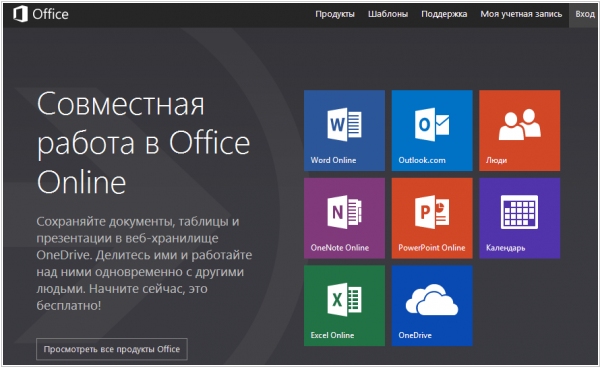
As you know, Microsoft was recently forced to rename the file storage and sync service SkyDrive to OneDrive. But Microsoft marketers didn't stop at this point and decided to rename also Office Web Apps. If you hear this title for the first time - it's not surprising. These applications (Word, Excel, PowerPoint, OneNote) work inside that SkyDrive (OneDrive) and you probably didn't care how they were called. However, now Microsoft is introducing a new label - Office Online on a separate site. Microsoft marketers say that before now when people searched for "Office Online" they didn't underestand why they need to sign up on SkyDrive. And now they will find Office Online and quickly begin working. However, eliminating one confusion - they gave birth to another: now users need to understand the difference between Office Online and Office 365.
2013. New Office 2013: Bring Your Own Office?
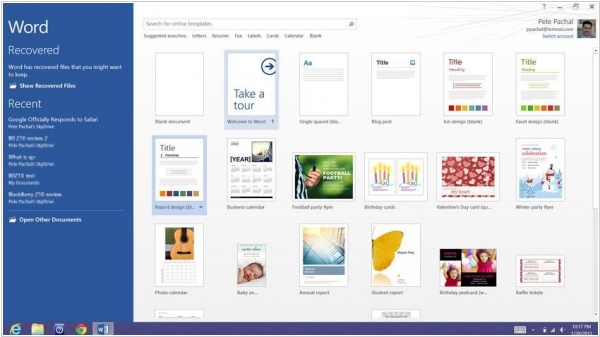
One of our Enterprise 2.0 2013 predictions was the further development of BYO (Bring Your Own) trend. We said that with the own devices, employees will bring to work their own apps. Today, after the official release of Microsoft Office 2013, it looks like our prediction is coming true. Just look at the video: some guy is showing how he works everywhere with his own office. It's definitely his OWN office (Home Premium), because the enterprise version of Office 2013 will appear only in a month. But what is the reason of this phenomenon? ***
2012. New Office Web Apps add mobile touch interface, real-time collaboration
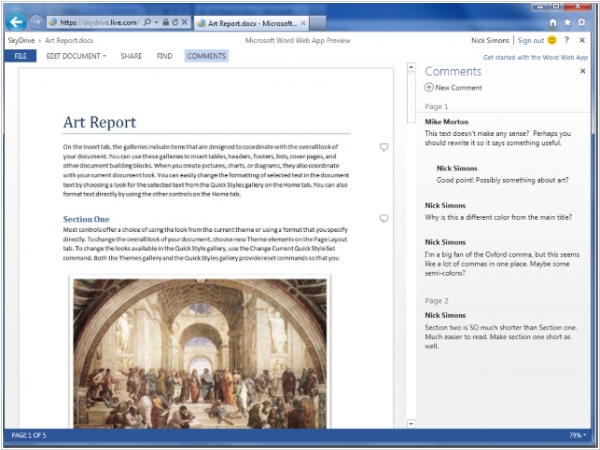
Microsoft started preview testing of the new version of its browser-based document editing applications Office Web Apps. Everybody can already join the preview on the SkyDrive or Office 365. The first thing that has changed - is the interface. It's now exactly like the upcoming Office 2013. And the main feature of this interface - is its adaption to the tablets with touch-screen. In general, the main objective pursued by Microsoft in this update - is to improve the performance of Office Web Apps on mobile devices (in mobile browsers). And the new mobile web interface for smartphones, is perhaps even better than its main competitor - Google Docs: ***
2011. Microsoft is working on Office for iPad
It seems, Microsoft is already feeling confidence in its mobile future. According to The Daily report, in the 1st half of 2012 Microsoft will release Mobile Office for the competing platform - iPad. Of course, iPad is very popular among business users and Microsoft can easily dramatically increase its incomes by selling mobile Word and Excel for the iPad at $10 (the planned price). But from the political point of view, Microsoft is not interested in making iPad even more attractive product, because it competes with the upcoming Windows 8 tablets. However, after the intention of HP and several other manufacturers to support Windows 8, Microsoft is not afraid of iPad any more. As expected, the MS Office for iPad will be significantly stripped-down compared to the desktop version and will be integrated with the online service Office 365. ***
2011. Word Web App adds almost-real-time collaboration
When the MS Office Web Apps launched, only the Excel Web App allowed to collaborate on online documents in real time. Now the trick is also available in the online Word. Though it's not so cool as in Google Docs. To let co-editors see your changes you have to click the Save button, then co-editors will see the notification in the status bar, then click Save and only then see your changes. There is no chat / comments like in Google Docs, but at least you can see who is currently editing every part of the document. Meanwhile co-authoring in the online Word works only in the free Windows Live Office (SkyDrive) and is not yet available in Office 365.
2010. Microsoft Office 365 = Microsoft Exchange + Office Web Apps
Today, Microsoft has rolled out a new service Office 365, which is a reincarnation of the SaaS package BPOS. The name change was expected, since Microsoft critics have referred BPOS as "Big Piece of Shit" instead of "Business Productivity Online Services". But not only name is to be changed. The new service except SaaS versions Exchange Online, Sharepoint Online and Lync Online, will include the online office tools Office Web Apps. I.e. Office 365 can now be considered as a full-fledged alternative to Google Apps. The service will be available in 2 editions. Small Business Edition for companies with less than 25 users costs $6/user/month and includes the basic functions. Enterprise edition provides additional customization and administration features, full functionality and provides users with desktop suite Office Office Professional Plus with pay-as-you-go licensing. This edition costs from $2 to $ 27/user/month depending on configuration. Recall, Microsoft also plans to include its CRM and ERP to the SaaS suite. At the moment, Office 365 is in beta stage and will be available worldwide next year.
2010. Windows Live Office and Office Web Apps are available for all
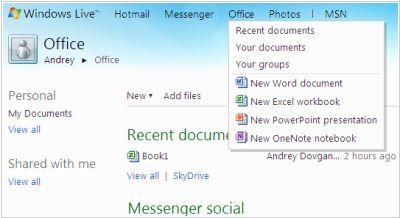
Yesterday, Microsoft officially launched Windows Live Office with Office Web Apps for english-speaking users (US, UK, Canada & Ireland). But anyone can already use them by switching the language in the Live ID account to English. Documents can be accessed in Office menu or SkyDrive menu. To understand why, read our review. Unfortunately, the first impression of Windows Live Office - is negative. Of course, we knew that online office apps will be light. And the fact that there are no diagrams and no cell autofill in the Excel Web App, and no rich paste in OneNote Web App, and no file move between folders in Live Office - all these is not disappointing. But the main thing that we expected - correct Word formatting support - actually doesn't work. ***
2010. Facebook + MS Office Web = Docs.com
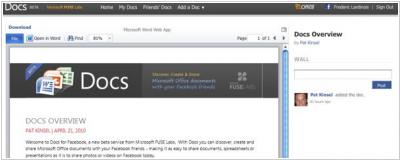
Today, Microsoft and Facebook opened the new service (+ Facebook app) Docs.com, which allows to store and display office documents on your Facebook profile and share them (for viewing and collaborative editing) with your friends, groups or all Facebook users. Documents can be viewed in the browser with the new viewer and edited with Office ***