Google Workspace
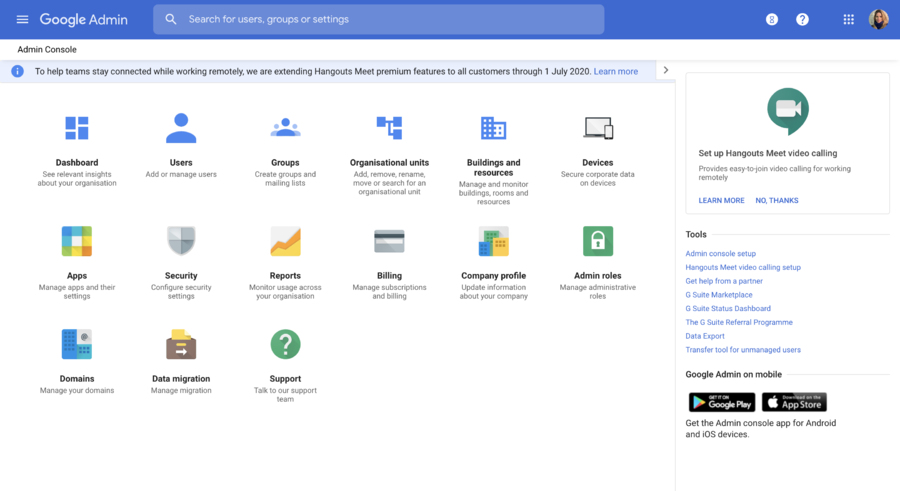
Get business email, video conferencing, and cloud storage from Google. All you need to do your best work, together in one package that works seamlessly from your computer, phone or tablet. The free G Suite version, including online document editors (Google Docs, Google Spreadsheets) is available in Google Drive.
Comments: 1
Comments: 1
Alternatives and relevant products
Users who were interested in Google Workspace, then also viewed:
Video about Google Workspace
News about Google Workspace
29.04.26. Google Workspace now has normal AI agent
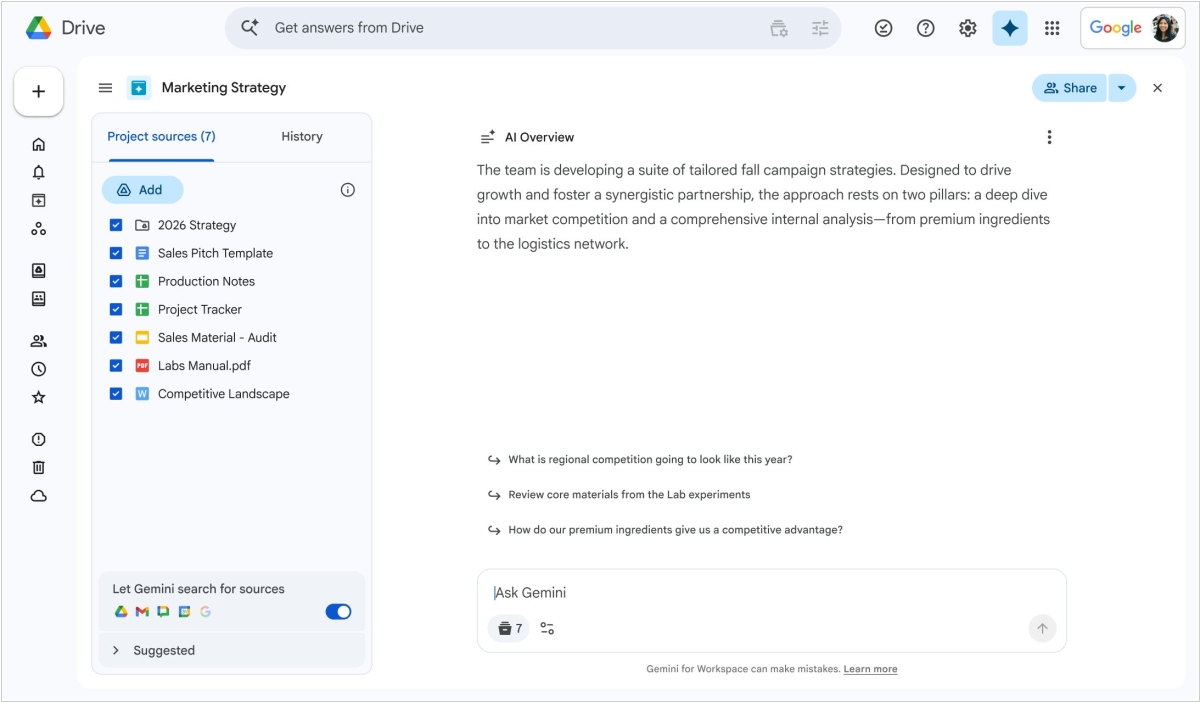
Google has consolidated AI capabilities in its online office suite Workspace. First, a new umbrella name for the service's AI tools has appeared - Workspace Intelligence, although the name Gemini is also used. But the idea is the same. In side chat you can ask AI to perform various tasks. The system uses data contained in Gmail, Calendar, Chat, and Drive (in documents, presentations, and spreadsheets). In admin controls, you can configure what AI has access to. AI now allows users to both create and populate Google Sheets, create and edit Google Docs. In Slides, you can create fully editable presentations via a single prompt. Gemini strictly adheres to your company's templates and visual styles for presentation creation. In Mail, AI can provide you with a clear and organized overview of the most important messages.
2026. Google Workspace gives Gemini access to all your emails and documents
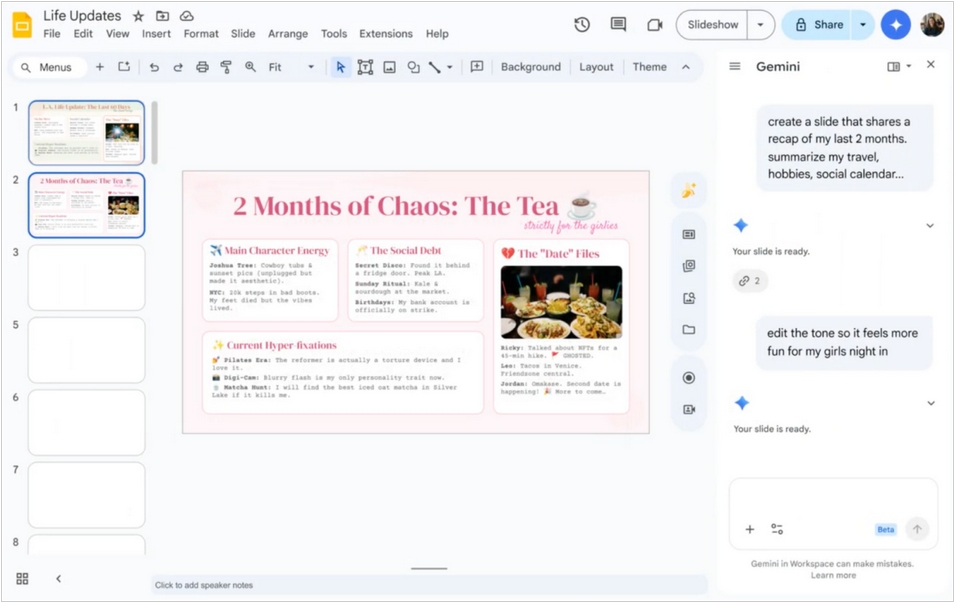
Google has added several more AI features to its Workspace office suite. In Docs, you can now ask Gemini to review your emails in Gmail, documents in GDrive, and discussions in Chat and extract the information you need for a new document, like: "Create a newsletter for our homeowners association using the meeting minutes of my January meeting and a list of upcoming events." In Google Sheets, you can now create spreadsheets that also extract data from email, chats and Google Drive: "Organize my upcoming move to Chicago. Create a room-by-room packing checklist, a utility contact list, and a spreadsheet to track moving company quotes from my email." In Google Slides, you can similarly ask Gemini to create new slides based on all your context.
2025. Google Workspace Gets AI Agents - Gems
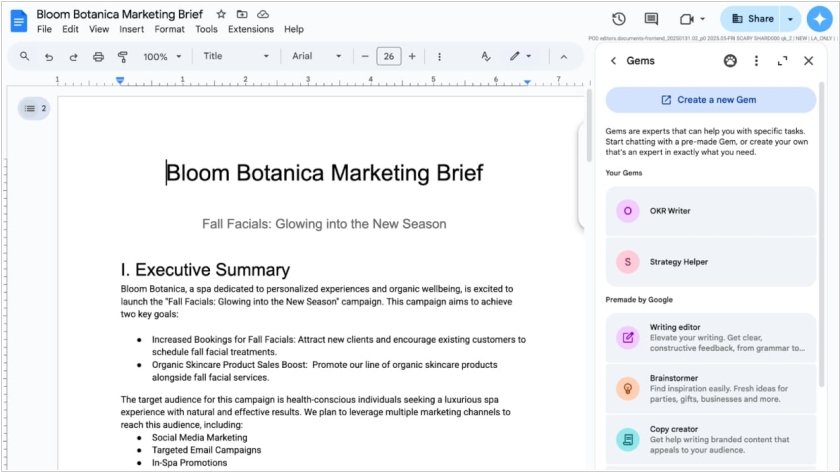
Google Workspace now has its own AI agents called Gems (short for Gemini, because they run on the Gemini model). Each one can be customized to perform a specific task in Google Docs, Sheets, Drive, Slides and Gmail. For example, Google says, if you're a sales manager, you can "create a Gem that can help you find insights about a specific company, prospect or industry." Gems can be accessed in Workspace by clicking the "Ask a Gemini" button in the upper-right corner of a document. This will open a panel that contains both pre-loaded Gems and an option to "Create a Gem" (Google has a separate help document on how to do this).
2025. Google Workspace adds automation flows
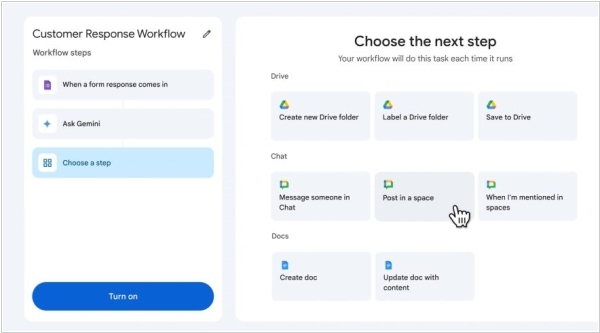
Google is adding new AI features to Workspace. One of them - Workspace Flows is a tool designed to automate multistep processes such as updating spreadsheets and digging through documents for information. Flows can tap Gems, Google’s brand of custom AI-powered chatbots, to handle specialized tasks and it can also integrate with apps like Google Drive to retrieve data. You can simply describe what you need in plain language and Workspace Flows will design and build sophisticated, logic-driven flows. Google has recently eliminated additional fees for AI workspace features, though it did increase the price of Workspace plans. Also, Google Docs will soon get the ability to convert drafts into podcast-style overviews (like NotebookLM’s Audio Overviews) and revise snippets of copy.
2025. Google Sheets now allows to analyze data with Gemini
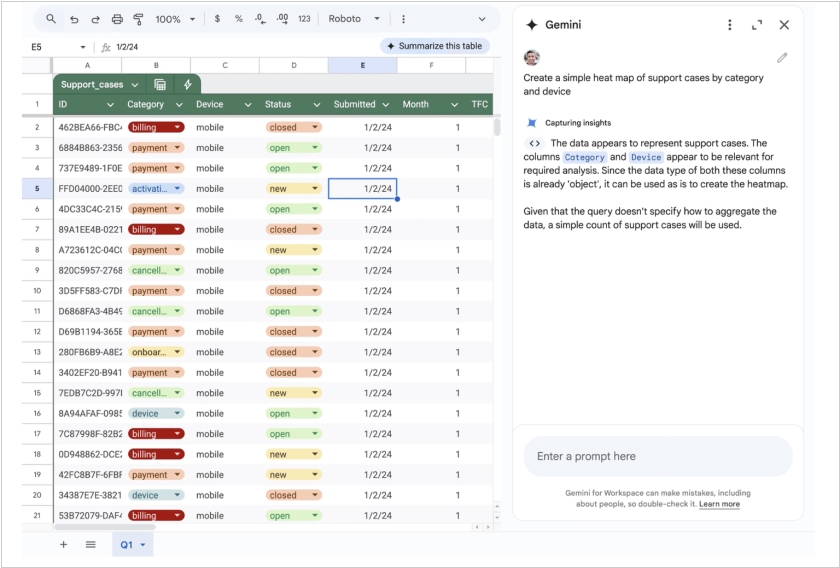
Google has released an update to its Sheets with the Gemini assistant, which is designed to help users analyze data faster and turn spreadsheets into charts using AI. With this update, users can harness the power of AI to generate insights from their data to discover patterns such as correlations, trends, spikes, and more. Users can also create visualizations such as heat maps. For example, you can ask Gemini queries such as "forecast my net revenue for the next quarter based on historical data" or "create a simple heat map of support tickets by category and device."
2025. Google Raised Workspace Prices, But Added Free AI
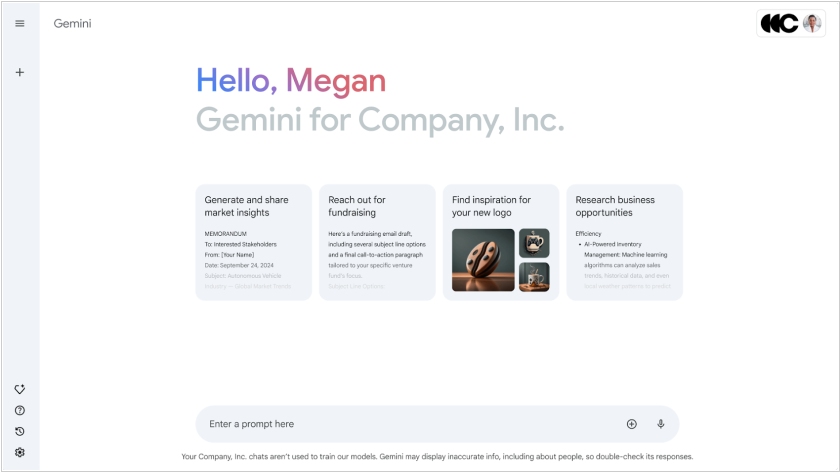
Google announced that all AI features in Gmail, Docs, Sheets and Meet are now available to Google Workspace customers at no additional cost. However, (coincidence?) the price of the plans will increase by $2 per month per user. AI features in Google Office allow, for example, email summaries, automated note-taking, communication with the Gemini chatbot, and much more. Previously, customers wanting to utilize all AI capabilities had to pay an additional $20 per user per month for the Gemini for Workplace plan, in addition to the $12 for the standard Workspace Business Standard plan. Now the standard plan costs $14 per user per month. Customers who previously purchased the Gemini for Workplace add-on will retain access to the AI features, but the subscription will become free for them starting January 31.
2024. Google Docs gets tabs navigation inside document
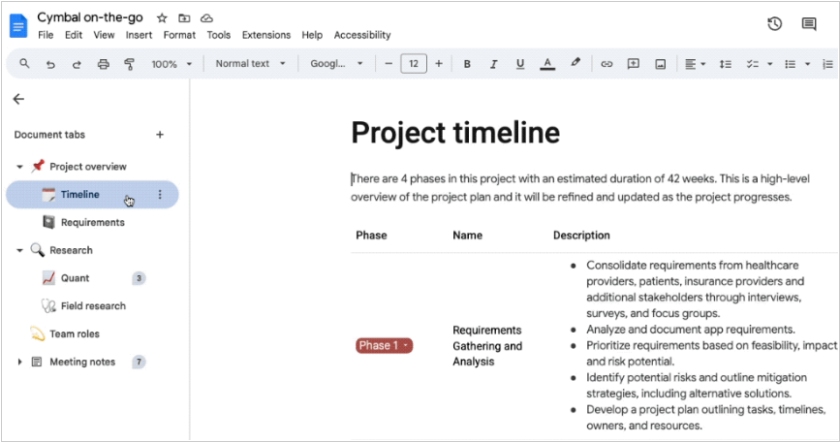
Google Docs text editor now features vertical tabs, making it easier to organize and find information in long documents. You can use tabs as a temporary navigation tool while creating a document. Readers can easily navigate the document and focus on the sections that matter most. Tabs can be accessed by clicking the marker icon in the upper left corner of the document screen. This feature supports adding up to three levels of sub-tabs. Users can assign each tab and sub-tab a unique icon or emoji for quick identification.
2024. Google Docs now supports importing and exporting Markdown syntax
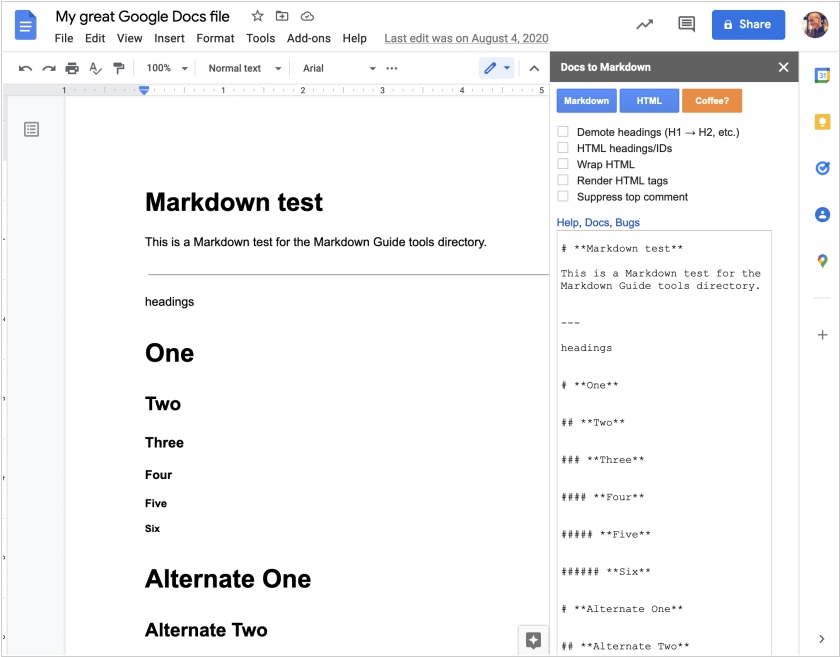
Markdown is a text markup language designed for creating beautifully formatted text in regular TXT files. However, when imported into full-featured text editors, it should display beautifully formatted text with bold or italics, quotes, links, and even tables. Google Docs now allows you to automatically convert Markdown text upon pasting (if the corresponding option is enabled in Settings) and export documents as Markdown. For example, developers can collaborate on software documentation in Google Docs and then export it as Markdown for use in wikis. This new feature is available in both paid and free Google Workspace accounts.
2024. Google adds new video creation app Vids to Workspace

Google, in its usual style of sneakily revolutionizing everything while pretending it's all perfectly normal, has just rolled out Vids, a shiny new toy for its Google Workspace toolbox. It's essentially a sleek, user-friendly video-making contraption built for the grown-up world of professional presentations—because who wouldn't want their work to look like it was made by a film director? Vids lets users effortlessly craft slide presentations on a linear timeline and pluck content straight from their trusty Google Drive. But the real twist comes in the form of Gemini AI, a sort of all-knowing, invisible assistant that's happy to help with everything from writing scripts to narrating them for you and even digging through stock footage like a pro archivist. Oh and it can conjure up custom imagery too, just in case reality isn't quite enough. Right now, only a lucky few Workspace users are testing it out, but by next summer, expect your office to be buzzing with AI-powered video magic.
2023. Google’s Duet AI becomes a meeting assistant, doc summarizer, and chat companion
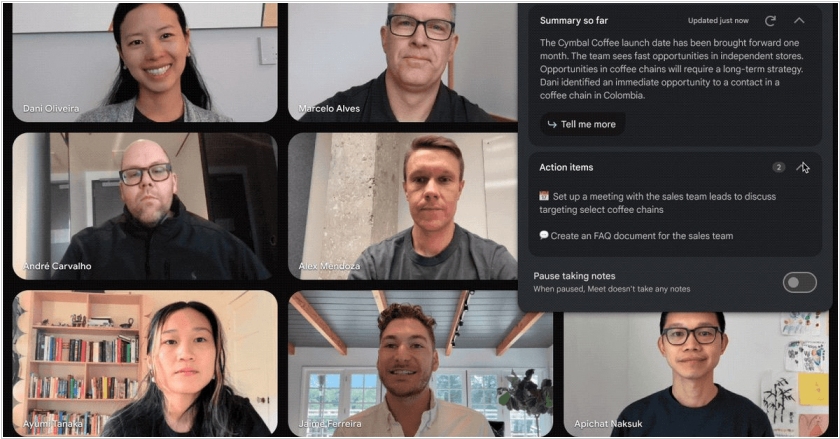
Google is making its generative AI-powered assistant, Duet AI, widely accessible to organizations using Google Workspace. Previously tested with numerous companies, Duet AI is gaining new functionalities, serving as a meeting assistant, a Google Chat chatbot, a document summarizer and enhancing personalization in Gmail's smart replies. Available through a no-cost trial, Duet AI enables users to generate presentations by utilizing text, charts and images from relevant content in Google Drive and Gmail. For example, a financial analyst could streamline the process of summarizing Q3 performance by instructing Duet AI to analyze Google Sheets, P&L Docs, Monthly Business Review Slides and pertinent emails from sales leads. Another use case sees Duet AI being added to Google Meet to help you look your best with studio look, studio lighting and studio sound.
2022. Google brings back free G Suite accounts for businesses with fewer than 10 employees
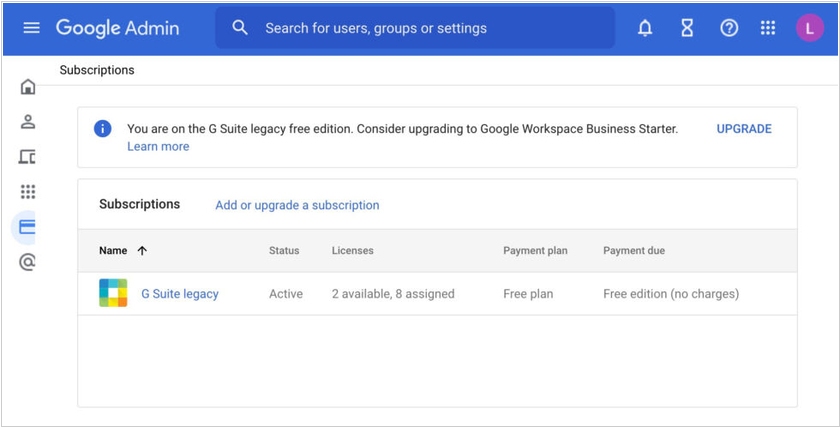
Google recently announced it would be completely eliminating the free G Suite plan, but this sparked a strong backlash from users, so the company has softened its decision slightly. Free account holders with fewer than 10 users will be able to migrate their apps and data to a free Google Workspace business account. It will not include any additional tools (which the company will discuss later). To migrate, log in to your G Suite account and fill out a form.
2021. Google Workspace is now free for everyone
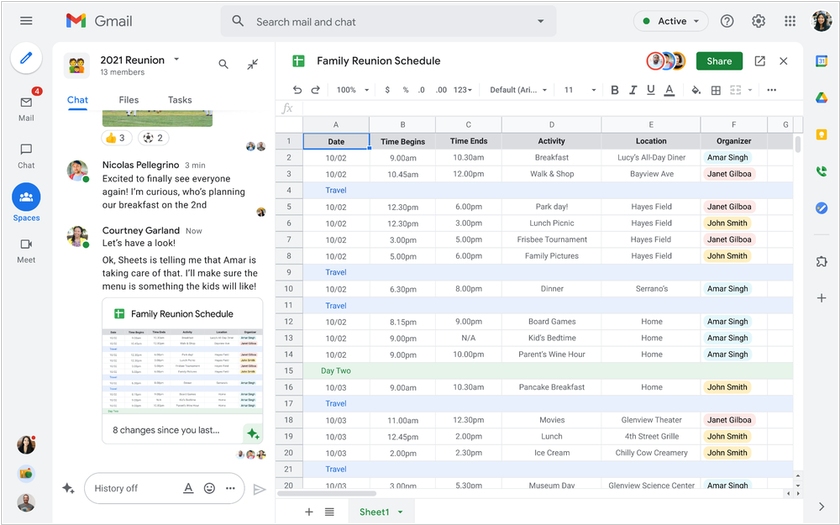
Google Workspace — the company's suite of business tools previously known as Google Suite — is now free, and available to everyone. Making the switch to Workspace will give users a more integrated experience. They'll get smart suggestions in emails, and be able to show a document in a Google Meet call with one click. Central to this new experience is Google Chat (formerly Hangouts), which is now available for everyone and can be turned on in Gmail's settings. With Chat, you'll be able to create group chat experiences, which are currently called Rooms but will be "evolved" to Spaces over the summer. Spaces will bring several new features, including in-line topic threading, presence indicators, custom statuses, expressive reactions, and a collapsible view, all of which sounds a lot like Slack, only integrated inside of Gmail. Finally, Google also launched Google Workspace Individual ($9.99), which is a new subscription option for individual small business owners. It has several premium features on top of Google Workspace, such as smart booking services, personalized email marketing, and pro video meetings.
2021. Google Workspace Adds New Features for Home and Mobile Workers
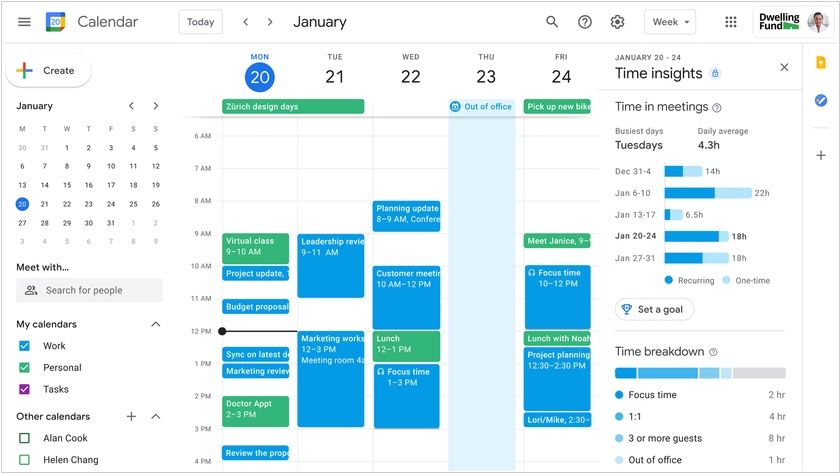
Google has rolled out a major update to its online office suite Workspace. For those users who frequently work from home, Calendar now offers useful features: the ability to set segmented work hours, recurring out-of-office hours, Focus Time (periods during which you cannot be interrupted), display of your current location (so others can see whether you're at home or in the office), and analytics on work time use. And for employees who work on-site, on-site, or on the front lines, Google has released a dedicated version of the office suite – Google Workspace Frontline – with a focus on secure mobile access to applications and data, as well as the ability to quickly create custom applications for data entry on the go.
2020. Google rebrands G Suite as Google Workspace
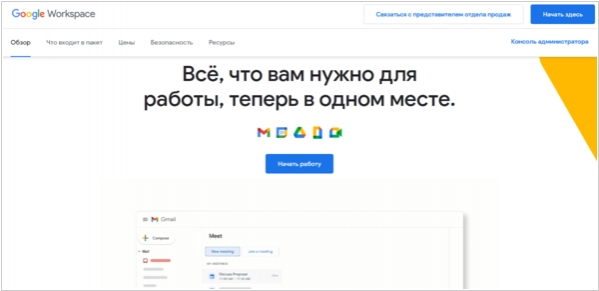
Google Workspace is a new name for all of Google's productivity apps, including Gmail, Calendar, Drive, Docs, Sheets, Slides and Meet. According to the company, Google Workspace isn't just a new brand identity (even though that's a big part of it), but it will also offer a deeper integration between individual apps, helping "teams collaborate more effectively, frontline workers stay connected, and businesses power new digital customer experiences." Some of these integrations have already happened — remember when Google put Meet into Gmail — but more are coming soon.
2020. G Suite Mobile Now Features Dark Theme and Smart Compose
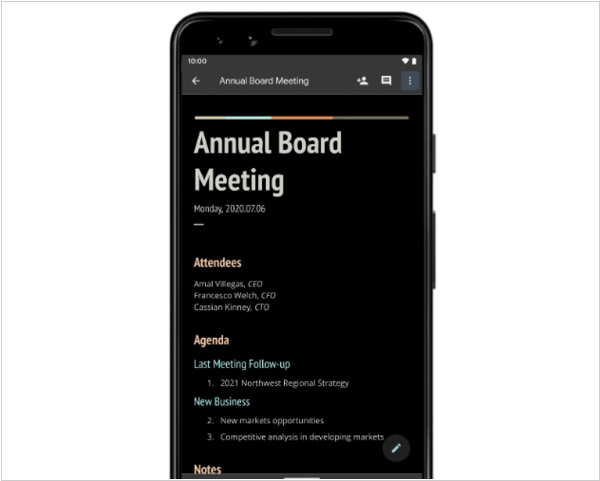
Google has rolled out a major update to the mobile version of its G Suite office suite. A dark theme has been added to the Docs, Spreadsheets, and Slides editors. Documents also now support Google Smart Compose, which suggests quick completions of words and phrases as you type. The developers have also added the ability to edit Microsoft Office documents on a smartphone or tablet without converting them to Google formats. Other new features include a new presentation slide viewing interface with vertical scrolling, link previews, and a new commenting interface. You can now also reply to comments on your documents directly from Gmail (within the message, rather than sending an email).
2019. Google Docs can now edit MS Office documents without conversion
Previously, to edit a Word, Excel, or PowerPoint file in Google Docs, you had to first convert it to Google's format and then (optionally) save it back to Microsoft's. Sure, the service did all this automatically, but it was still a hassle. The conversion process could corrupt formatting. Now, Google has implemented full support for MS Office formats (.doc, .docx, etc.), so you can edit and collaborate on these documents without converting. This feature is currently only available in the paid version of Google Docs (part of G Suite), but they promise to add it to the consumer version by the end of the month.
2019. Google Docs gets an API for task automation
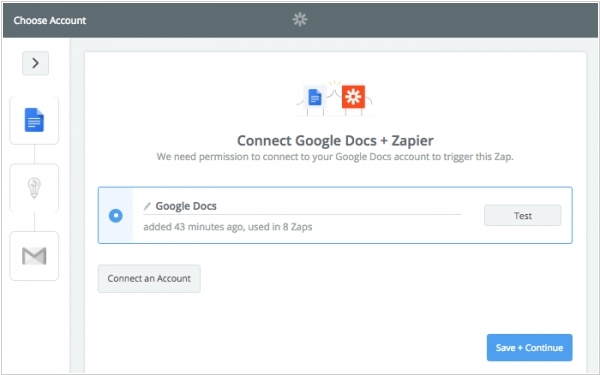
Google opened a new API for Google Docs that will allow developers to automate many of the tasks that users typically do manually in the company’s online office suite. The REST API was designed to help developers build workflow automation services for their users, build content management services and create documents in bulk. Using the API, developers can also set up processes that manipulate documents after the fact to update them, and the API also features the ability to insert, delete, move, merge and format text, insert inline images and work with lists, among other things.
2018. Google Sheets gets smart macros recording
Google has launched a major update to Google Sheets. With this update, Sheets users can now record macros. The new “record macros” feature, which sits in the Tools menu, does exactly what you think it should do. You simply start your recording, go through your usual steps and when you’re done, all it takes to repeat all those steps is to run the macro again. In the backend, Sheets actually converts your macro into Apps Script code, which also means that if you want to dive a bit deeper or make a small change, you can edit that script.
2017. Google Docs improves collaborative editing
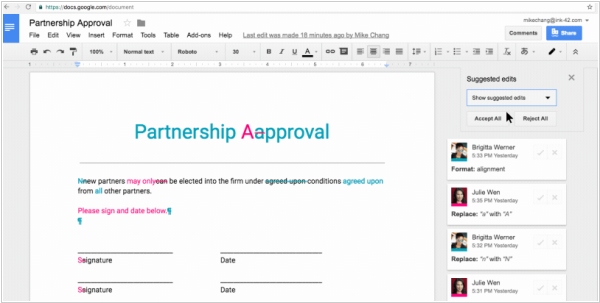
Google Docs, the online editor, initially focused on real-time collaborative editing. But sometimes you need to collaborate on a document asynchronously. That's when revisions, acceptance/rejection, and document versions come into play. Now this editing mode (common in Word) is available in Google Docs. Moreover, edits can be made/accepted in the mobile app. And unlike Word, Google Docs makes it easier to see who made changes. You can also name document versions, which is very convenient. For example, after approving the first part of a document, you can name the version "Part 1 approved" instead of "Version from August 3."
2017. G Suite adds Shared Drives
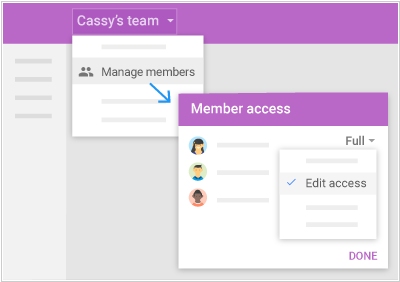
Until now, files in Google's online office G Suite were stored only on individual drives (in Google Drive). Of course, each user could share a file or folder with colleagues, but this option isn't always suitable for larger companies where data security is highly valued. Now, G Suite introduces Shared Drives, which are created by the administrator for specific projects or departments. If an employee leaves, the files they collaborated on with colleagues won't be lost and will remain in the shared drive. New employees can also be onboarded more easily. Simply grant them access to specific shared drives, and they'll receive all the files they need. The administrator can grant read-only, comment, or edit access.