Top 10 Video Calling apps for Android
Updated: 08.06.2026
Some of the most popular Android video calling apps are mentioned below.
Users that searched for Top 10 Video Calling apps for Android then also viewed the following software:

See also: Top 10: Video Meeting Platforms for Eastern Europe
Users that searched for Top 10 Video Calling apps for Android then also viewed the following software:
See also: Top 10: Video Meeting Platforms for Eastern Europe
2024. Google Meet added ability to switch from desktop to phone during video call
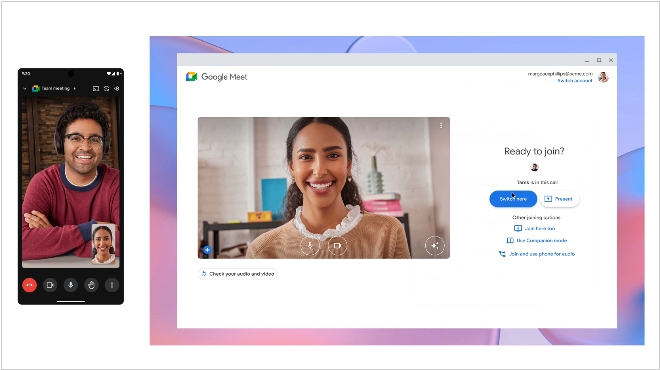
Google announced an update to its video conferencing platform Google Meet that allows users to switch devices during a call without interrupting the video call. Essentially, this allows users to seamlessly switch between desktop and mobile devices without other video conference participants being aware. Google Meet users will even be able to continue the call on both devices by going to "More Join Options" and selecting "Join Here Too." This feature works on desktop computers, as well as Android and iOS devices, such as smartphones and tablets. With this update, Google Meet adds a feature to its platform that has been available on Zoom for at least several years.
2020. Google Duo increased the limit on free video calls to 12 participants
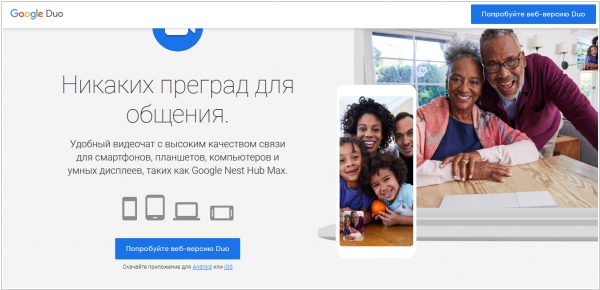
Video calls are incredibly popular during quarantine, so Skype, Zoom, and Viber are often overloaded and don't provide decent video quality. And now's the perfect time for Google to finally promote one of its many messaging apps – Google Duo. Duo was launched in 2016 and, even though it was installed by default on many Android smartphones, never received the recognition it deserved. However, it has everything you need. It's fairly simple and fast. It also has a cool feature: you can see the person calling you before you accept the call, so you can better prepare for the conversation. And now, in honor of the quarantine, Google is increasing the limit on video calls to 12 participants, so small businesses can easily use it for video meetings.
2016. Google launched the mobile video messenger Duo.
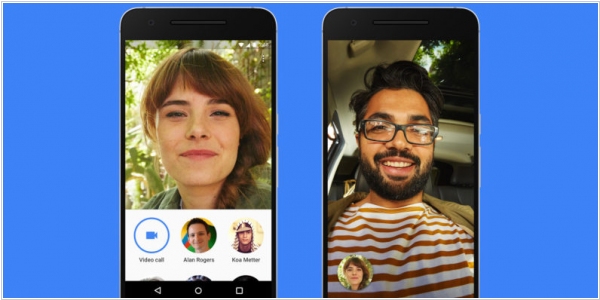
Google has decided to take the messaging market by brute force. Google Chat, Hangouts, Spaces, the announced Allo, and Google's Android SMS have now been joined by another app: Duo. It's positioned as the easiest way to have one-on-one video calls for Android and iPhone users. You don't need a Google account to register; a phone number is enough. Duo's unique feature is that you can see the caller's video before accepting the call, allowing you to mentally prepare for the conversation or decline. Duo also boasts full traffic encryption, automatic connection quality adjustment based on internet speed, and automatic switching between Wi-Fi and 3G.
2015. Facebook Messenger gets free video calls

Facebook Messenger has launched free VOIP video calling over cellular and wifi connections on iOS and Android in the U.S., Canada, UK, and 15 other countries. Facebook’s goal is to connect people face to face no matter where they are or what mobile connection they have. With Messenger, someone on a new iPhone with strong LTE in San Francisco could video chat with someone on a low-end Android with a few bars of 3G in Nigeria. Facebook first introduced desktop video calling in partnership with Skype in 2011, but eventually built its own video call infrastructure. Bringing it to mobile could Messenger a serious competitor to iOS-only FaceTime, clunky Skype, and less-ubiquitous Google Hangouts.
2013. WebEx for Android adds multipoint video calling

Cisco has released a new version of the WebEx Meetings 3.0 for Android app. The app offers new functionality along with a completely redesigned user interface for smartphones. WebEx Meetings version 3.0 for Android supports full-duplex multipoint video calling on Android smartphones running OS 4.0 and higher. Now Android smartphone users can participate in meetings on a whole new level, including sending and receiving video. Functionality is optimized for both portrait and landscape formats. The user interface dynamically updates during the meeting, from the video introduction at the beginning of the meeting to subsequent content sharing and discussion. Additionally, audio and video controls are provided, allowing you to easily share video and mute or unmute your microphone.
2012. Polycom video conferencing is available on Android, iPad, and iPhone.

Polycom, a global video conferencing leader, has finally added support for the most popular mobile devices in business: Android tablets and iPads, as well as iPhones. Tablet support was added a little earlier (at the end of last year), and just today the iPhone 4S was added to the list of supported devices. In addition to video conferencing, employees can also exchange messages and share documents. The Polycom mobile app is part of the Polycom RealPresence line, which also includes solutions for computers, desktop terminals, and equipment for video conference rooms. So, in companies using Polycom RealPresence, a mobile employee can communicate with a director in a video conference room via a smartphone.
2011. GoToMeeting web conferencing is now available on Android
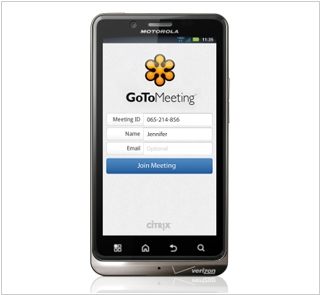
Citrix has released an Android client for its web and video conferencing service GoToMeeting. The app allows you to join an online meeting, view the participant list, communicate with participants via VoIP (over Wi-Fi), zoom in and out (up to 200%), and mute your audio if there's noise around you. GoToMeeting for Android is free and works on all smartphones running Android 2.2. A similar GoToMeeting mobile app already exists for iOS.
2010. ooVoo released Android app for mobile video calls
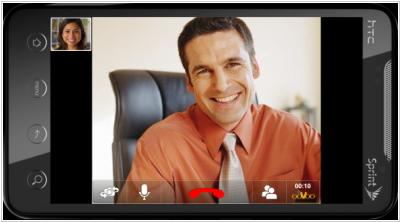
Mobile video calling services Facetime, Fring and Qik will now have a strong competitor. ooVoo has finally released a free mobile client ooVoo Mobile for Android smartphones, which supports video calling. Moreover, unlike the aforementioned services, ooVoo, in addition to two-way video calling, supports group video calls with up to six participants. Furthermore, like Facetime, ooVoo mobile allows video calls between a mobile device and a computer. The application has a user-friendly touch interface and allows switching between the front and rear cameras. If desired, you can mute the sound and video and communicate via text chat. ooVoo promises to release a mobile client for iOS as early as February of next year.