Top 10 Free Whiteboards for Eastern Europe
Updated: 16.06.2026
Some of the most popular free whiteboard tools are mentioned below.
Users that searched for Top 10 Free Whiteboards for Eastern Europe then also viewed the following software:
See also: Top 8: Visual Collaboration Tools for Eastern Europe
Users that searched for Top 10 Free Whiteboards for Eastern Europe then also viewed the following software:
See also: Top 8: Visual Collaboration Tools for Eastern Europe
2022. Apple released free whiteboard app for iPhone and iPad
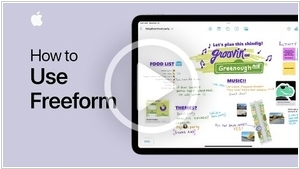
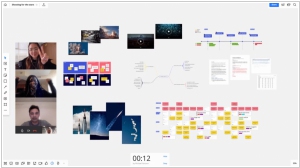
Whiteboards for collaborative drawing in real time are convenient for brainstorming, meetings, and co-design. Google has its own whiteboard service - Jamboard. Microsoft also has Microsoft Whiteboard. Now Apple has one too - Freeform. However, it only works for the lucky owners of iPhone, iPad, and Mac, as it is only available as an app, not in the browser (although to invite colleagues to the whiteboard, you need to send them a link). Otherwise, it is a fairly convenient application for freehand drawing, and also includes a library of 700 shapes that can be easily dragged onto the canvas. You can also insert images onto the board. You can turn on a grid to organize elements on the board. And, best of all, it is all free.
2011. Webex Launches Free Version, Adds Virtual Office
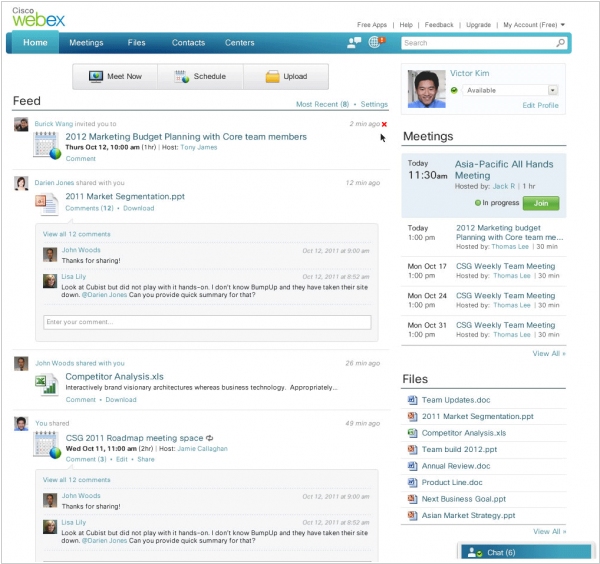
Cisco has updated its web conferencing platform Webex and announced the launch of a free version for up to 3 people and 250 MB of storage. In addition to the core features (screen sharing, whiteboarding, online presentations and document collaboration, VoIP, and chat), the free version also includes video conferencing, though not in HD. While there are several free web conferencing services on the market, Webex has always been known for its high quality and extensive functionality. The updated Webex also features a new Meeting Space interface, designed for collaboration before and after online meetings. It includes a microblog, file storage, chat, and a meeting scheduler. For example, in this workspace, you can schedule a meeting, send invitations to participants, upload necessary files in advance, and discuss the upcoming meeting in the comments and chat. After the meeting, you can upload a video recording and the resulting documents, and discuss the meeting results in the comments.
2011. Google+ Hangouts turn into full-fledged web conferencing platform
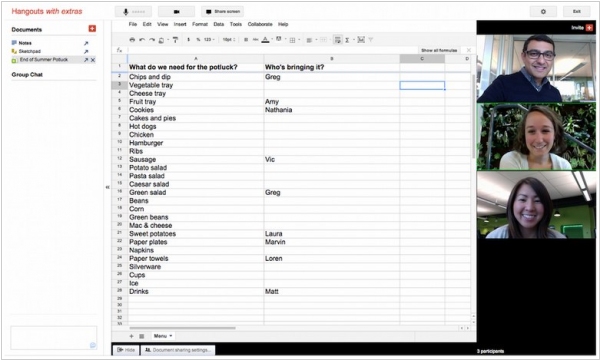
Today's Google+ update added many more new features to Google+ Hangouts. First, screen sharing. Second, collaborative drawing on the screen (Whiteboard). Third, collaborative editing of Google Docs. Fourth, the ability to host video broadcasts (webinars) for an unlimited number of viewers (up to 10 active participants). Fifth, Google Hangouts video chat now works on Android smartphones. And finally, sixth, Google has opened up the official Hangouts API, so now you don't have to be a Lebanese programmer to create your own Hangouts app. Incidentally, the Google+ social network is now open to everyone. Is your company prepared for this?
2006. DimDim - Free Web Conferencing Platform

Today, a new version of DimDim, a service for organizing web conferences and online presentations, was released. DimDim lets you share documents, your desktop, applications, and work with a whiteboard. No software installation is required. The new version adds a useful feature: integrated VoIP and video conferencing. DimDim is free! The only downside is that it only works with Internet Explorer.