Top 10 Free Screen Sharing Platforms
Updated: 31.05.2026
Some of the most popular Free Screen Sharing Platforms are mentioned below.
Users that searched for Top 10 Free Screen Sharing Platforms then also viewed the following software:

See also: Top 10: Video Meeting Platforms for Eastern Europe
Users that searched for Top 10 Free Screen Sharing Platforms then also viewed the following software:
See also: Top 10: Video Meeting Platforms for Eastern Europe
2024. OpenAI acquired a video conferencing and screen-sharing service.

OpenAI has acquired Multi, a startup developing a video conferencing and screen-sharing service. This deal marks OpenAI's expansion beyond generative chatbots into the enterprise collaboration market. Multi was founded by former Dropbox product manager Alexander Ambirikos and former Google software engineer Charlie Ho and served as a platform enabling remote teams to seamlessly collaborate via video calls. Multi's core features included video chat for up to 10 concurrent users with screen sharing.
2012. WebEx Meetings is lowering its free limits again
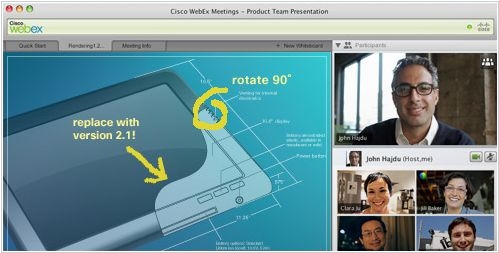
Cisco Webex, the web conferencing service, initially delighted its users with free Webex Meetings offer, but then disappointed them twice. Today, the service exited beta and, to celebrate, lowered its free limits again. The number of online meeting participants in the free version (now called Basic) has been reduced from 25 to 3. And disk space for files has been reduced from 1 GB to 250 MB. Remote computer control in screen-sharing sessions has also been removed from the free version.
2012. Free WebEx is now available.
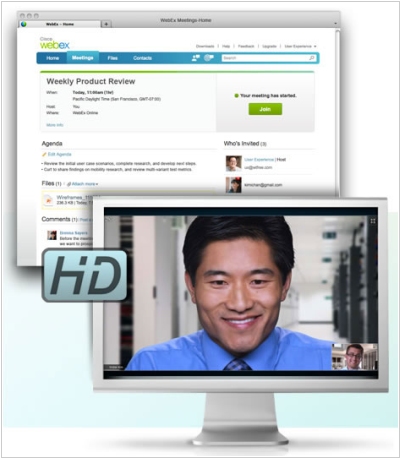
Web conferencing service WebEx has unveiled free version. However, the number of conference hosts (i.e. users who can create and administer online meetings) has been reduced from 3 to 1. However, the free disk space limit has been increased to 1 GB. Up to 25 people can participate in an online meeting simultaneously and use a variety of tools: screen sharing, whiteboard, remote computer control, file sharing, presentations, VoIP, HD video, and conference recording. You might be surprised to learn that the service is currently in Beta status (after all, WebEx has been the market leader in web conferencing for many years). The fact is, this is not just a free version. This is a new version of WebEx, which, in addition to web conferencing, also includes a collaboration space (before and after the online meeting). There, you can not only schedule web conferences and invite participants, but also share materials before the online meeting and discuss them with colleagues. And after the virtual meeting, you can share conference recordings and files created during it and continue the discussion.
2011. Webex Launches Free Version, Adds Virtual Office
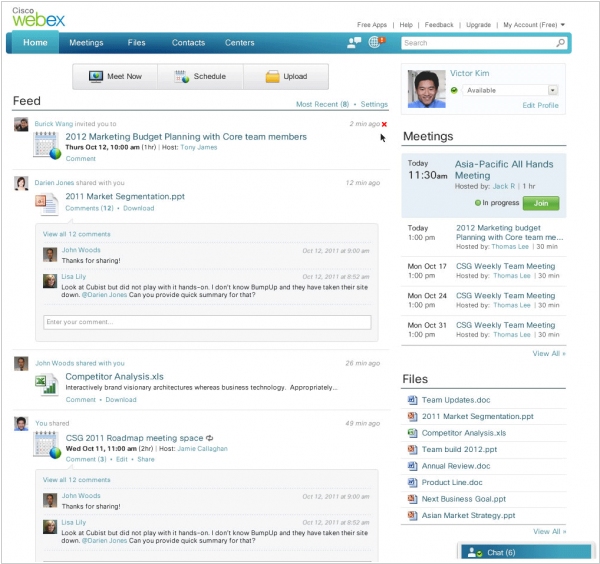
Cisco has updated its web conferencing platform Webex and announced the launch of a free version for up to 3 people and 250 MB of storage. In addition to the core features (screen sharing, whiteboarding, online presentations and document collaboration, VoIP, and chat), the free version also includes video conferencing, though not in HD. While there are several free web conferencing services on the market, Webex has always been known for its high quality and extensive functionality. The updated Webex also features a new Meeting Space interface, designed for collaboration before and after online meetings. It includes a microblog, file storage, chat, and a meeting scheduler. For example, in this workspace, you can schedule a meeting, send invitations to participants, upload necessary files in advance, and discuss the upcoming meeting in the comments and chat. After the meeting, you can upload a video recording and the resulting documents, and discuss the meeting results in the comments.
2006. DimDim - Free Web Conferencing Platform

Today, a new version of DimDim, a service for organizing web conferences and online presentations, was released. DimDim lets you share documents, your desktop, applications, and work with a whiteboard. No software installation is required. The new version adds a useful feature: integrated VoIP and video conferencing. DimDim is free! The only downside is that it only works with Internet Explorer.