Microsoft Clarity
Clarity is a free, easy-to-use tool that captures how real people actually use your site. Setup is easy and you'll start getting data in minutes. Provides session recordings to visualize user interactions on your site. Integrates seamlessly with Microsoft products like Power BI for enhanced reporting.
Add comment
Add comment
Alternatives and relevant products
Users who were interested in Microsoft Clarity, then also viewed:
Video about Microsoft Clarity
News about Microsoft Clarity
15.04.26. Microsoft Clarity offers LLM-bot analytics
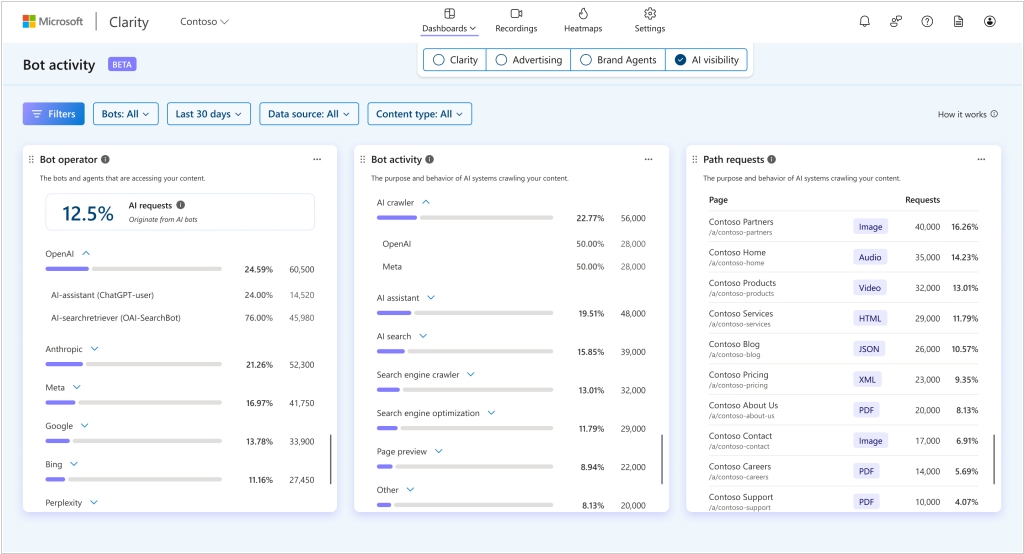
Web analytics system Microsoft Clarity has added a new section AI Bot Activity. Site crawling by bots is often a signal that content may later be used by AI models. The new section shows how verified LLM bots interact with your content. You can see which AI platforms are accessing your site, how often and at what scale they crawl, and which pages, paths, and resources attract the most automated attention. This data helps transform bot traffic from background noise into a measurable audience, and helps you understand what content is of interest to LLM models and how to develop your site's content.
2020. Microsoft launched own web analytics service, Clarity.
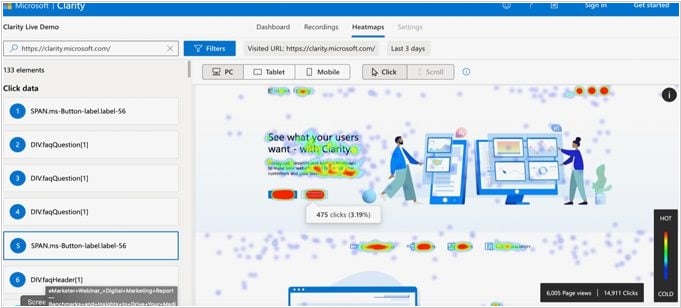
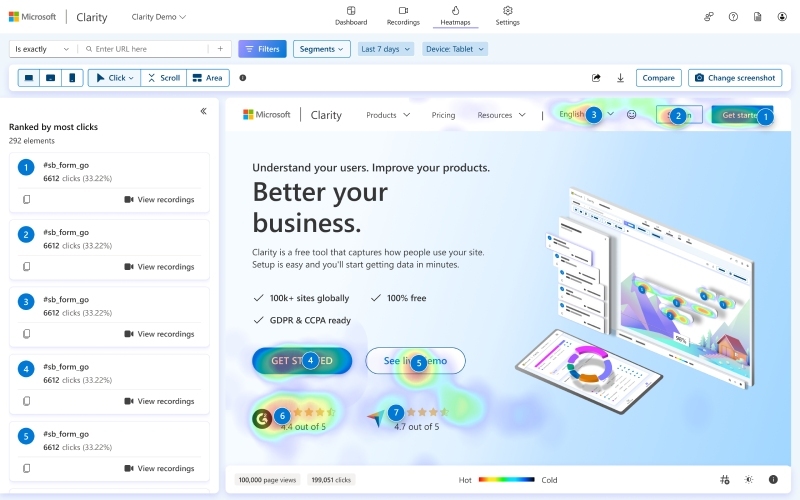
Microsoft has introduced its own visual web analytics service, Clarity. It's a free product, providing unlimited access with no additional fees, whether you're tracking one user per day or a million. It's suitable for small businesses, website owners, marketers, conversion optimization specialists, and developers who want to evaluate how users and visitors interact with their website. Its interface is divided into three main areas: analytics dashboard, heatmaps and session replay. The analytics dashboard is fairly basic, but offers a number of unique KPIs not found in other platforms (such as "Aggressive Clicks") and quick links to session recordings beneath each displayed KPI. The heatmap tool segments sessions by device and shows the most popular page elements. Using Clarity's session recording, you can review user sessions one by one. Each record contains metadata such as the user's location, operating system, browser, and some session data such as the number of pages viewed and the time spent on the site.