Tilda
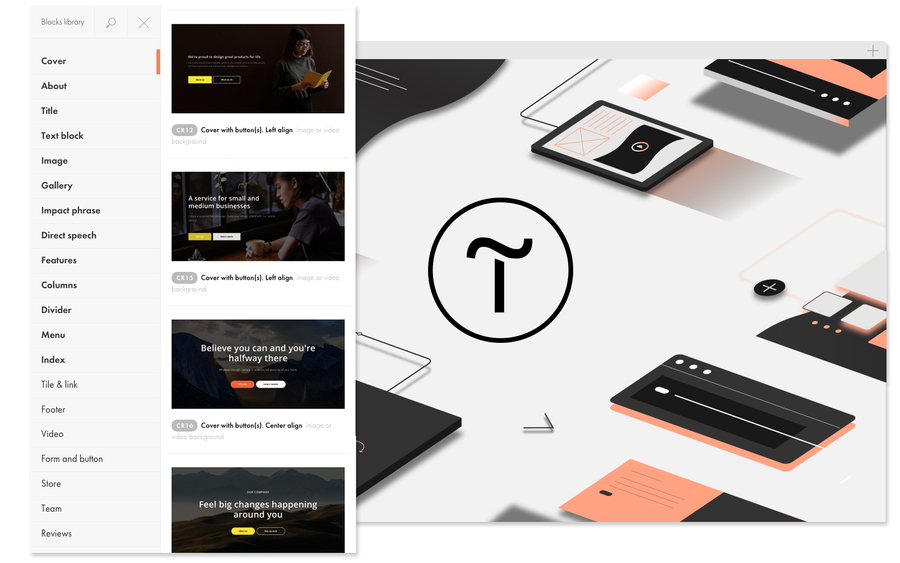
Website builder with a WYSIWYG editor and a large set of blocks. Ideal for simple websites, landing pages, and business card sites. The engine's main feature is flexible customization of page design and structure. Free version is available.
Comments: 2
Comments: 2
Alternatives and relevant products
Users who were interested in Tilda, then also viewed:
Video about Tilda
News about Tilda
13.05.26. Tilda has implemented AI-powered landing page block generation
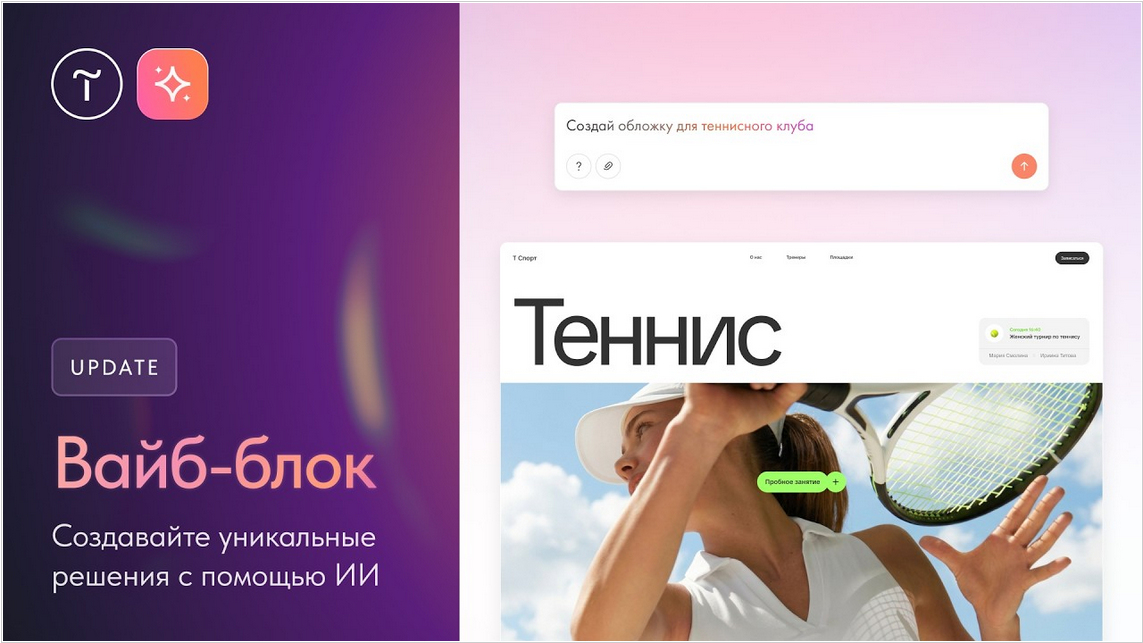
Tilda has launched "Vibe Block," a tool that generates landing page or website blocks through a dialogue with a neural network. This new tool allows for the implementation of complex and specific website solutions without the need for third-party modifications or developers. The new tool operates on the principle of "vibe coding": the user describes the task verbally, and the neural network generates code, designing the structure, content, and the entire interface. With "Vibe Block," you can create any website element - from interactive animations to complex forms and infographics. Tilda estimates that block development time is reduced by an average of 100 times: what used to take three to five hours can now be implemented in just a few minutes. This new feature will be useful for small businesses operating without developers or layout specialists, as well as designers and users who need to quickly develop complex elements.
2026. Tilda has implemented autoscaling of basic blocks
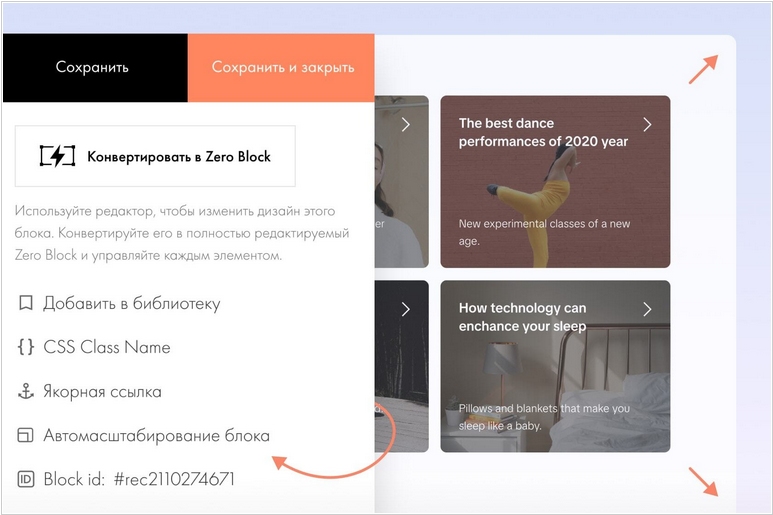
Tilda, a free website creation service, has implemented autoscaling for its basic blocks. This setting expands a block with a 12-column grid to the full screen width and works on screens with a resolution greater than 1200px. This is useful, for example, when combining a layout using basic blocks and Zero Block. This setting is available for blocks in the following categories: About the Project, Header, Text Block, Image, Gallery, Tile and Link, Form, Buttons, and Benefits. The ME100 block now allows you to create menus with up to four nesting levels. This is useful, for example, for online stores with a large number of products and catalog sections.
2026. Tilda now allows to create delivery options for Europe
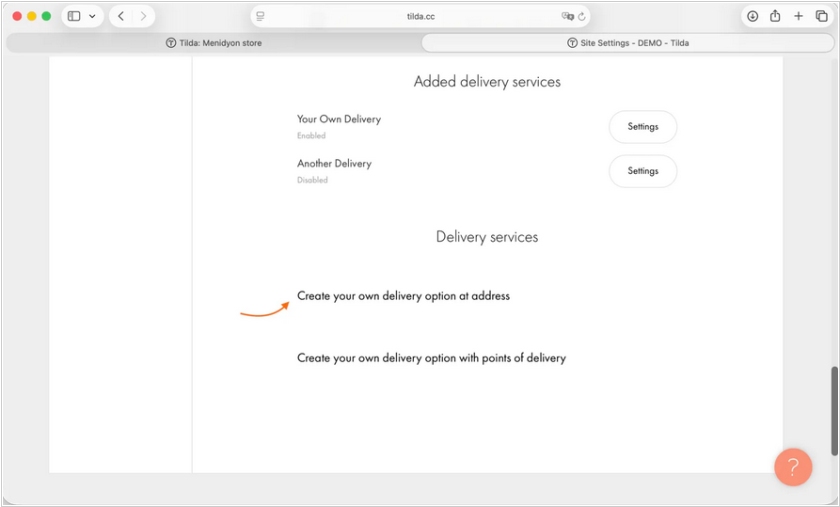
Tilda website and online store builder now allows to create own custom delivery option for the CIS and Europe. The feature is available in the Payment Systems - Delivery Services menu. The builder also got a new block type: the Pro collection. The new 75 blocks are designed in the Zero Block editor and are suitable for a variety of purposes - enable to highlight services and benefits, add a striking form, or create a captivating website cover. They easily adapt to content and different screen sizes—you can easily change the content, and the design automatically adjusts to different screen resolutions. Blocks are flexible: you can edit the design, change the color, add your own elements, and combine them with the basic blocks.
2025. Tilda updated its Online Store Orders section
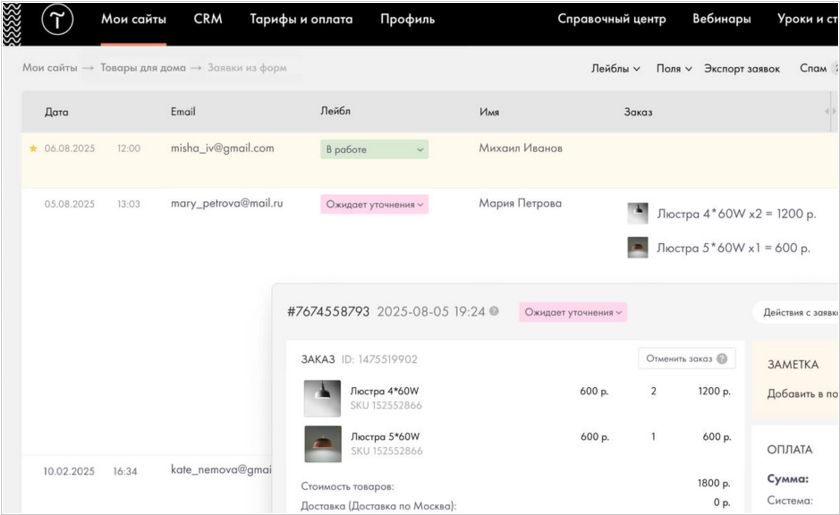
Popular website builder Tilda now wants to capture market share in online store builders. They recently launched a personal account for online store buyers, and have now upgraded the Orders section for sellers. The section's interface has become more user-friendly and intuitive. The Orders table can be customized: you can choose which fields to display and which to hide. The detailed order view has also been updated—the design has become more modern, information is now displayed in two columns, making it easier to use. Specifically, the detailed status of its submission to connected external services is now displayed. Orders can be highlighted with an asterisk and colors; when this happens, the request is marked as read, and the entire line is colored the selected color. You can add a label to the order, such as "in progress" or "processed," and comments.
2025. Tilda has improved its vector image editor.
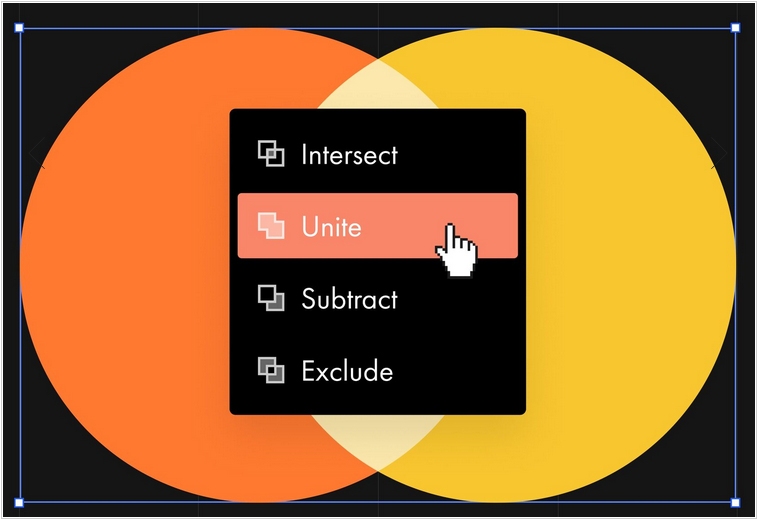
The latest update of Tilda website builder introduces new actions for working with shapes in the vector editor. Four new operations are now available for working with drawn shapes: 1. Intersect — combines intersecting parts of an object into one. 2. Unite — combines several shapes into a single object. 3. Subtract — removes the intersecting part of the top shape from the bottom. 4. Exclude — removes the intersecting part of objects. To access this context menu, select shapes → Combine shapes.
2024. Tilda now allows to create pages using AI
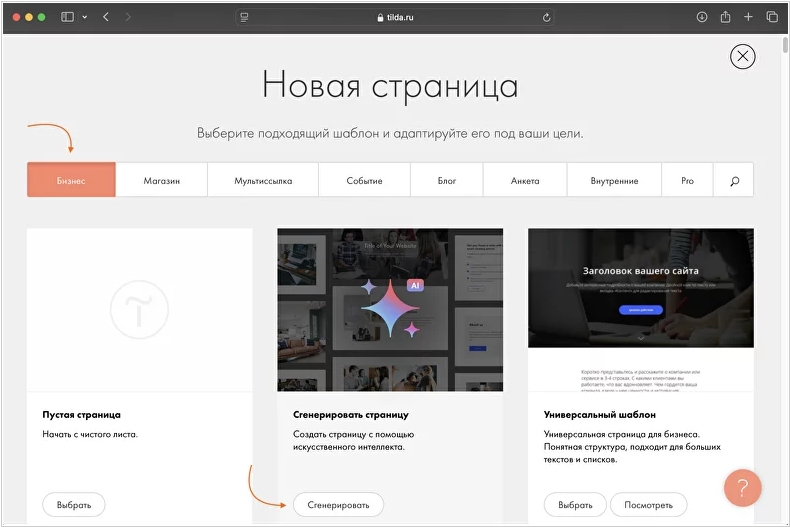
Tilda website builder now lets you generate an entire web page from scratch using artificial intelligence. Simply specify a topic and describe the details in detail, such as your target audience or business objectives. Based on this data, AI will generate the page structure and texts and select images. The more detail you provide, the better the result. AI will automatically select relevant blocks from the library, write texts based on your task description, and find suitable images. If the generated content in some blocks doesn't suit your needs, you can edit the page or regenerate the block to achieve the perfect result.