Top 10 Free Group Video Calling platforms
Updated: 01.07.2026
Some of the most popular free group video calling platforms are mentioned below.
Users that searched for Top 10 Free Group Video Calling platforms then also viewed the following software:

See also: Top 10: Video Meeting Platforms for Eastern Europe
Users that searched for Top 10 Free Group Video Calling platforms then also viewed the following software:
See also: Top 10: Video Meeting Platforms for Eastern Europe
2023. Google Meet can now detect hand raising.
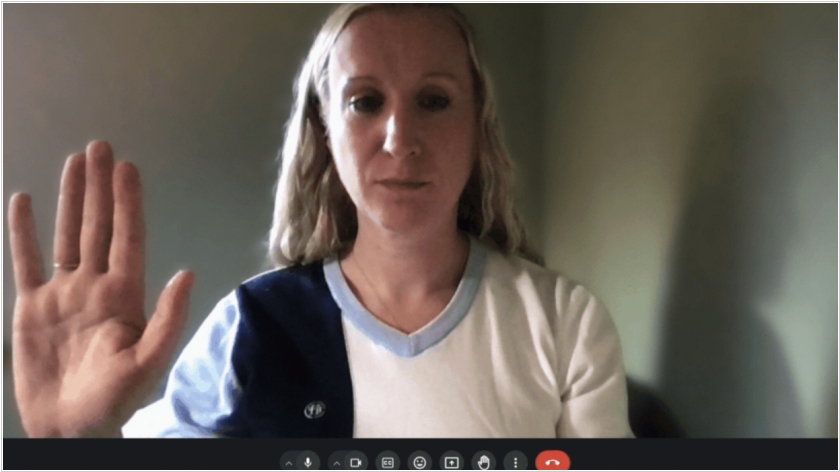
Raising your hand is a popular feature in video conferencing systems, but Google was the first to implement it not by pressing a button, but by actually raising your hand (as in a real meeting). In Google Meet, auto-detection of this gesture is not enabled by default. You must enable it by selecting "Advanced settings" > "Reactions" > "Raise hand gesture." For the feature to work reliably, your hand must be visible to the camera and held away from your face and body. Keep your hand raised until the hand-raise detection icon turns green. Administrators have no control over this feature, so they won't be able to turn it on or off.
2021. Microsoft upgraded the free version of Microsoft Teams
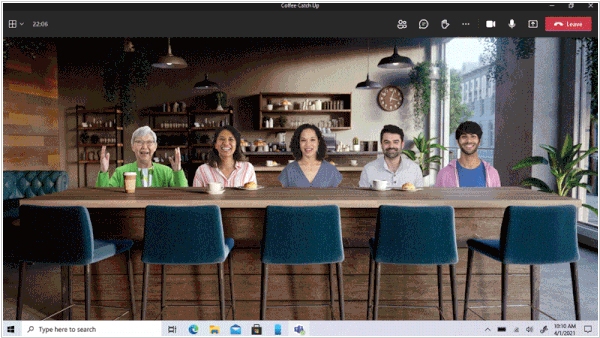
Microsoft has unveiled a major update to the personal version of Microsoft Teams, which had been in preview for almost a year. Now (until the end of the pandemic), any Teams user will be able to communicate for free in groups of up to 300 people for 24 hours. After quarantine restrictions are lifted, group calls will be limited to 100 people and 60 minutes, while personal conversations will remain unlimited. In addition, Teams for personal use now includes several features available in the enterprise version of the messenger. These include calendaring, document and location sharing, and text chat. There is also a "Together" feature that allows all conversation participants to be connected in a single virtual background.
2020. Microsoft Teams offers free video conferencing for up to 300 participants.
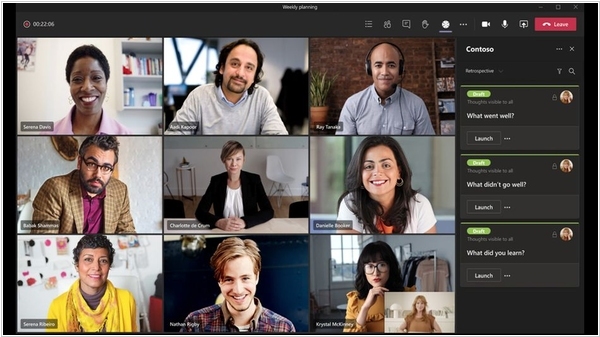
Microsoft has decided to make video conferencing in its Teams service effectively free for personal use. The only restrictions: 300 participants and 24 hours per video call - practically unlimited. Compared to this, the free versions of Zoom and Google Meet don't seem so attractive. And Microsoft won't strictly verify the "personality" of video conferences. Video calling in Teams works on both desktops and mobile devices. A Microsoft account is not required to participate in a video call (only the meeting creator will need one). You also don't need to install the app - you can access it from any browser.
2020. Zadarma launches free video conferencing
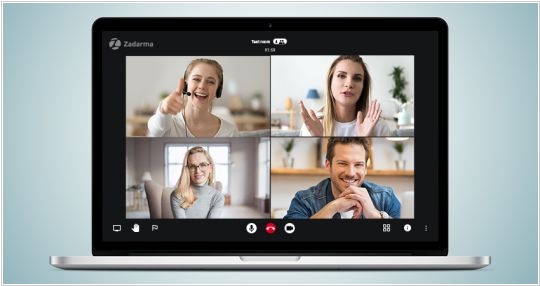
Telephony platform Zadarma has introduced a new free video conferencing service. To create a video conference, log in to your Zadarma account, create a new room, and send a link to participants. They can connect via a browser or the Zadarma Conf mobile app, available for Android and iOS. According to the website description, up to 50 people can participate in a video meeting for free. The call time is unlimited. HD quality, video stream encryption, and the ability to customize the video quality for each participant based on their internet bandwidth are provided. Features such as chat, screen sharing, and a raise-hand function are available. Overall, the description sounds too good to be true.
2020. Google Duo increased the limit on free video calls to 12 participants
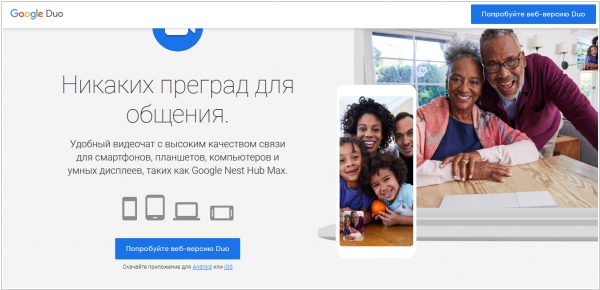
Video calls are incredibly popular during quarantine, so Skype, Zoom, and Viber are often overloaded and don't provide decent video quality. And now's the perfect time for Google to finally promote one of its many messaging apps – Google Duo. Duo was launched in 2016 and, even though it was installed by default on many Android smartphones, never received the recognition it deserved. However, it has everything you need. It's fairly simple and fast. It also has a cool feature: you can see the person calling you before you accept the call, so you can better prepare for the conversation. And now, in honor of the quarantine, Google is increasing the limit on video calls to 12 participants, so small businesses can easily use it for video meetings.

2019. Skype to let you invite up to 50 people to a video call
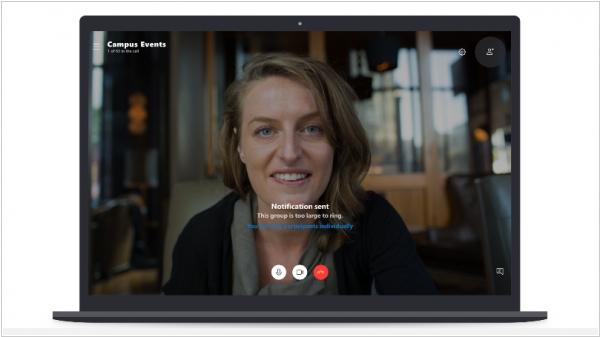
Microsoft intends to significantly increase the number of participants who can take part in a group video or audio call in Skype. The limit will be raised to 50 people. Until now, Skype allowed free video calls for 25 participants. In this case, up to 10 video streams can be shown on the screen at the same time. Skype for Business supports conferences for 250 participants. For now, free group video calling for 50 participants will be available only in the beta version, and will appear in the public version in a couple of months. Other changes are also planned. If there are dozens of participants, Skype will send conversation notifications instead of the standard audio alert. If someone doesn't connect, you can "call" them after the conversation starts.
2017. Google splits Google Hangouts into analogues of Skype and Slack

Online chat and video conferencing service Google Hangouts is remaining undervalued due to its unclear positioning. It's either a messenger, a video chat, a service for entertainment, or a business. And finally, Google has decided to clarify. Hangouts is now a service for business. Or rather, two services. The first, Hangouts Meet, is a video conferencing service (practically the same as before, but with a new design). It is available both separately and in G Suite, and allows you to create free video calls for up to 30 participants. The second, Hangouts Chat, is a group chat for business - a full-fledged alternative to Slack with rooms, bots, and integrations. It is available only to G Suite users. For the consumer segment, Google has already created messengers like Allo, Spaces, and Duo.
2016. Facebook Messenger gets group video calling

Facebook Messenger just added group video calling. The chat app now allows groups of up to six users to make video calls directly from their messages. The feature, available now to anyone with the latest version of the app. Starting a group call works the same way as it does for one-to-one video calls in the app: tapping the camera icon in the top right corner while in a chat will begin the video call. Facebook has limited the calls to groups of six, though up to 50 other participants to join in without video once the limit is reached. Recall that Messenger's bro WhatsApp added only one-to-one video calling last month.
2014. Skype group video calling is now free

Until now, group video calling in Skype was only available with premium accounts, costing $8.99/month. Now this feature is available for free, allowing you to easily organize online meetings with up to 10 participants. Currently, free group video calling is only available on the desktop version (Windows and Mac) and on Xbox. It's expected to be available for iOS, Android, and Windows Phone soon. The video shows how to create a group video call. As a reminder, GoToMeeting, a competitor to Skype, recently released a free group video calling app.
2014. GoToMeeting Free Version Released
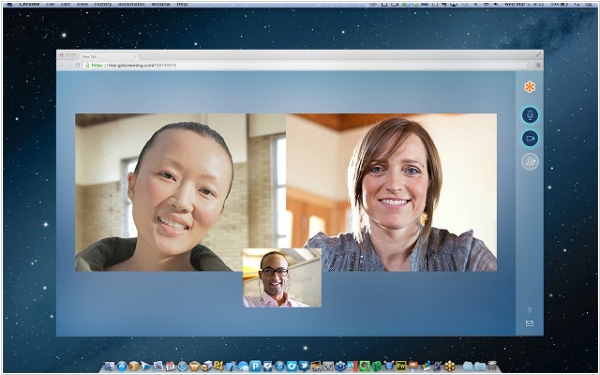
GoToMeeting is one of the most popular services for video calls, online presentations and webinars. Even though our companies have to pay for it with a credit card, they still pay and use it. Apparently, connection quality is so important to users that they don't want to skimp on it. Citrix recently released a free version of the service GoToMeeting Free, which allows online meetings with up to three participants. The application is based on the Chrome browser and requires no registration, downloading additional software, or installing special extensions. You simply click the "Start Meeting" button and receive a link that you can send to one or two colleagues. However, this service is purely for video chat. It does not include any of the collaboration tools for which GoToMeetings is famous.
2013. Skype is giving away free group video calling and web conferencing for 2014

The Skype (or Microsoft?) team periodically comes up with some obscure projects and ties them to their video conferencing service. For example, they once tried launching a social network called Skype In The Workspace. And earlier this month, they launched Skype Collaboration Project. It's some kind of website designed for creative people, which will allow them to work together and achieve new, lofty goals... blah-blah-blah... Victoria Beckham... blah-blah-blah. At least this project has had some tangible benefit: to draw attention to it, Skype launched a great New Year's promotion. Anyone who visits the Skype Collaboration Project website and enters their email address will receive free premium account features for the next year, including group video conferencing, screen sharing, and ad-free access.
2011. Logitech launched video conferencing service for small businesses

Recently, Logitech acquired the multi-user video conferencing service SightSpeed, the video conferencing system maker LifeSize, and the video calling service Mirial. The result of these acquisitions - ClearSea - is now released. What's so special about it? Firstly, unlike Skype, it allows for free video calls with up to three participants. Of course, there are many other services that support a larger number of free participants. But ClearSea works on Windows, Mac, iOS, and Android. In addition to video conferencing, it offers screen sharing. Furthermore, ClearSea uses standard H.323 and SIP protocols, meaning it can connect to any standard video conferencing system. However, in the free version, such calls using standard equipment can last up to 5 minutes. ClearSea's paid version, which costs $29/month, removes this limitation and increases video quality from CIF (352x288) to 4CIF (704x576). The professional version even enables calls in Full HD (1080p) and encrypts traffic, which is essential for security-conscious businesses.
2009. Why pay $350,000 for Tandberg when there is OpenMCU?

We recently brought to your attention the open-source video conferencing server OpenMCU, and now the first example of implementing multipoint video communication using this solution has appeared. The following open source products were used as tools for the conference call session: GNU Gatekeeper version 2.2.7, Jan Willamowius's gatekeeper GUI, the Sun xVM Virtualbox virtual machine for Linux and Windows, the Debian Linux distribution, Ekiga version 3.0.2 for Windows and version 3.0.1 for Linux, and OpenMCU 2.2.3. We also used our Pulse product for testing, to check its interaction with other software. The testing was successful, establishing a communication session (H.261) between 7 participants, with simultaneous video and audio broadcasting.
2006. WebEx is testing corporate AIM client

WebEx in collaboration with AOL have released AIM Pro Business Edition - messaging app, designed for use in small and medium-sized businesses. The new service from WebEx allows you to create and manage an IM infrastructure based on the Triton platform across your entire company. AIM Pro Business Edition contains the standard features of AIM Pro, supplemented by the ability to organize online negotiations and real-time demonstrations using WebEx technology. For maximum convenience, the program is compatible with AOL AIM, ICQ, and Apple iChat, and can also be integrated with Outlook. According to a WebEx representative, this product combines the best security and centralized control, creating a cost-effective EIM solution that requires no maintenance costs. WebEx has already begun open beta testing of AIM Pro Business Edition.