Outlook.com
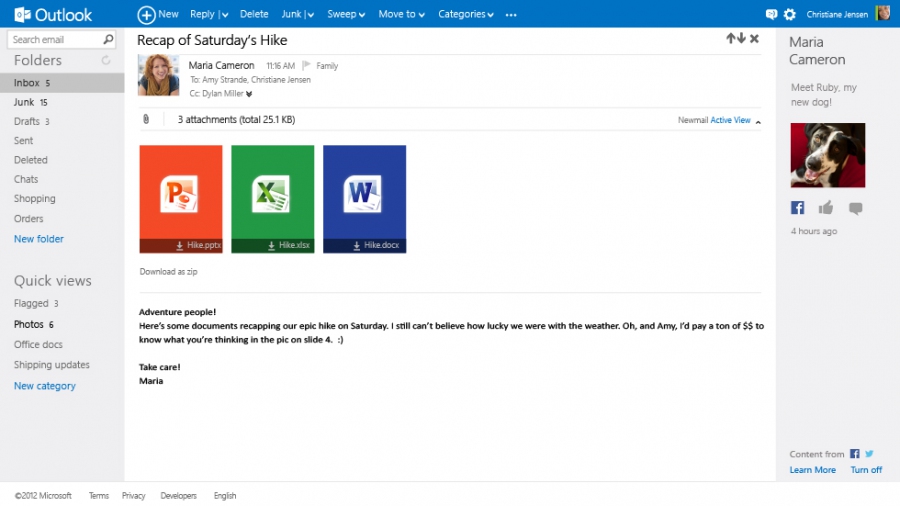
Classic Outlook interface in browser. Personal and business versions are available as part of Microsoft 365. Built-in virus and spam protection. Includes a contact database, tasks, and a calendar that can be published and shared with coworkers. Integrated with OneDrive.
Comments: 1
Comments: 1
Alternatives and relevant products
Users who were interested in Outlook.com, then also viewed:
News about Outlook.com
2020. Outlook now features word and sentence prediction
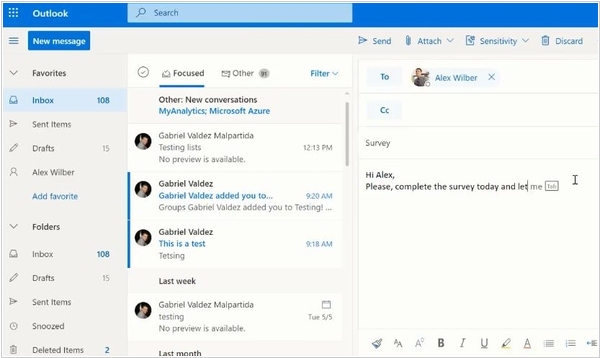
Outlook now has an intelligent word and sentence prediction system. It will help you write faster and better, and avoid typos. You can select the suggested continuation of the text using the Tab key or right-click. The predictions only work in English, but they are particularly appropriate when corresponding with international clients or partners. Microsoft apparently copied this feature from GMail, where it was introduced two years ago.
2019. Outlook Update: Dark Theme, iCloud Support, Find Free Meeting Rooms
Microsoft has updated the Outlook's web interface, as well as its iPhone and Android clients. The web interface now features a dark theme, easier email template selection, and a contact card with all conversations and files. The calendar design, event card, and calendar search have also been redesigned, making it easier to find available meeting rooms when creating a meeting. The iOS version finally adds iCloud support (which lets you attach files to emails). Previously, only OneDrive, SharePoint, Google Drive, Dropbox, and Box were supported.
2018. The online version of Outlook has received a new interface.
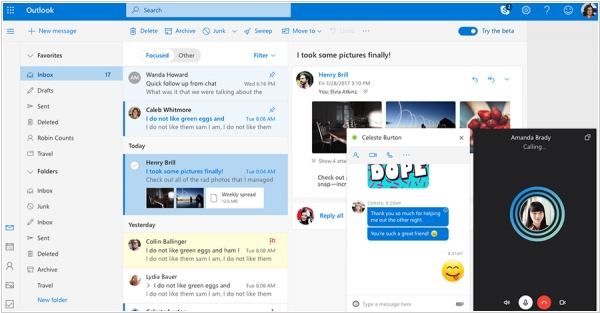
Microsoft has rolled out an updated version of Outlook.com. The design of the email, calendar, contacts, and tasks has been updated, and several useful new features have been added. First, each email can now be assigned one or more custom-colored tags to help sort your email. Second, you can now view all emails for a specific user. Third, an image hub has been added, displaying all images from emails. The developers have also added the ability to chat in Skype's built-in web chat or make calls while reading email.
2014. Outlook.com ads smart filters like in GMail. Zoho Mail increases free limit to 10 users
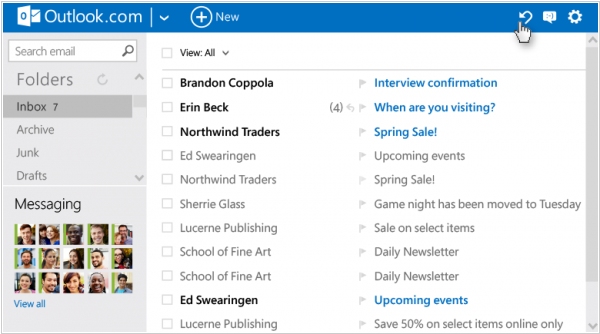
Leading small business email services continue to delight us with new features and free options. Today Microsoft has released a major update to Outlook.com. The main new feature is smart filters that can automatically sort new emails or perform operations with them depending on different parameters. It allows even to build filters that you can't set in GMail. For example, you can set a rule that if the message is not read within 3 days, it's automatically moved to some folder. Besides you can now reply in-line to emails, remove the need to shunt to a new view to do so. Meanwhile the main Outlook.com and GMail competitor - Zoho Mail increased its free limit to 10 users. You may say that GMail and Outlook - are completely free. But it's not exactly true. Personal versions - are really free. But the business versions, which provide similar features with Zoho Mail (like own domain, admin panel) and are included in Google Apps and Office 365 respectively - cost from $5/month per user.
2012. GMail integrates with Google Drive, Outlook.com comes to Android
Competition - is good for customers. When competition is strong, vendors stop being lazy and even forget about their political principles. And we've got the very interesting competition here: GMail vs Outlook.com. Microsoft recently turned its "mail for blondes" Hotmail into a solid and practical Outlook.com and now (as Microsoft says) it entices GMail users every day. Outlook.com advantages over GMail (according to Microsoft) are better spam protection and cleaner design. And different GMail features (discussion threads, hotkeys, themes ...) are gradually coming to Outlook.com. Today Outlook.com added an Android-application. Of course Android - is the competing platform, and so what? ***
2012. Microsoft rolls out Outlook.com to replace Hotmail
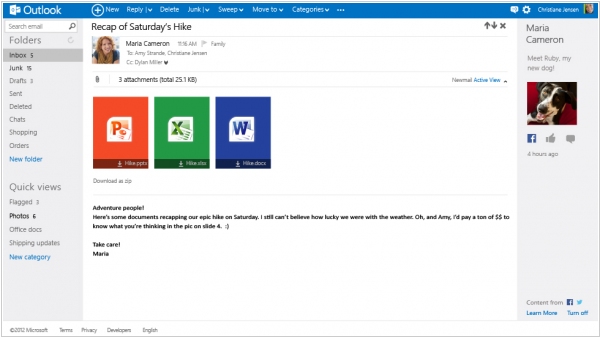
Microsoft loves to rename its applications and services and even the untouchable email service Hotmail will soon become Outlook.com. Yesterday, Microsoft has launched a preview of Outlook.com. What's new in comparison with Hotmail? First, the interface, which (like in other new Microsoft systems) is adapted to finger-controlled tablets. Secondly, it's tightly integrated with SkyDrive. After registration user automatically gets 7 GB of storage. Document attached to coming messages can be viewed in the online Office Web Apps or photo viewer. Files that you want to send can be quickly uploaded to SkyDrive and sent as download links (by the way, GMail still doesn't provide this feature for some reason). The third new feature - is integration with Facebook, Twitter, Gmail, LinkedIn, which allows to automatically update the contact list and see the social profile of the user who sent you a message. ***
2012. Windows Live Hotmail provides the best spam protection
This is the conclusion of the analytical firm Cascade Insights. According to their report, Windows Live Hotmail is slightly ahead of GMail by this parameter. Yahoo Mail is on the third place but it's far behind the leaders. The rest of the Email-services are far-far behind. We believe this report because the guys from the Windows Live team are fanatically enhancing Hotmail's anti-spam during the last couple of years. Almost every month the Windows Live blog reports that they have reduced the SITI (spam in the inbox) by X%. Moreover, except the anti-spam filters, Hotmail developers recently added some other features to save user's attention. First, (like in GMail) they made the flagged messages displaying at the top of the list (video above). Second, they added categories (video below). ***