Google Drawings
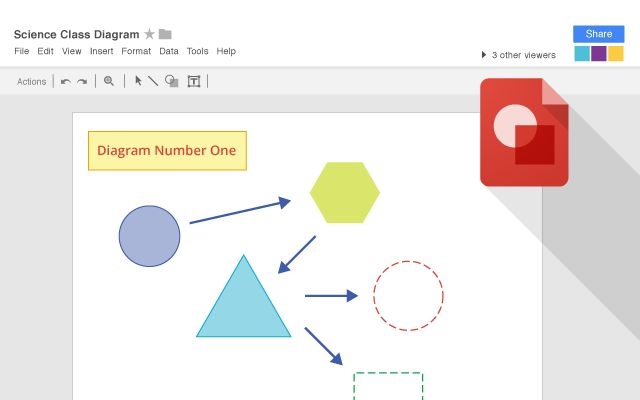
Collaborative whiteboard in Google Docs. Drawings may be collaboratively co-edited, downloaded into standard formats and copy and pasted into Google Docs. Integrates with other Google Workspace apps for real-time collaboration.
Add comment
Add comment
Alternatives and relevant products
Users who were interested in Google Drawings, then also viewed:
Video about Google Drawings
News about Google Drawings
2019. Google Drawings can now be embedded into Google Docs and easily updated
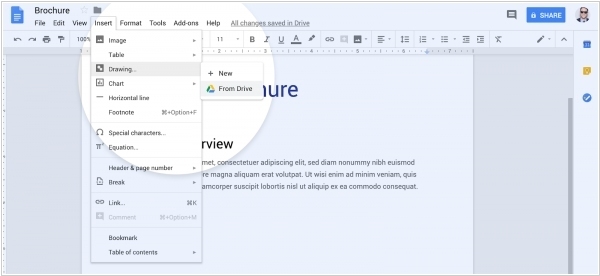
Google Drawings will soon feature improved Google Docs integration by allowing a direct and updating embed. At the moment, users have to manually create a new drawing from the Google Docs insert menu. A separate window opens to allow users to work on a Google Drawings file, with the ability to insert once they are finished editing. With the new integration, heading to “Drawing” in the “Insert” menu will reveal a new “From Drive” option that opens up a Drive file picker to select an existing Drawings file. Once embedded, the drawing is linked to that doc, with users able to update it if changes are made to the source. You can also unlink the work to make further customizations and edits that won’t be reflected.
2010. Google Docs now includes Visio alternative
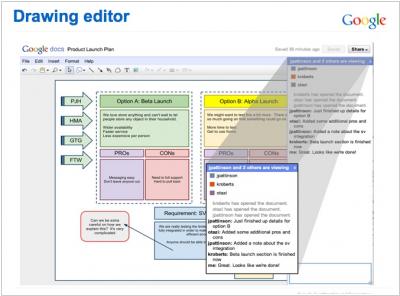
Google Docs now features a diagram editor called Google Drawings, which at first glance appears to be a lightweight alternative to MS Visio. It's suitable for drawing simple diagrams and flow charts. However, the new simultaneous editing technology transforms Google Drawings into a Whiteboard—an interactive whiteboard suitable for online meetings and presentations. While Visio undoubtedly has a larger library of graphic objects, it can't be used for real-time collaboration, even in the upcoming Office 2010. The new editor doesn't yet support Gears. However, an offline mode based on HTML5 is promised to be added later. This may even happen before the release of MS Office Web.