Microsoft Exchange
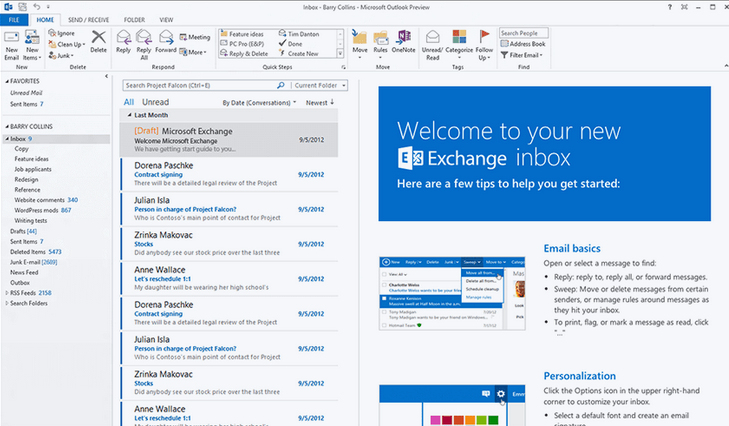
Microsoft Exchange Server is the server side of a client–server, collaborative application product developed by Microsoft. Exchange's major features consist of electronic mail, calendaring, contacts and tasks; support for mobile and web-based access to information; and support for data storage.
Add comment
Add comment
Alternatives and relevant products
Users who were interested in Microsoft Exchange, then also viewed:
News about Microsoft Exchange
2024. Microsoft is slowly killing on-premises Exchange Server
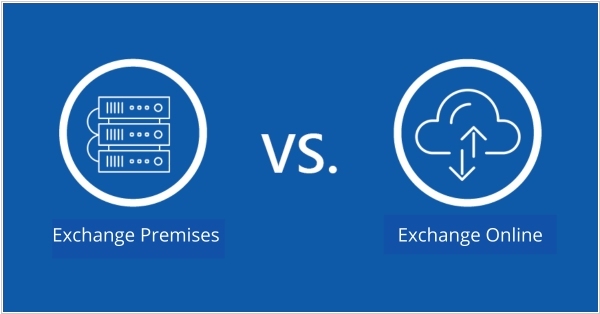
Microsoft has announced that support for Exchange Server 2016 is coming to an end, with the exact end date set for October 14, 2025. The company, as if hinting that this is an obvious solution, suggests that everyone switch to the cloud version Exchange Online. However, for those who want to manage their own mail server on-premises, the only option left is the (rather outdated) Exchange Server 2019. And there is no guarantee that it will receive updates. Microsoft once promised that Exchange Server SE (Subscription Edition) would be released for those who pay for a subscription at the beginning of the third quarter of 2025, but this is not certain. So, it seems that everyone will have to move to the cloud. If your company is already using Exchange Server 2019 with the latest update, the transition will be very simple. If you're still on Exchange Server 2016 or earlier, you'll need to perform some on-premises conversions.
2015. Microsoft released Exchange Server 2016
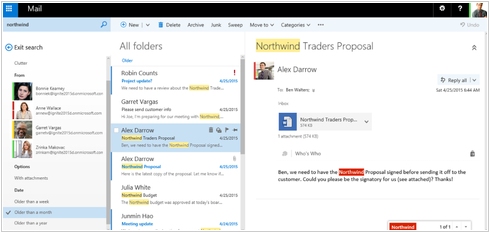
The new Exchange Server, which was first unveiled in the Office 365 cloud service, is now available for installation on your own server. The new version is designed to improve the capabilities of the collaborative email server: Exchange Server 2016 includes a new approach to attachments, simplifying document sharing and eliminating the headache of managing multiple versions. In Outlook 2016 or the web version of Outlook, you can now attach a document as a link to SharePoint 2016 (currently in preview) or OneDrive for Business, instead of the traditional attachment. Improvements also affect the web version of Outlook, search, eDiscovery, and the extension of the system with third-party applications.
2003. Exchange Server 2003 became lighter and more mobile
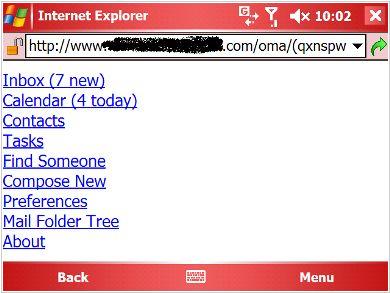
Microsoft has released a new version of its Exchange Server 2003. Now this system can truly be called a mail server, as Microsoft has decided to outsource some Exchange functionality to other products. For example, the built-in Exchange messenger has migrated to Microsoft Office Live Communications Server, and the web conferencing server has migrated to Live Meeting. Furthermore, Microsoft now recommends using the Sharepoint intranet portal for file sharing, rather than Exchange (although public folders still exist in Exchange). Thus, the purview of Exchange Server remains email, contacts, calendars, and tasks. However, Exchange Server 2003 has taken over the functions of the Microsoft Mobile Information Server and now, using the Outlook Mobile Access mobile web client and Exchange ActiveSync (which synchronizes the mobile email client with the server), allows users to work with email, calendars, and tasks on mobile devices.