Top 10: Diagramming and Flowchart software for Eastern Europe
Updated: 21.05.2026
Like
27
Diagramming and Flowchart software for business allow to create UML diagrams, flowcharts, network processes and architectures, entity relationship diagrams, visualize program workflows.
1
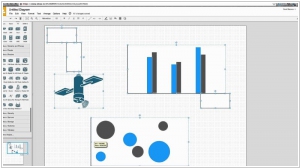
Draw.io is a free online diagram drawing application for workflow, BPM, org charts, UML, ER, network diagrams. It provides its user fast, easy and free way to create simple diagrams without the need to install anything on their computer. Supports cloud storage integration with Google Drive, OneDrive, and Dropbox.
2
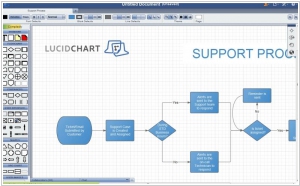
Lucidchart is the intelligent diagramming application that brings teams together to make better decisions and build the future. Flow charts, diagrams, UML sketches, and ER models have never been easier. We've redesigned the entire diagramming process to make it as easy as possible. Make flow charts, wireframes, mind maps, and org charts.
3
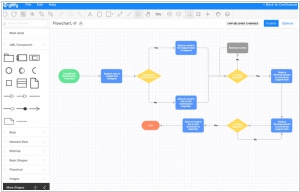
Gliffy.com is a web-based diagram editor. Create and share flowcharts, network diagrams, floor plans, user interface designs and other drawings online. Allows real-time collaboration with live editing and commenting features.
4
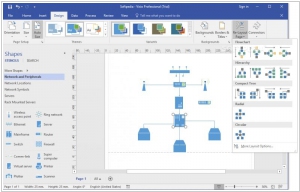
Create professional diagrams to simplify complex information with updated shapes, collaboration tools and data-linked diagrams. Simplify complex information with professional diagrams you can create in just a few clicks. Visio makes diagramming simple - whether you want to quickly capture a flowchart that you brainstormed on a whiteboard, map an IT network, build an organizational chart, document a business process, or draw a floor plan.
5
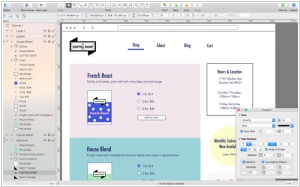
OmniGraffle can help you make eye-popping graphic documents—quickly—by providing powerful styling tools, keeping lines connected to shapes even when they’re moved, and magically organizing diagrams with just one click. Create flow charts, diagrams, UI and UX interactions, and more. Whether you need a quick sketch or an epic technical figure, OmniGraffle and OmniGraffle Pro keep it gorgeously understandable.
6
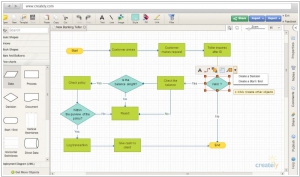
Easily draw diagrams online using Creately's online diagramming tool. Diagram software packed with templates and features. 50+ types of diagrams with specialised features to help you draw faster and better. Real-Time collaboration and Projects help you work with clients and colleagues where ever you are.
7
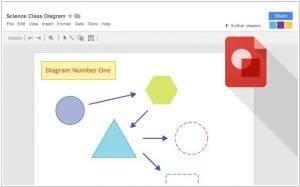
Collaborative whiteboard in Google Docs. Drawings may be collaboratively co-edited, downloaded into standard formats and copy and pasted into Google Docs. Integrates with other Google Workspace apps for real-time collaboration.
8
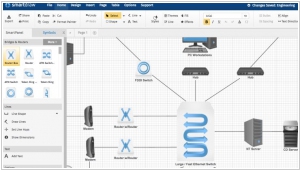
SmartDraw software is the fastest and easiest way to make presentation-quality flowcharts, org charts, floor plans & any other chart or diagram in just minutes.
9
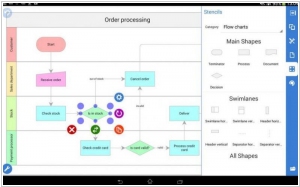
Grapholite is an easy to use, touch-friendly, inexpensive, yet very powerful alternative to Visio that can be used for all types of business graphics: flowcharts, floor plans, office layouts, uml diagrams, organizational charts, mind maps, venn charts, bpmn diagrams, web-site structures and wireframes, technical drawings, network layouts, ui mockups and much more.
10
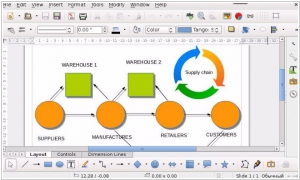
Free, open-source desktop diagram editor included with the LibreOffice office suite. It works with ODF documents (.odg extension). Microsoft Visio diagram import is also supported.
Latest news related to rating "Diagramming and Flowchart software for Eastern Europe":
Lucidchart for Android now can edit diagrams (including Visio)
03.11.2020
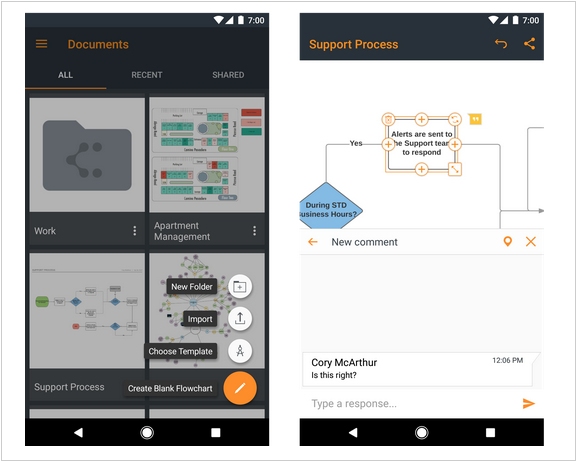
Since its launch, Lucidchart app for Android has only allowed to view diagrams created online, in the Lucidchart desktop app, or in the classic Microsoft Visio editor. Now, users of the paid version of the app can edit such files. This, of course, isn't entirely convenient to do on a smartphone, but sometimes ideas come to you outside the office and you want to quickly jot them down (or immediately incorporate them into a diagram). As for editing Visio files, the supported formats are VDX, VSD, VSDM, and VSDX. Additionally, the Lucidchart Android app now exports diagrams to PDF.
Draw.io's open source diagramming is moving to diagrams.net
21.09.2020
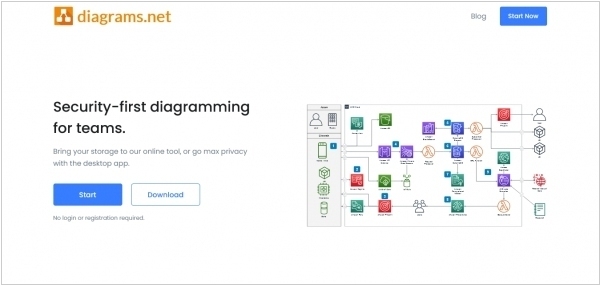
Popular open source diagramming web app Draw.io is migrating away from its iconic .io domain name to Diagrams.net in order to improve security and ethics. The main impetus for the move is a security issue inherent to .io top-level domains that the administrator behind issuing said domains has provided zero communication addressing. This complete lack of communication has caused the diagrams.net development team to lose their trust of the .io TLD administrator. The transition from Draw.io to diagrams.net will be slow and last through all of 2020. The Draw.io domain name will continue to serve the diagramming web application without any redirects until the transition has fully completed.
Google Drawings can now be embedded into Google Docs and easily updated
07.01.2019
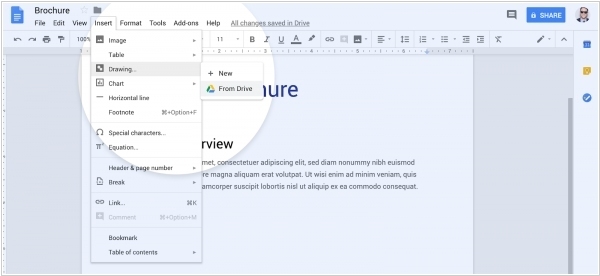
Google Drawings will soon feature improved Google Docs integration by allowing a direct and updating embed. At the moment, users have to manually create a new drawing from the Google Docs insert menu. A separate window opens to allow users to work on a Google Drawings file, with the ability to insert once they are finished editing. With the new integration, heading to “Drawing” in the “Insert” menu will reveal a new “From Drive” option that opens up a Drive file picker to select an existing Drawings file. Once embedded, the drawing is linked to that doc, with users able to update it if changes are made to the source. You can also unlink the work to make further customizations and edits that won’t be reflected.
Microsoft launched online version of Visio
24.10.2017
Microsoft Visio was the first popular editor for creating diagrams and charts, as well as designing interfaces. Then, with the advent of numerous online alternatives like Gliffy and OmniGraffle, which were more convenient for collaboration, the heavyweight Visio was largely forgotten. For some reason, Microsoft didn't release an online version of Visio along with other office editors (Word, Excel), and then (in 2016) released only an online diagram viewer. And now, finally, only now, has a full version been released - Visio Online, which allows collaborative creation and editing of diagrams in a web browser. The service costs $5 per user per month. The free diagram viewer is available in all Office 365 plans. It can also be used to view diagrams in a browser on iPads and Android tablets.