Zoho WorkDrive
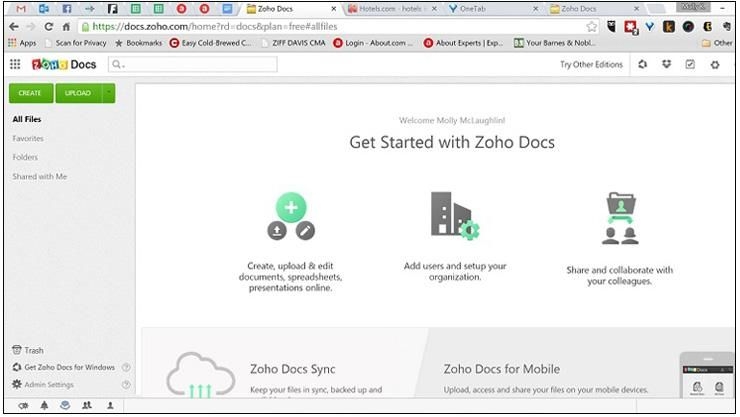
Zoho WorkDrive is a central document repository for all types of documents. Store and share files securely and access them anywhere anytime. Zoho WorkDrive provides a Online Workspace for documents. It makes file sharing easy and Collaborate with your friends, team members, colleagues, etc on multiple documents. Manage your document review process by creating and maintaining multiple versions of a document.
Comments: 2
Comments: 2
Alternatives and relevant products
Users who were interested in Zoho WorkDrive, then also viewed:
Video about Zoho WorkDrive
News about Zoho WorkDrive
2018. Zoho Writer lets edit documents offline in browser
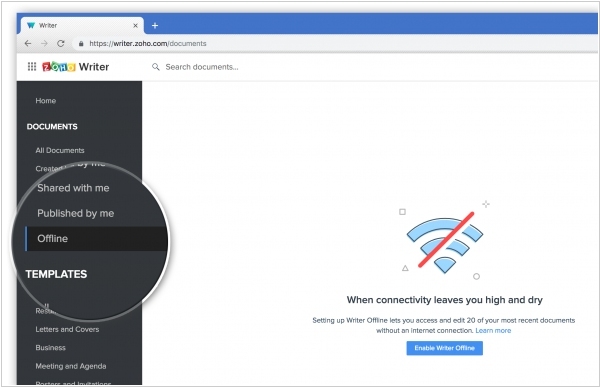
Online document editors have many advantages, but when it comes to offline work, they fall short. Google Docs requires the Chrome browser and an extension. Microsoft Office 365 and ONLYOFFICE simply prompt you to install desktop editors. Zoho, however, somehow came up with the idea of saving documents directly in the browser. Zoho Writer, a text editor, now has an offline mode. Now, if the internet connection goes down, you can still open and edit your documents and create new ones. And when the internet connection returns, all changes will be synced back to the cloud. This works in all browsers and doesn't require extensions. However, there is one requirement: the file list page must be open when you go offline, and you can't close it.
2016. Zoho's New Attempt to Beat Microsoft Word
Zoho has released a new version of its online text editor, Zoho Writer, which (according to the developers) is intended to start a revolution against Microsoft Word. What has Zoho come up with this time? They say that modern Word is a terrible place to create documents. They say a person can't think calmly and compose text when they are burdened by such a large and complex menu. Therefore, many prefer to create content in a traditional Notepad. The new Zoho Writer has three modes: Compose (creation), Review (collaborative editing), and Distribute (publishing, tracking statistics). Each mode provides only the tools needed at a given stage. For example, Compose mode is very similar to Notepad (the only difference is that it highlights errors).
2014. Zoho now lets edit documents on iPad for free
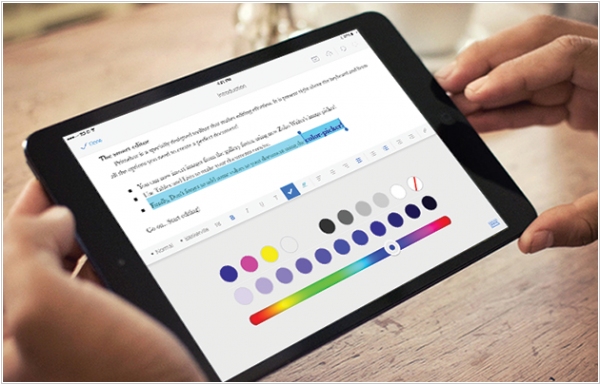
After seeing the success of MS Office for iPad, Zoho developers decided to release their own document editor, Zoho Writer for iPad. Unlike Microsoft's (which only allows you to view documents for free), this one is completely free and, according to reviews, handles complex document formatting quite well (including tables, lists, styles, images, etc.). Documents can be stored either in Dropbox or in Zoho Docs, its own file storage service. Offline mode and an external keyboard are supported. However, the ability to simultaneously edit a document by multiple users, which is available in the online version of Zoho Writer, is missing.
2013. Zoho Docs Adds Desktop Sync, Free Gigabytes
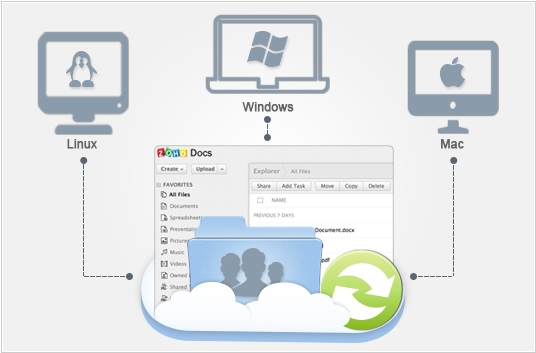
We were starting to worry why Zoho didn't create its own file synchronization service (Dropbox for Business). And now it's finally happened. Like Google, Zoho has added synchronization capabilities to its cloud document storage service, Zoho Docs. So far, they've only released desktop clients (Windows, Mac, Linux), but they promise to expand to mobile platforms soon. As usual, a folder is created on your computer, and if you add a file to it, it will appear in your online account in a couple of seconds. In the online Zoho Docs, you can select the folders you want to sync with your desktop. Zoho (following Box) has also significantly reduced the price of cloud storage. Now, a free account (for an unlimited number of users) includes 5 GB. A paid account—250 GB—costs $5 per user per month. As a reminder, Box's cheapest account also costs $5/month/user, but it only comes with 100 GB of storage.
2013. Zoho Docs 3.0: just to remind
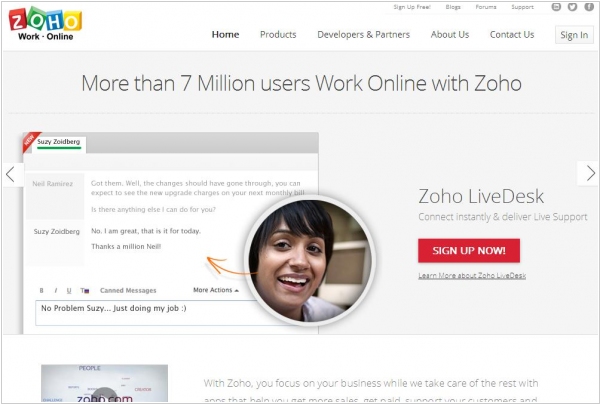
Zoho Docs - is perhaps the oldest online office suite. For many years this service was the most functional and comfortable on the market. But its early launch and very fast development don't give it any advantage any more. The online document editors - is a battle field for Microsoft and Google. And Zoho is now an odd player that doesn't sell to Salesforce or anybody else because of its corporate values. Playing catch up with each other Microsoft and Google have already caught up with Zoho apps (if compared in features) and yesterday's launch of Zoho Docs 3.0 had nothing to impress, but just reminded that Zoho Docs is still up and running. Sharing files as a link, transferring ownership of a document, multiple admins for a workspace - these are not game-changing things. Perhaps the only remaining advantage of Zoho Docs - is the ability to assign tasks and reminders to documents.
2012. Zoho will work on top of the Google Drive
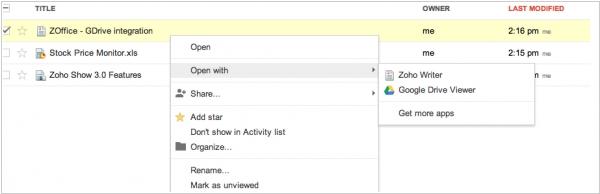
Looks like guys from Zoho are not going to create their own file storage and syncing service. Instead, they will use the product of their "friends" from Google - Google Drive. Yesterday, Zoho has launched the integration of its office suite (Writer, Sheet and Show) with Google Drive, which lets you open documents stored on Google Drive in these online Zoho apps. You just need to install Zoho editors from the Chrome Web Store, and then the integration will be enabled not only in Chrome, but in all other browsers. This integration demonstrates the potential of Google Drive as a cloud storage for third-party apps. Various project management systems, CRM, intranet solutions can use Google Drive as an external storage, which also enables file access on any mobile platform. And the third-party developers can be assured in Google's decency, because even competing Zoho apps passed the moderation.
2011. Online presentations go HTML5: SlideShare and Zoho Show

It seems that the days of Flash as a platform for the Rich web interfaces are really coming to an end. Online presentation services, for which the Rich-interface is most important, are ditching Flash in favour of HTML5. Last year, the market leader, SlideRocket released the HTML5-viewer and today the most popular presentation sharing service SlideShare has done the same. Moreover, SlideShare not just added the HTML5-view option but completely removed the Flash-option. Developers say the new HTML5-viewer is 30% faster and displays presentation on tablets (like iPad) and smartphones. In addition, you can now select and copy text from a presentation with the help of the mouse. ***