Slack
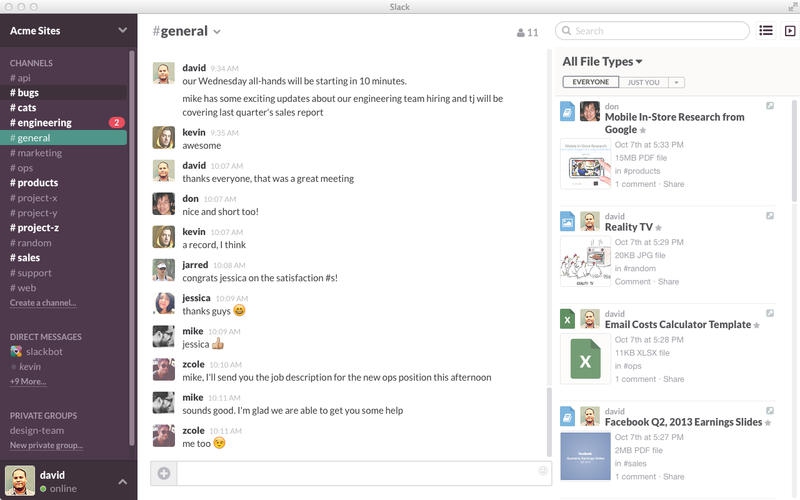
Slack brings all your communication together in one place. It's real-time messaging, archiving and search for modern teams. Create open channels for the projects, groups and topics that the whole team shares. Slack searches whole conversations, not just individual messages, so you can find what you’re looking for no matter who said what or when they said it.
Add comment
Add comment
Alternatives and relevant products
Users who were interested in Slack, then also viewed:

Video about Slack
News about Slack
02.04.26. Slack gives more skills to its AI agent
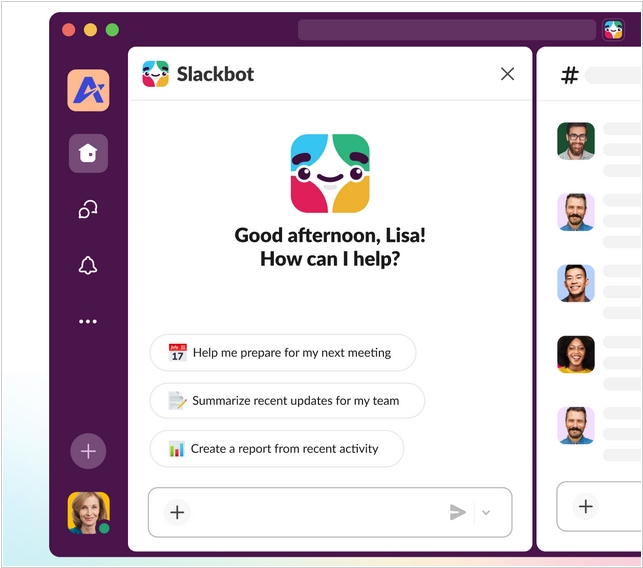
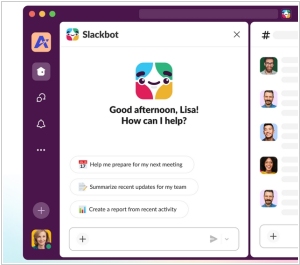
Salesforce has unveiled a major update to Slack, adding over 30 new features. A key focus was on the development of Slackbot, which has gained significantly broader capabilities as an AI agent. Users can now define specific action scenarios for Slackbot that can be used in various work situations. In addition to the built-in skills library, users can create their own skills. For example, with the command "create a budget," Slackbot can collect data from work chats, integrated services, and internal sources, generate an action plan, and even automatically schedule meetings with relevant employees. Other new features include automatic meeting transcription and the creation of meeting summaries with task definitions for participants.
2025. Anthropic integrated Claude into Slack.
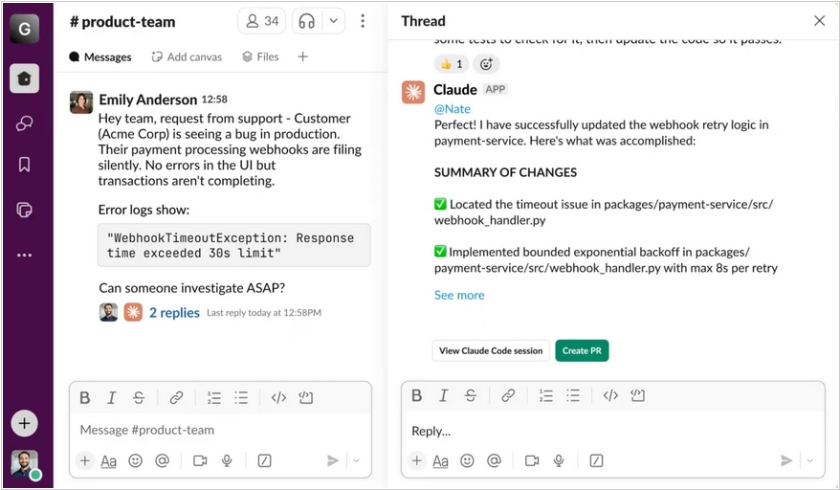
Anthropic has integrated its AI model, Claude, into Slack. Users can now interact with the model in channels, threads and private messages. Enterprise AI agents and chatbots powered by Claude can leverage context from the Slack workspace. Claude can participate in chats and assist in discussions, analyze documents or prepare responses to important messages directly within Slack. The model has access only to channels and conversations accessible to the specific user. When Claude is engaged in a public thread, it first creates a draft privately so that the author can review and edit it. Additionally, if a company uses Claude Code (one of the best code generation models available today), connecting it to Slack allows code generation to take into account technical agreements and decisions reached in meetings.
2025. Slack adds AI to search, transcripts and chat summary
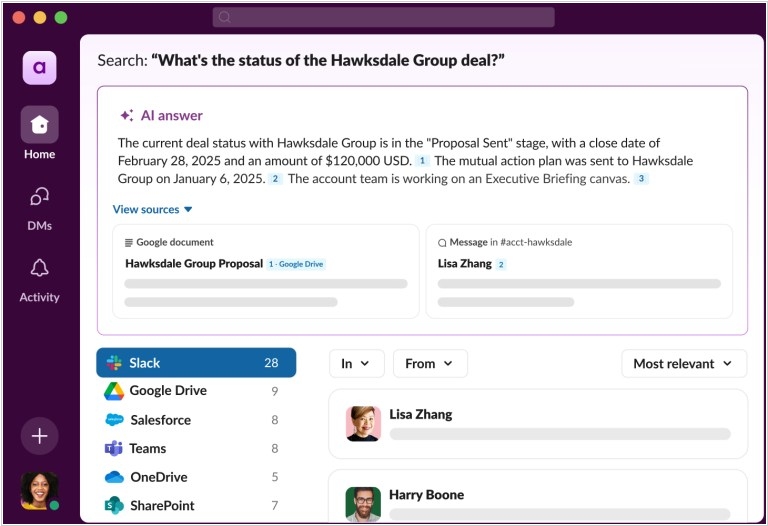
Enterprise messaging app Slack has expanded its search capabilities with AI features, including voice message transcripts and chat summaries, as well as short AI summaries of channels and discussions. Using AI, Slack now lets you search across chat channels, as well as connected apps (like Google Drive, Salesforce and Microsoft Teams). Huddles (voice and video chat features) also includes call transcripts and summaries. The AI automatically highlights key phrases in conversations. You can also get a short summary of another user’s profile, showing their role and recent work. Or get a summary of all the messages in which you are mentioned.
2024. Slack adds AI-fueled search and summarization to the platform

As a leading enterprise communication platform, Slack has somehow managed to become the vast digital attic where all organizational knowledge is stuffed away—dusty, perhaps, but vital. Yet, like any attic, finding what you’re looking for amidst the clutter has proven... tricky. Naturally, Slack, being the sort of forward-thinking platform that wouldn't want you rifling through endless threads for the proverbial needle, has whipped out some shiny new features. Enter: an AI-driven search tool and the ability to magically shrink entire channels into bite-sized chunks of information. This delightful little innovation—channel summarization—means you can now get a pithy summary of your team's ramblings without wading knee-deep in conversation, perfect for those returning from holiday or just trying to make sense of the chaos. You simply ask and Slack’s AI will cheerfully summarize the lot, with a list of handy references to show how it arrived at its conclusions, which, according to Weiss, is a pretty big deal in the grand scheme of things.
2021. Slack added short video messaging
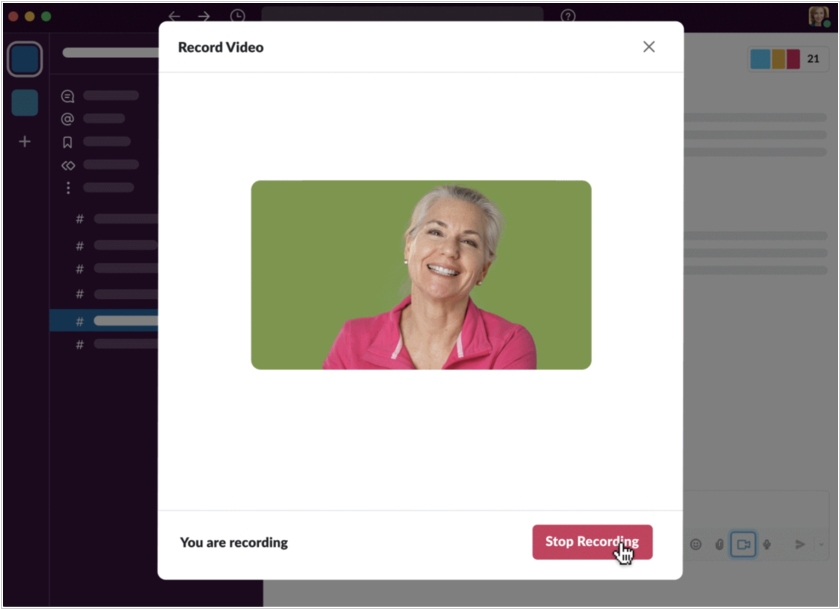
Slack has launched a new feature called Clips. It allows to record a video message and send it to a group chat or directly to a colleague. The video message will appear as a regular message and become part of the app, with no add-ons or plugins required. You can respond in any way you like—text or video. According to the developers, Clips is useful when you can record a short video instead of a 30-minute meeting. This tool will also be useful for those living in different time zones and forced to participate in real-time meetings.
2020. Salesforce buys Slack for $27.7B

Salesforce, the CRM giant, is acquiring Slack in a $27.7 billion megadeal. The new deal also puts Salesforce more on par — and in competition — with its arch rival and sometime friend Microsoft, whose Teams product has been directly challenging Slack in the market. Microsoft, which passed on buying Slack in the past for a fraction of what Salesforce is paying today, has made Teams a key priority in recent quarters, loathe to cede any portion of the enterprise software market to another company. What really has set Slack apart from the pack, at least initially, was its ability to integrate with other enterprise software. When you combined that with bots, those intelligent digital helpers, the company could potentially provide Salesforce customers with a central place to work without changing focus because everything they need to do can be done in Slack.
2019. Slack integrates with email
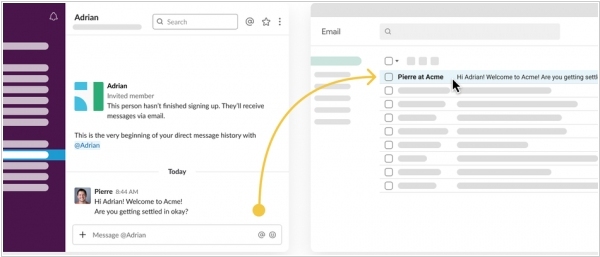
Slack's latest feature allows users to message coworkers via email. The feature, which will be rolling out over the next couple months, is meant to give people who don't use Slack a way to keep up with conversations their coworkers are having inside the messaging app. When they’re mentioned by username in channels or sent a direct message, Slack will route those messages into their email inbox so they don’t miss out on important information while they’re getting themselves set up. Initially, the Slack to email messages will only be one-way, meaning the recipient can view the conversation from their inbox but won't be able to respond directly. But Slack says it will eventually allow people to messages via email as well.
2017. Slack gets cool screen-sharing tool
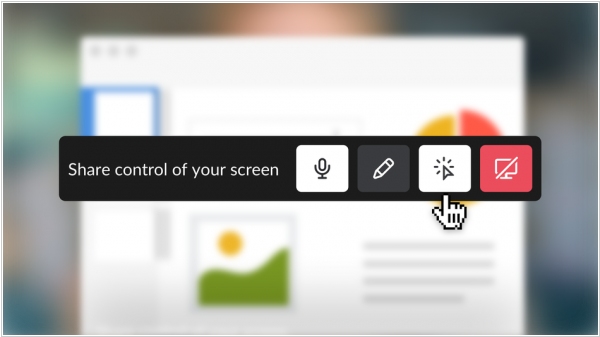
The collaborative workplace platform Slack is adding one of its most requested features: screen-sharing tool. Slack previously allowed users on a call to share screens with other collaborators, but now, Slack users can also allow others to interact with the screen in a number of ways, including typing, drawing, and editing on the screen. Enabling this new interactive screen-sharing ability on Slack looks pretty simple. During a Slack call, you just need to hit the "Share control of your screen" button which will then give each participant on the call their own cursor. They can now type, edit, and draw on the shared screen.
2016. Slack gets video calls

Corporate messenger Slack has added video calling. Paid accounts also offer group video calls for up to 15 users. Slack developers have also added emojis to video conversations to express their feelings about the topic being discussed. Users who, for whatever reason, cannot or prefer not to use the microphone can send a thumbs-up sign or other symbols. Video calling will be available to users of the desktop version of Slack for Mac and Windows, as well as the web version for Google Chrome browsers, within a few weeks. Slack mobile app users will also be able to join video calls, but will only have audio and no video.