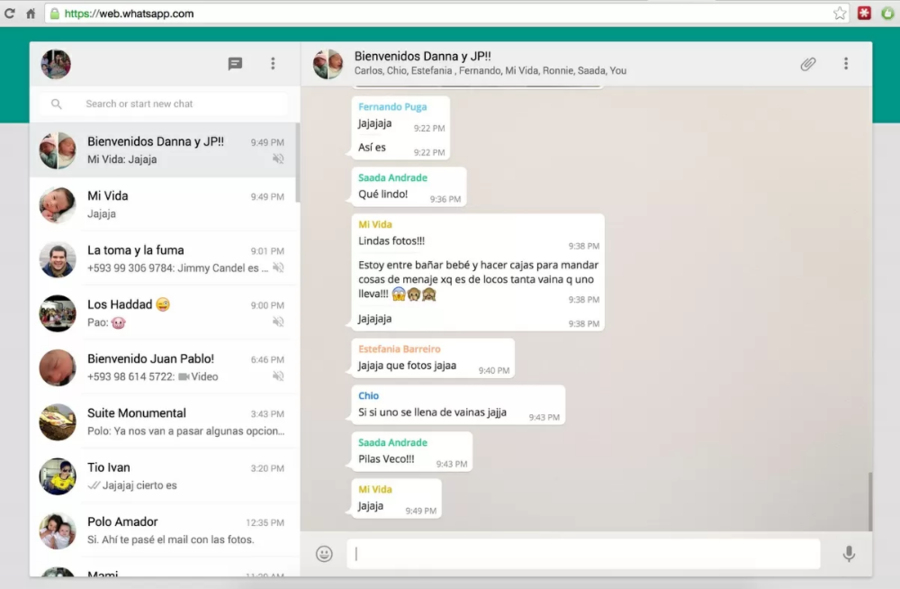
WhatsApp Messenger is a cross-platform mobile messaging app which allows you to exchange messages without having to pay for SMS. WhatsApp Messenger is available for iPhone, BlackBerry, Android, Windows Phone and Nokia and yes, those phones can all message each other! Because WhatsApp Messenger uses the same internet data plan that you use for email and web browsing, there is no cost to message and stay in touch with your friends.
Comments: 1
Comments: 1
Alternatives and relevant products
Users who were interested in WhatsApp, then also viewed:
News about WhatsApp
17.11.25. WhatsApp implemented compatibility with other messaging apps in Europe
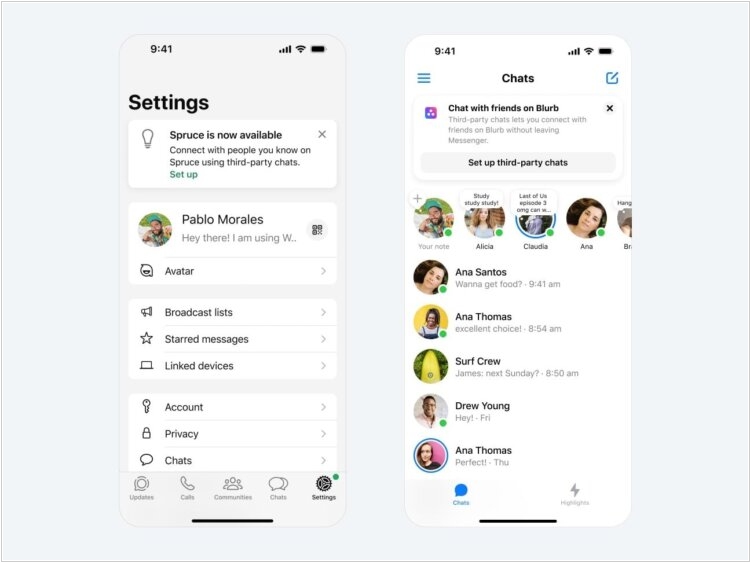
In 2022 the EU adopted the so-called Digital Markets Act, designed to limit the influence of major market players, including WhatsApp. In the context of the messenger's operation, its developers are required to be compatible with third-party services. Initially, these will be two European messengers: BirdyChat and Haiket. Both are designed for an EU audience, and now, thanks to new legislation, they will have seamless integration with WhatsApp. This means that all messages from one app will flow into the other. WhatsApp stipulated that the integration requires its "partners" to have end-to-end encryption and it does - users' messages are not stored on the company's servers, and therefore correspondence cannot be disclosed without access to the recipients' devices.
2025. WhatsApp adds AI Summaries
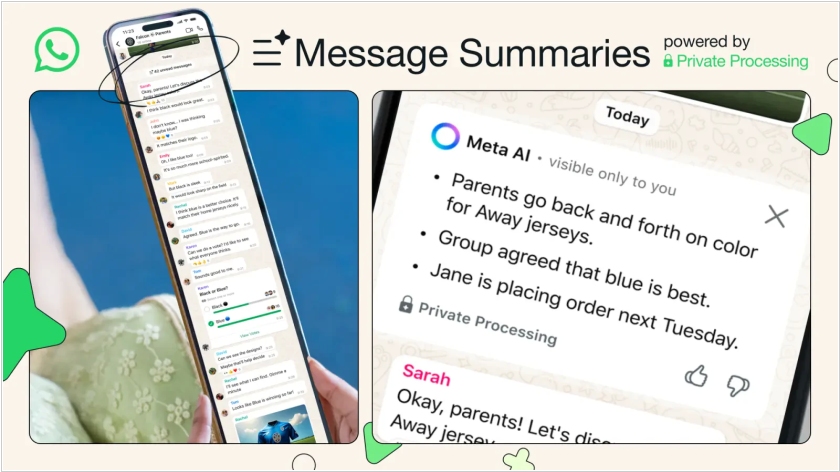
WhatsApp has introduced a new feature that will allow users to create summarize of unread long chats using AI. The feature is based on Private Processing technology, which Meta presented in April at the Llamacon conference. It allows messages to be processed without breaking end-to-end encryption and without Meta having access to the chat content. The generated summaries are private - only the user who requested summary can see it. To use the feature, you need to click on the bгеещт above the unread messages that says Summarize privately. After that, Meta AI will generate a short summary with several key points.
2025. WhatsApp now offers super-private chats protected from forwarding, downloading and AI
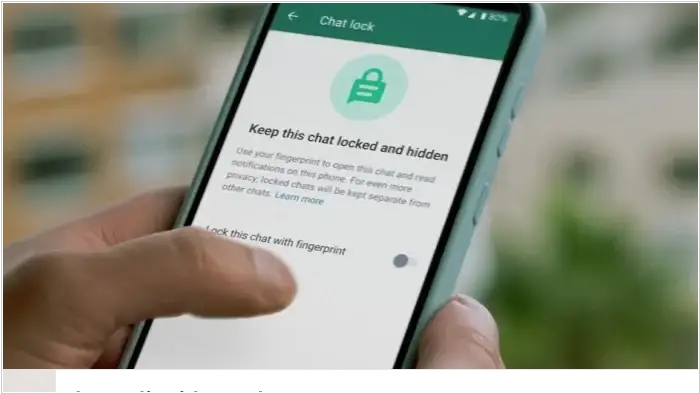
WhatsApp has added a new feature to protect sensitive conversations: "Enhanced Chat Privacy." Typically, when a user shares media files via WhatsApp, they can automatically be saved to the other person's phone gallery if the appropriate setting is enabled. The update will give senders the ability to disable this feature for their messages. This means that when sending a personal photo, users can be confident that the photo will not be saved to someone else's device without their explicit consent. This option can be activated by enabling "Enhanced Privacy" mode in the conversation settings. Additionally, this feature blocks automatic downloading of media files to the device's memory, chat export, and the use of artificial intelligence (AI) features for messages.
2024. WhatsApp now has a Document Scanner.
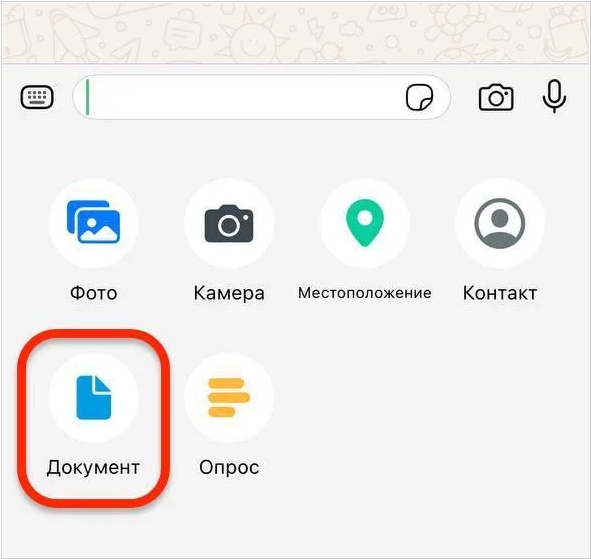
A built-in document scanner has been added to WhatsApp. This feature is currently only available to iOS users. WhatsApp users no longer need to take photos of documents and convert them into scans using third-party programs. Now, everything can be done directly in the messenger using the smartphone camera. Scanned documents can be sent directly to a chat or group. To create a document, open a chat or group and tap the "+" icon in the text entry field; tap the "Document" icon; and select "Scan Document." After the app is updated, this feature will become available to everyone, most likely including Android users.
2024. WhatsApp improved group video calling
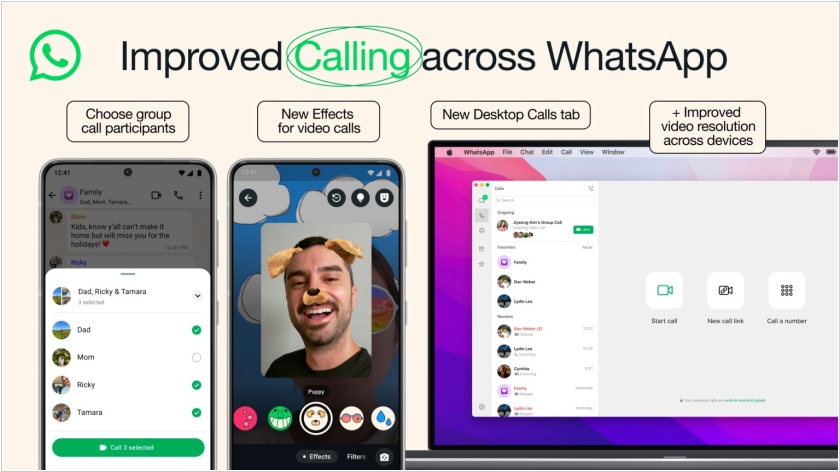
WhatsApp has released an update that adds the ability to select call participants from a group chat. You can also now increase the video resolution during video calls, and the "Calls" tab has been updated for PC users. Previously, users would have to call the entire group chat; now, they can select individual participants, for example, if they want to wish someone a happy birthday. New effects have been added to video calls, such as simulating underwater diving. Resolution has also been improved for PC calls. The developers have updated the "Calls" tab for PC users: there are now buttons for dialing a number, starting a call, and creating a new call link.
2024. WhatsApp now allows to unsubscribe from business spam
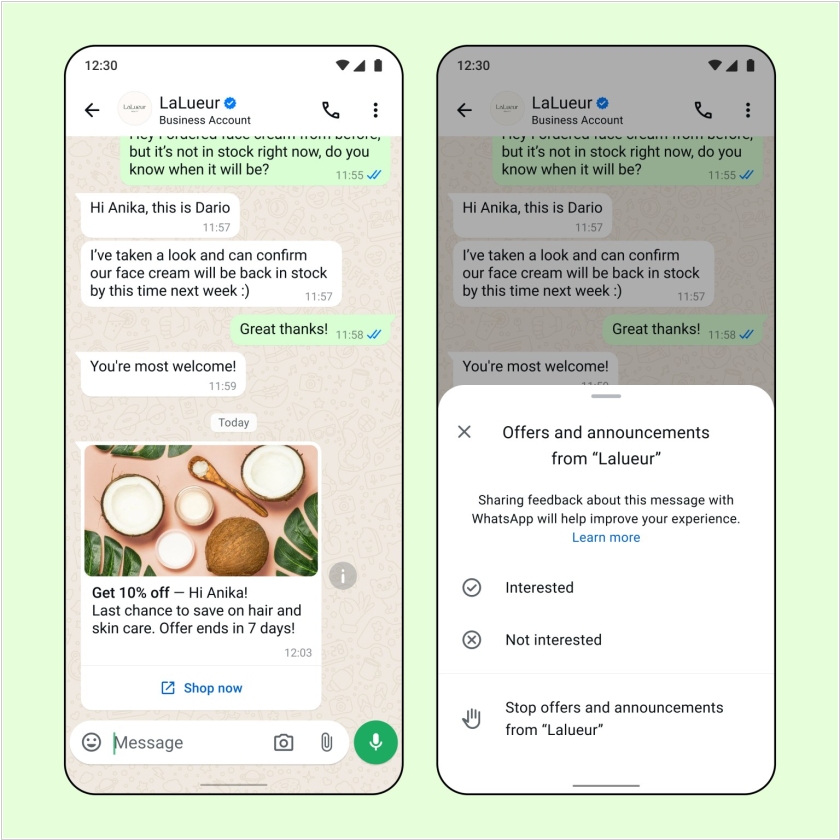
Companies are already sending messages to 200 million users a month through WhatsApp Business. And some of these messages can be considered spam. But until now, customers had two choices: either receive these messages and offers, or completely block the company's business account. WhatsApp has finally taken notice. Companies will have new tools for collecting user feedback on which messages they would like to receive and which they don't. This means that messages will now feature "interested/not interested" and "stop/resume" buttons for certain message categories.
2024. WhatsApp significantly improved video calling and increased the number of participants
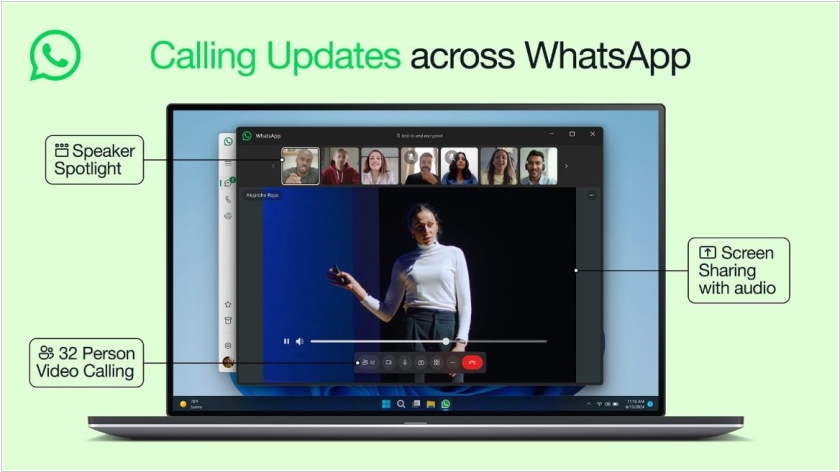
WhatsApp has released an update that increases the number of participants in video calls and significantly improves audio quality, even on poor connections. Video calls can now accommodate up to 32 participants. Previously, this number was limited to audio calls. Users now have a dynamic frame that automatically highlights the speaker and enlarges their image for all participants. Video calls are switching to the new MLow format, ensuring acceptable picture and audio quality even on poor connections. The developers have improved automatic noise suppression and echo cancellation. "The sound has become clearer overall, even if you have a poor network connection or are using an older device," the company reported.
2024. WhatsApp gets major redesign for iPhone and Android
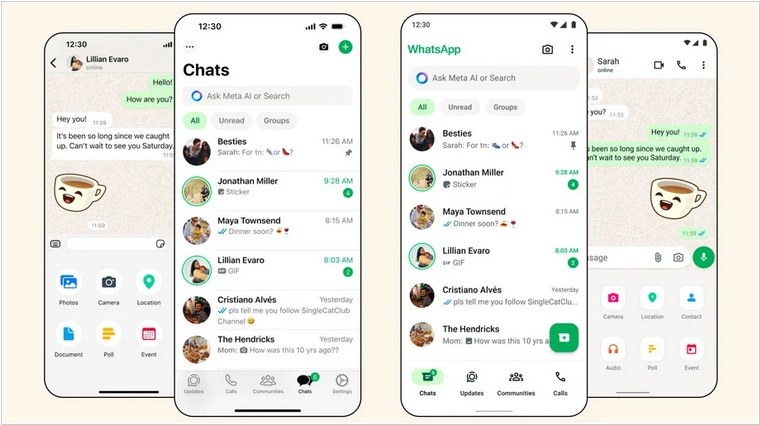
WhatsApp has rolled out a major redesign of its messenger for Android and iPhone (the desktop version remains unchanged). Now, the iOS and Android versions of the messenger look identical. The search icon at the top of the home screen has been replaced by a full header. It allows you to search for messages and files in chats. New animations have been added, and the icons in the "Settings" section have been updated. The dark theme on Android now has more contrast. A new navigation bar has been added to Android. On iOS, the interface for sending photos, videos, and documents has been updated.
2024. WhatsApp added feature to schedule events in communities
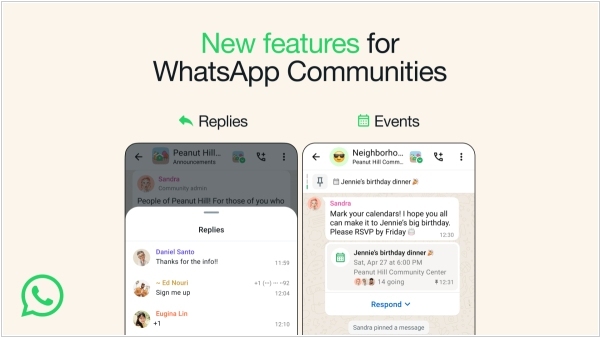
WhatsApp now allows users to schedule events in communities. This new feature makes it easier to schedule meetings and events directly within WhatsApp. Anyone can create an event for which others can register, allowing everyone in the group to see who plans to attend. Users can find the event on the group's information page, and those attending will receive a notification when the event date approaches. WhatsApp has also added the ability to reply to messages in announcement groups, where community administrators send a broadcast to all community members. The goal of this feature is to allow administrators to hear from community members while maintaining order.
2023. WhatsApp introduced voice chats for groups
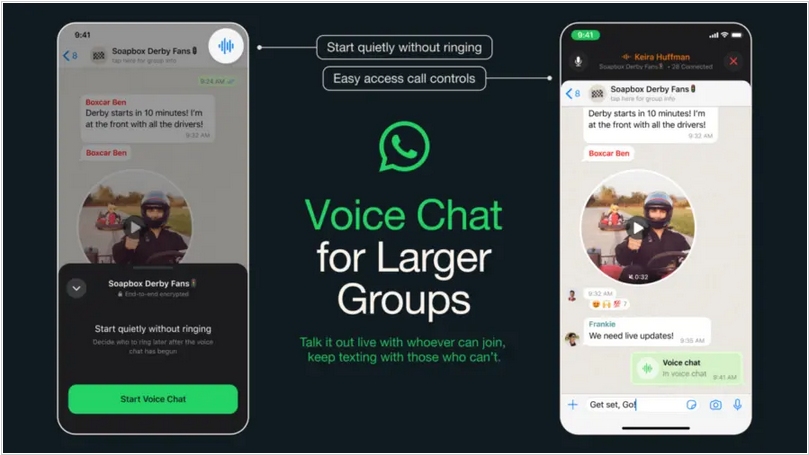
WhatsApp has added audio conference calling for groups with more than 32 participants. Voice chats are similar to similar features in Discord, Telegram, and Slack, the publication notes. They allow for initiating conversations without calling each participant. Group members can join the conversation via a pop-up window. All voice chats are protected by end-to-end encryption, WhatsApp* notes. Participants can also continue exchanging text messages within the messenger during a conversation.
2023. WhatsApp launched channels
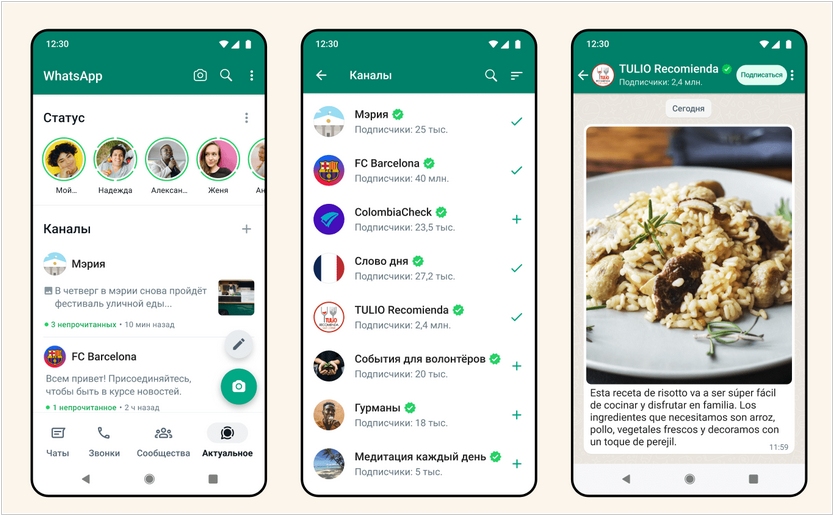
WhatsApp announced the launch of channels in 150 countries. Channel creators can post text, photos, videos, polls, and stickers in channels. Subscribers' phone numbers are hidden from other users and the administrator. The administrator's details are also not visible. Following testing, WhatsApp added an automatic filter to the channel catalog that takes into account the user's country. Channel subscribers, in turn, can now react to posts, and administrators can edit them for 30 days.
2023. WhatsApp now features screen sharing
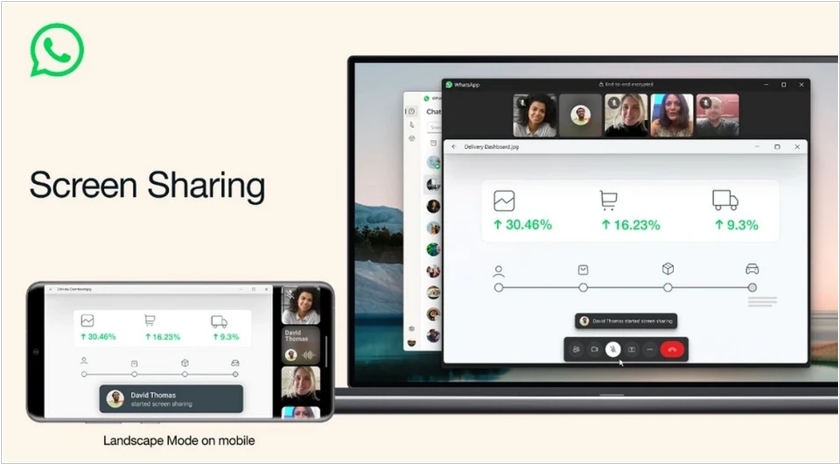
WhatsApp has added screen sharing during video calls. With this feature, you can share documents, photos, or anything else displayed on your smartphone's screen. Screen Sharing will be available on Android, iOS, and the Windows desktop client. To start screen sharing, simply tap the "Share" icon during a video call. The messenger will then offer the option to share a specific app or the entire screen. In addition to screen sharing, WhatsApp now also allows video calls in landscape mode.
2018. WhatsApp Launched Encrypted Group Video Calls
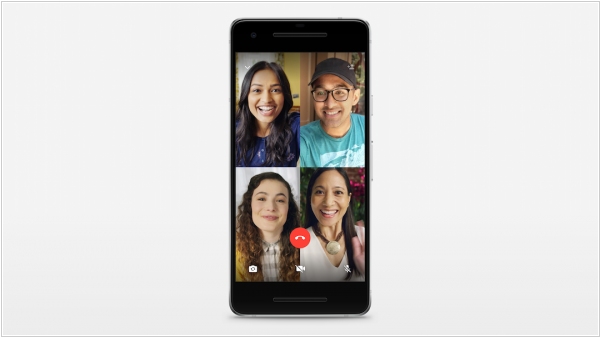
WhatsApp has introduced group video calls for up to four people. While this isn't as large as its competitors, Facebook Messenger supports up to 50 participants, while Skype supports up to 25. However, WhatsApp has a key advantage: group calls are end-to-end encrypted. The new feature will gradually roll out to all users of the messenger's iPhone and Android apps.
2018. Instagram and WhatsApp to get group video calls
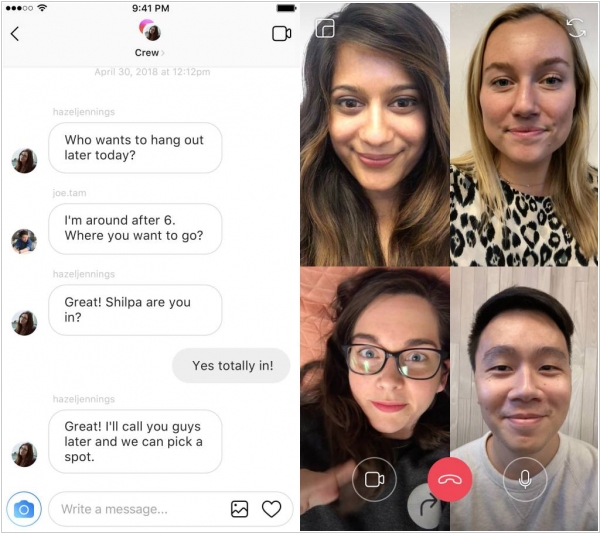
At Facebook's annual developer conference, F8, Mark Zuckerberg announced that Instagram's group calling feature is already available to some users participating in testing and will be rolled out to the wider audience "within weeks." Additionally, Instagram will redesign the Explore section and allow users to manually customize the camera's AR effects. Zuckerberg also announced a group video calling feature for WhatsApp.