Google Meet
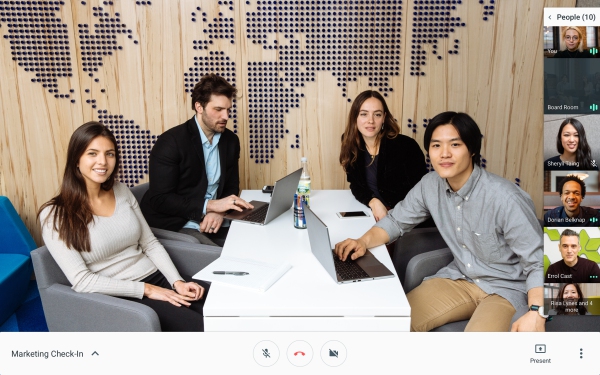
(Formerly Google Hangouts) Video meetings for your business. Connect with your team from anywhere. With easy-to-join video calls, you can meet face to face without the added cost of travel.
Comments: 1
Comments: 1
Alternatives and relevant products
Users who were interested in Google Meet, then also viewed:

Video about Google Meet
News about Google Meet
15.10.25. Google Meet added AI makeup

Video conferencing service Google Meet finally has added an AI-powered makeup filter for those days when you don't feel like applying real makeup before a meeting. The new feature will help it compete with other video conferencing platforms that already support virtual makeup, including Microsoft Teams and Zoom. Google Meet offers 12 different makeup options to choose from. Google claims the virtual makeup will stay in place regardless of the user's movements on the screen. So, if the user takes a sip of coffee, the filter will stay on their face, not move to their mug.
2025. Google Meet can now translate a foreign language in real-time
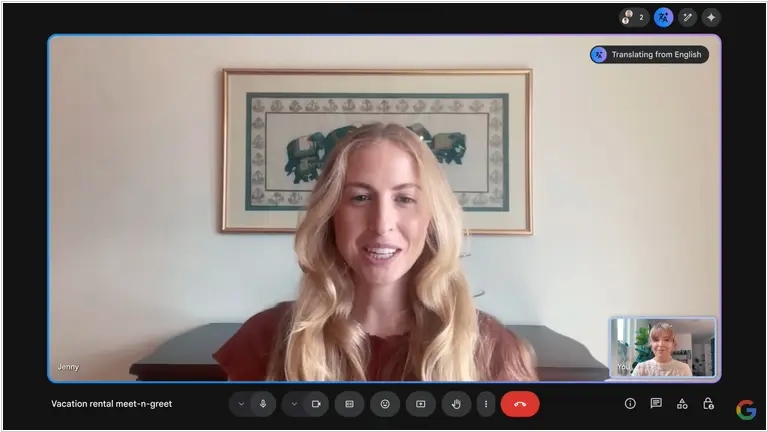
Video conferencing service Google Meet has introduced a new AI-based feature that allows you to translate the speech of your interlocutor in real time – and immediately by voice. So far, it only translates from English and Spanish, but Google promises to add more languages in the coming weeks. The feature preserves the speaker’s original voice and conveys intonation and emotions, which can facilitate international communication. The translator is already available in beta for $20 per month and will soon be introduced in Workspace business accounts.
2024. Google Meet will now take notes for you
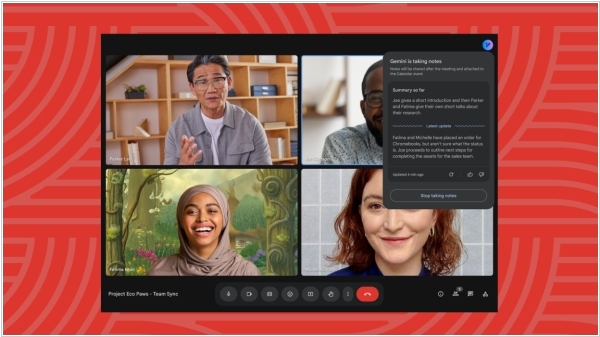
Google Meet will now take notes for you in meetings with a new Gemini AI-driven feature called "Take notes for me," which is comparable to competitor options like Zoom Notes or OtterPilot. It leverages AI to create a summary after your meeting. Once the meeting concludes, a document will be attached to the Google Calendar event and the meeting admin will receive an emailed link to it (it will also be stored in the organizer's Drive). If anyone activates meeting recording or transcription during the same meeting, a link to this will be included in the document. Meetings must be held in spoken English for the "Take notes for me" feature to function.
2024. Google Meet added ability to switch from desktop to phone during video call
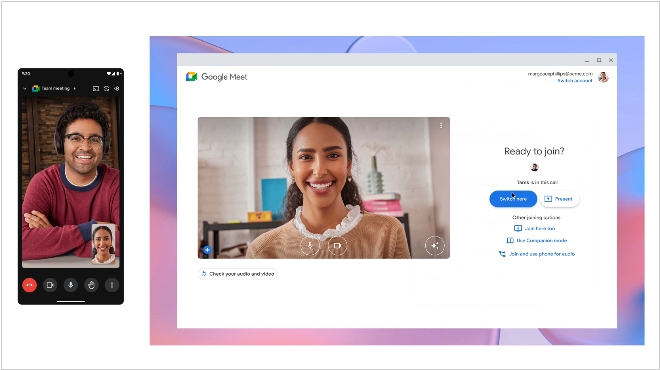
Google announced an update to its video conferencing platform Google Meet that allows users to switch devices during a call without interrupting the video call. Essentially, this allows users to seamlessly switch between desktop and mobile devices without other video conference participants being aware. Google Meet users will even be able to continue the call on both devices by going to "More Join Options" and selecting "Join Here Too." This feature works on desktop computers, as well as Android and iOS devices, such as smartphones and tablets. With this update, Google Meet adds a feature to its platform that has been available on Zoom for at least several years.
2023. Google Meet can now detect hand raising.

Raising your hand is a popular feature in video conferencing systems, but Google was the first to implement it not by pressing a button, but by actually raising your hand (as in a real meeting). In Google Meet, auto-detection of this gesture is not enabled by default. You must enable it by selecting "Advanced settings" > "Reactions" > "Raise hand gesture." For the feature to work reliably, your hand must be visible to the camera and held away from your face and body. Keep your hand raised until the hand-raise detection icon turns green. Administrators have no control over this feature, so they won't be able to turn it on or off.
2023. Google Meet introduces face retouching feature
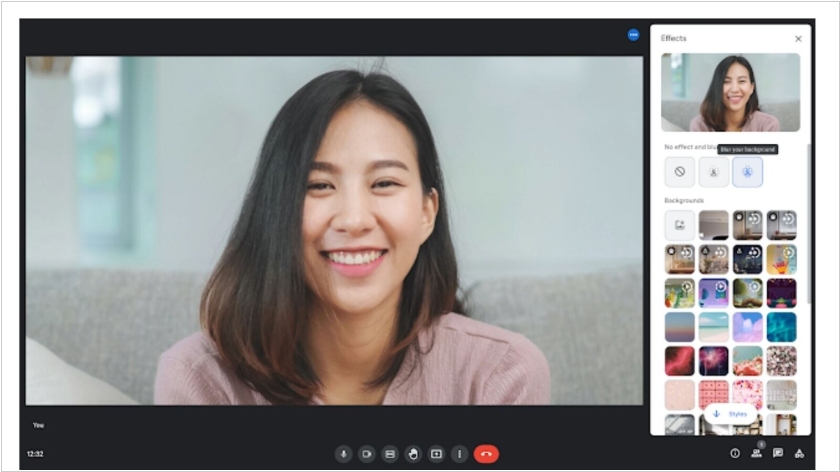
Google Meet has introduced the Portrait touch-up feature, which allows you to even out your complexion during a video call, brighten under-eye areas, and conceal redness or dark circles. The company believes this feature will be useful, for example, if a user joined a meeting straight from the gym or is recovering from a cold—the feature can help "subtly improve" their appearance. You can enable the feature and select the level of retouching in the settings. The feature will gradually roll out to some users on Google Meet mobile, including those on Business Standard, Business Plus, Enterprise Starter, Education Plus plans, Google One subscribers, and others. It is not available to users with personal accounts.
2014. Google Hangouts is available as a standalone Chrome app for Windows and Chromebooks
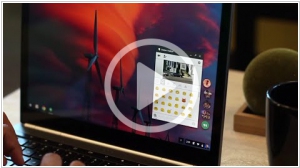
Google Hangouts users can now chat and make calls from their desktops without opening their browser. Google Hangouts is now a Chrome app for Windows and Chrome OS computers. It can be installed on Mac OS X computers that also have Chrome but isn’t yet fully supported. The app provides all of your active chats on the desktop for easy access. More important though is the support for voice calls through the app, right on your computer. And Google Voice users will benefit from the Voice integration with Hangouts, meaning access to voicemail and the ability to send and receive SMS.
2014. Hangouts unlinked from Google+, becomes a part of Google Apps For Business

Until now, you had to have a Google+ account to use Hangouts if you were a Google Apps user. Starting today, that requirement is gone. Anybody with a Google Apps account will now be able to start or join a meeting from their desktop or their dedicated Chromebox for Meetings device. Hangouts is also now coming to Google Apps for Business. While users on Google’s paid accounts could always use Hangouts (assuming their admins allowed it), this change means that Hangouts is now covered by the same SLAs as the rest of Google’s services like Gmail and Drive. Lastly, IT administrators can better manage meetings right from the Google Apps Admin Console with options like remotely starting, muting and ending a meeting.
2014. Google Hangouts now can connect to Polycom, Cisco and other videoconferencing systems

Recently we reported that Google unveiled video conferencing system for meeting rooms Chromebox for Meetings. But the adventures of Google in this area haven't ended with this news. It turns out that Vidyo (the maker of enterprise video communication systems) provides backend for Google Hangouts. And this company added to this backend a new service VidyoH2O, which allows Google Hangouts users to participate in videomeetings with corporate videoconferencing systems - Polycom, Cisco, Avaya, Lifesize and others (supporting H.323/SIP standards). So, there is a great potential for establishing intercompany video meetings. However, this service is not free - it costs from $99/month per concurrent user.
2013. Google unites GTalk and Hangouts

Google engineers have so much work to do (mostly for Google Glass), that they simply don't have time to fix other (useful) products. For several years we have been waiting when Google finally unites its separated communication services in order to create competitive Skype alternative. And finally, they spent few weeks and implemented the half of this task. Google Talk messenger is now replaced by Google Hangouts videochat. Google has released two Hangouts mobile apps: for Android and iOS. In addition, Hangouts is available in GMail and Google+. All your Hangouts chat apps are synchronized, so you can start conversation on your computer (in GMail) and continue it out of the office on your phone. In chat you can insert pictures and videos from Youtube. Video chat supports up to 10 people simultaneously. Unfortunately, for now Google had not time to unite Hangouts with Google Voice. So you can't send SMS in Hangouts and make voice calls. You can either send a message or make video call. No voice calls yet.
2012. Google+ Hangouts comes to iPad and iPhone
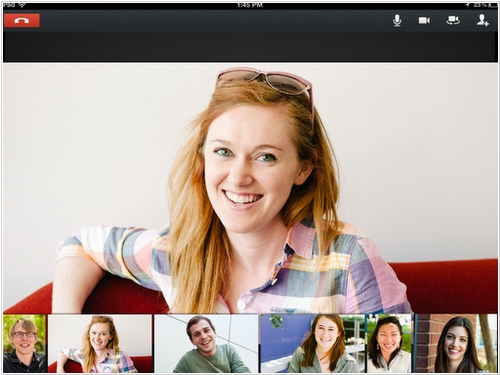
It's very strange that Apple doesn't really try to become the video chat king, and even doesn't prevent the competitors of using its platform for this matter. Though it was Apple's iPhone that made mobile video chat popular and Skype position not so strong. But since then Apple's video chat app Facetime didn't progress, and competitors continue to use it. Yesterday Google released a new Google+ app for iPad with Hangouts video chat and updated Google+ for iPhone app, that now also supports Hangouts. Recall, Google Hangouts allows you to organize online video meetings with up to 10 users - for free. In addition to iOS, Google's video chat works on Android smartphones and tablets, as well as on any computer via a web browser and a small plug-in.
2011. Web video chat: Google Hangouts vs Facebook Skype
A great battle between Google and Skype (Microsoft) for the video calling market continues on a new platform - the Social Web. Last week Google launched (in Beta) their social network Google + and one of it's features is the group video chat Hangouts. And yesterday the built-in Skype-based video chat appeared in Facebook. Both video chat apps work directly in browser, which signals about the transition of video calling applications to web-technologies (although both apps require the installation of a small browser plug-in). ***